
前言介紹
- 這款 WordPress 外掛「TheForge Buy Now Button for WooCommerce – Direct Checkout & Quick Purchase」是 2025-12-06 上架。
- 目前尚無安裝啟用數,是個很新的外掛。如有要安裝使用,建議多測試確保功能沒問題!
- 上一次更新是 2025-12-14,距離現在已有 73 天。
- 外掛最低要求 WordPress 5.0 以上版本才可以安裝。
- 外掛要求網站主機運作至少需要 PHP 版本 7.0 以上。
- 尚未有人給過這款外掛評分。
- 還沒有人在論壇上發問,可能目前使用數不多,還沒有什麼大問題。
外掛協作開發者
外掛標籤
buy now | one-click | woocommerce | quick purchase | Direct Checkout |
內容簡介
**總結:**
TheForge Single Product Checkout 在您的 WooCommerce 產品頁面上新增了一個強大的“立即購買”按鈕,讓客戶可以跳過購物車,只需一次點擊即可直接進行結帳。這種簡化的購買體驗通過減少購物過程中的摩擦,減少了購物車放棄率,提高了轉換率。
**問題與答案:**
1. 這個外掛的主要功能是什麼?
- 提供"立即購買"按鈕,讓客戶能夠直接進行結帳,無需經過購物車流程。
2. 這個外掛的幾個主要特點是什麼?
- 突出的"立即購買"按鈕、可自定義外觀、靈活的重定向選項、類別定位、存檔頁面支持、短代碼支持、購物車管理及簡單配置。
3. 使用者如何使用此外掛?
- 安裝並啟用外掛後,可以在 WordPress 管理員頁面的 WooCommerce 設定中配製外掛設置,設置按鈕外觀、重定向目標、特定產品類別等,然後儲存設置。
4. 此外掛適用於哪些商店及情況?
- 適合數碼產品商店、高價產品、希望提供"加入購物車"及"立即購買"選項的商店、減少結帳過程摩擦並提高轉換率的商店、希望通過直接結帳來創造緊迫感的商店。
原文外掛簡介
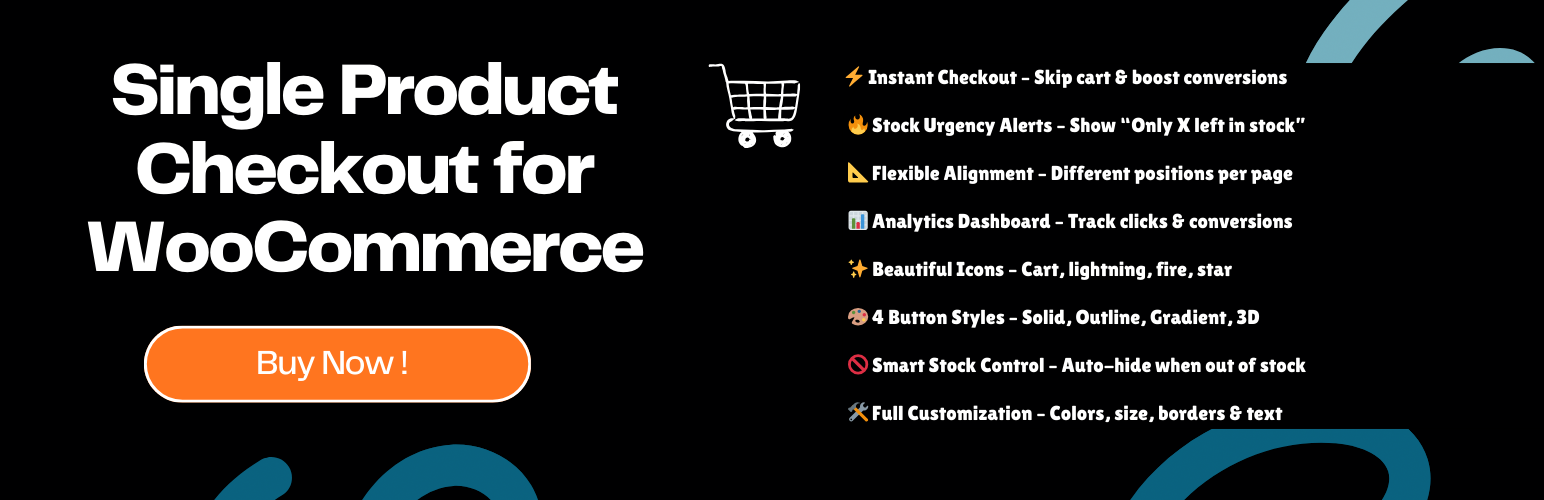
TheForge Buy Now Button transforms your WooCommerce store by adding a powerful “Buy Now” button that takes customers directly to checkout, skipping the shopping cart entirely. Perfect for reducing friction, increasing conversions, and creating urgency with real-time stock alerts.
Why Choose TheForge Buy Now Button?
Instant Checkout – Skip the cart, boost conversions by up to 30%
Stock Urgency Messages – Show “Only X left in stock!” alerts automatically
Separate Alignments – Different button positions for single products vs. shop pages
Analytics Dashboard – Track views, clicks, and conversion rates in real-time
Beautiful Icons – Add cart, lightning, fire, or star icons to your button
4 Button Styles – Solid, Outline, Gradient, or 3D effects
Smart Stock Management – Auto-hide button when products are out of stock
Full Customization – Colors, sizes, borders, text – everything is customizable
Visit ThePluginForge.com for more powerful WooCommerce plugins!
Key Features
Button Customization:
* Custom button text (e.g., “Buy Now”, “Order Now”, “Quick Purchase”)
* Color picker for background and text colors
* 3 size options: Small, Medium, Large
* Separate alignments for single product pages and shop/archive pages
* Border radius slider (0-50px)
* Button width: Auto or Full-width
* Custom CSS class support
Stock & Urgency:
* Automatic stock urgency messages (“Only 3 left in stock – Order now!”)
* Customizable stock threshold (default: 5 items)
* Auto-hide button for out-of-stock products
* Professional alert styling with red accent borders
Button Styles:
* Solid – Classic filled button
* Outline – Border-only design
* Gradient – Modern gradient background
* 3D – Raised button with shadow effects
Icon Options:
* Shopping Cart, Lightning Bolt, Arrow, Checkmark, Fire, Star
* Position: Left or Right of text
Analytics & Tracking:
* Track button views and clicks
* Monitor conversion rates
* View top products by Buy Now clicks
* Filter by: Today, Last 7 Days, Last 30 Days, All Time
Advanced Settings:
* Redirect to: Checkout, Cart, or Custom URL
* Category targeting (enable for specific categories only)
* Shortcode support: [spcb_buy_now product_id="123"]
* HPOS compatible
Easy Setup Guide
Step 1: Install & Activate
1. Install from WordPress.org or upload the plugin ZIP
2. Click “Activate”
3. Go to WooCommerce → TheForge Buy Now Button
Step 2: Configure Basic Settings (General Tab)
* Enable Buy Now Button (checked by default)
* Choose redirect: Checkout (recommended), Cart, or Custom URL
* (Optional) Select specific categories
Step 3: Style Your Button (Button Styling Tab)
* Button Text: “Buy Now” (or customize)
* Button Color: Choose your brand color
* Text Color: White or contrast color
* Button Size: Medium (recommended)
* Single Product Alignment: Left (works with variations)
* Shop/Archive Alignment: Center (looks great in grids)
* Button Style: Solid, Outline, Gradient, or 3D
* Border Radius: 4px
* (Optional) Add an Icon: Lightning, Cart, Fire, etc.
Step 4: Enable Stock Urgency (Advanced Tab)
* Check “Hide for Out of Stock”
* Check “Show stock urgency message”
* Stock Urgency Threshold: 5
Important: Your products must have “Manage stock?” enabled:
* Edit Product → Inventory → Check “Manage stock?”
* Set stock quantity
Step 5: Save & Test
* Click “Save Changes”
* Visit a product page to see your button!
How It Works
Customer clicks “Buy Now” button
Plugin clears cart
Adds product to cart
Redirects to checkout
Customer completes purchase quickly!
Requirements
WordPress 5.0+
WooCommerce 3.0+
PHP 7.0+
Support
Visit our website: ThePluginForge.com
Documentation: https://thepluginforge.com/support
Support Forum: https://wordpress.org/support/plugin/theforge-single-product-checkout/
Email: [email protected]
Privacy
Stores analytics locally in WordPress database
Does NOT send data to external servers
Does NOT collect personal customer information
Only tracks button views and clicks
GDPR compliant
Credits
Developed by The Plugin Forge – Crafting powerful WordPress & WooCommerce solutions.
🔗 Visit us: ThePluginForge.com
Thank you for using TheForge Buy Now Button! If you find it helpful, please leave a 5-star review!
各版本下載點
- 方法一:點下方版本號的連結下載 ZIP 檔案後,登入網站後台左側選單「外掛」的「安裝外掛」,然後選擇上方的「上傳外掛」,把下載回去的 ZIP 外掛打包檔案上傳上去安裝與啟用。
- 方法二:透過「安裝外掛」的畫面右方搜尋功能,搜尋外掛名稱「TheForge Buy Now Button for WooCommerce – Direct Checkout & Quick Purchase」來進行安裝。
(建議使用方法二,確保安裝的版本符合當前運作的 WordPress 環境。
延伸相關外掛(你可能也想知道)
Buy in 1 Click for WooCommerce 》總結:Buy in 1 Click for WooCommerce為您的WooCommerce商店增加了快速和無摩擦的購買選項。顧客可以在商品頁直接通過輸入手機號碼提交訂單,無需經過購物車...。
Buy Now Button, Direct Checkout, Quick Checkout / Purchase Button For WooCommerce 》這款外掛會在「加入購物車」按鈕下方新增一個「立即購買」按鈕,讓使用者進行快速結帳。透過自定義的 AJAX 呼叫,使用者可以直接跳轉至結帳頁面,簡化購物流...。








