內容簡介
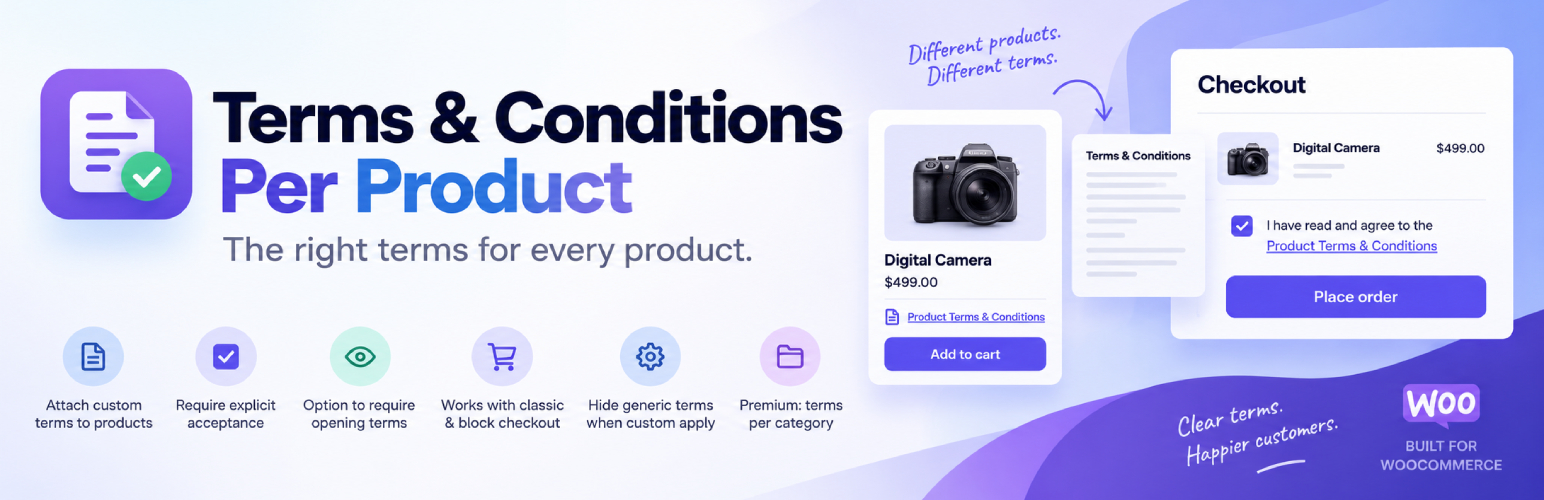
此外掛為 WooCommerce 提供每個產品獨立的條款與條件選項,讓商店能夠針對特定商品設定專屬的條款,確保顧客在結帳前確認相關條件,提升交易的透明度與安全性。
【主要功能】
• 每個產品可設定獨立的條款與條件網址
• 變數產品的每個變體可有不同條款
• 結帳時每個產品顯示獨立的勾選框
• 支援經典結帳與 WooCommerce Checkout block
• 伺服器端驗證,確保條款被確認後才能付款
外掛標籤
開發者團隊
② 後台搜尋「Terms and Conditions per Product for WooCommerce」→ 直接安裝(推薦)
📦 歷史版本下載
原文外掛簡介
WooCommerce gives you one Terms and Conditions checkbox for the whole store. Some products need their own: a non-refundable deposit, a digital download you cannot take back, an age-restricted item, a rental with a damage clause, a booking with a cancellation window.
This plugin adds a Terms URL to any product, variation, product category or product tag. When that item is in the cart, its own checkbox appears at checkout, and the customer cannot place the order until every box is ticked. Everything else about your checkout stays as it is.
Requires: WooCommerce 9.9 or newer.
Works with: the classic checkout, the WooCommerce Checkout block, and HPOS.
How it works
Edit a product and open the Advanced tab. Paste the URL of your Terms page and, if you want, the link text.
The checkbox appears at checkout for every customer with that product in the cart, once per product, however many times it appears in the order.
The customer ticks it and the order goes through. With the Premium version, the acceptance is written against the order with a timestamp, the user and the exact Terms link that was shown.
Who it is for
🛍️ Shops selling both ordinary goods and items with their own conditions, where a single store-wide checkbox says nothing useful.
💾 Digital products and downloads with a no-refund policy.
🔞 Age-restricted goods, where you need the customer to confirm before checkout.
🔑 Rentals, hire and equipment, with a separate damage or return agreement.
🛠️ Deposits, made-to-order and custom work, where the cancellation terms differ per item.
📅 Services and bookings, where each service carries its own cancellation window.
Free features
✅ Terms and Conditions URL and link text on any product.
✅ Different Terms on each variation of a variable product.
✅ A checkbox per product at checkout, on both the classic checkout and the WooCommerce block checkout.
✅ Server-side validation. Acceptance is checked again on the server before payment is taken, so an order cannot get through without it.
✅ Optionally require the customer to open the Terms link before the checkbox unlocks.
✅ Optionally show the Terms on the single product page.
✅ A [tacpp_terms] shortcode to show a product’s Terms anywhere else.
✅ Optionally hide the default WooCommerce Terms checkbox when custom Terms apply.
✅ Filters and actions throughout, for developers. See the hooks reference.
✅ Translation ready.
Premium features
🗂️ Terms per product category and per product tag, so a whole range is covered by one setting.
📋 An acceptance log on the order screen: who accepted what, when, and which link they were shown. Useful the day a customer disputes a charge.
🪟 Open Terms in a modal instead of a new tab, for your Terms and for the default WooCommerce ones.
📦 WooCommerce Product Bundles support: let a bundle’s Terms replace the Terms of the products inside it, or let a product skip its own Terms when it is sold inside a bundle.
See Premium plans and pricing.
Built for current WooCommerce
Block checkout is supported in full since 1.4.0, on WooCommerce 9.9 and above. The checkboxes render inside the checkout block, they rebuild themselves when the cart changes mid-checkout, and the acceptance is verified again through the Store API before stock is reserved or payment is taken. HPOS (High-Performance Order Storage) is supported on the order screens.
What this plugin does not do
It does not write your Terms and it is not legal advice. You host your Terms on your own page or PDF. The plugin links to them, requires the tick, and records it.
Documentation and support
📖 Documentation: setup and a guide for every feature, from adding Terms to products to block checkout and the acceptance log.
🛟 Support forum: questions and bug reports. We answer every topic.
✉️ Contact us: Premium support, and anything that is not a support question.
Like it?
A 5-star review is the most useful thing you can do for a small plugin. It takes a minute and helps other store owners find it.
More from The WP Garden
Terms and Conditions per Product is made and maintained by The WP Garden, small focused plugins for WooCommerce, BuddyPress and WordPress.
Checkout Guard: block fake and spam orders at checkout.
SubPortal: a self-service portal for WooCommerce Subscriptions.
Pinned Feed Notices: pinned announcements on the BuddyPress activity feed.
Block Member Posting: stop chosen members posting on BuddyPress.
Peter’s Post Notes: admin notes on posts and pages.