外掛標籤
開發者團隊
原文外掛簡介
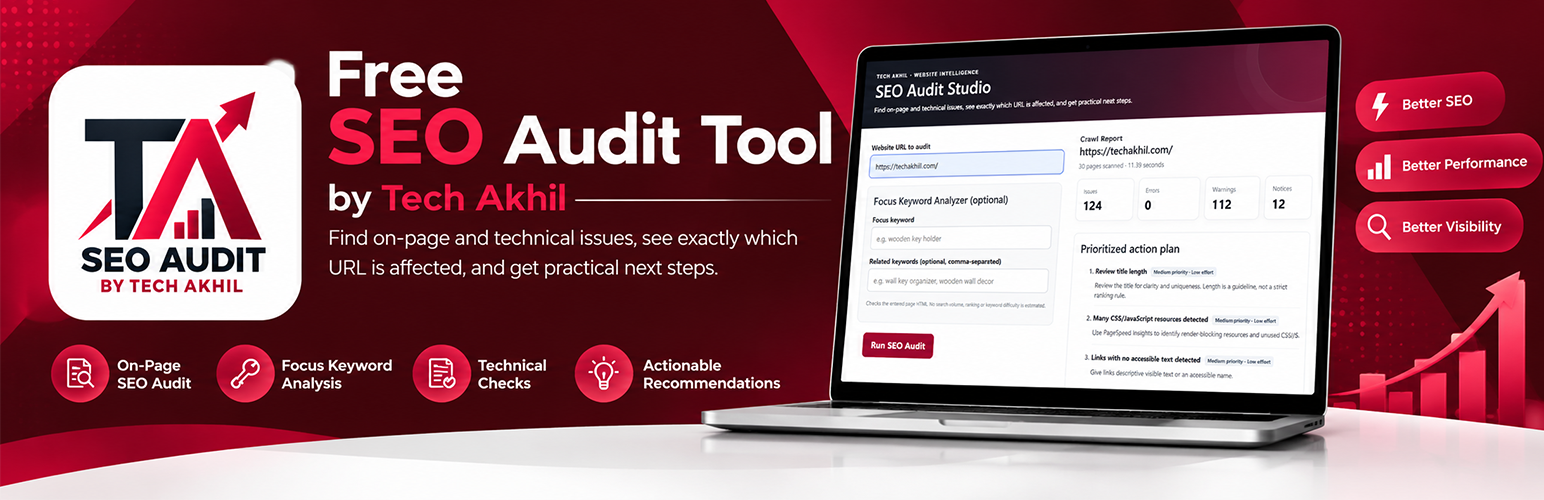
Tech Akhil SEO Audit Tool checks selected on-page and technical SEO signals and groups findings into Critical, Warning, and Notice categories with a prioritized action plan. It is a practical checklist, not a ranking predictor or a complete security/accessibility audit.
The bounded same-host crawler checks titles, descriptions, headings, canonical/noindex signals, image alt text, links, robots.txt, sitemaps, mobile viewport, language, structured-data presence, mixed content, selected response headers, and basic content heuristics. It crawls up to 30 pages subject to a time budget and does not execute JavaScript.
The optional Focus Keyword Analyzer checks the submitted page for a supplied focus keyword and related terms in selected on-page locations. Its score is an internal checklist indicator; it does not provide rankings, search volume, or keyword difficulty. Reports can be printed/saved as PDF in the browser or exported to a temporary, single-use CSV link that expires after two hours.
Plugin developer: Akhilesh Kumar Meena. Brand: Tech Akhil.
Documentation: https://techakhil.com/free-seo-audit-tool/
Plugin homepage: https://techakhil.com/free-seo-audit-tool/
Source code: https://github.com/techakhilofficial/tech-akhil-seo-audit-tool
Features
Admin audit form and public shortcode: [seo_audit_checklist_tool]
Critical, Warning, and Notice findings with a prioritized action plan.
Optional focus and related keyword checks.
Page-by-page data and selected technical signals.
Browser print/save-to-PDF and temporary CSV export.
Configurable report theme and accent colour.
Optional public attribution, disabled by default.
Optional local Audit Activity with domain/date only, saved only after an explicit opt-in.
Optional administrator-authorized Google Search Console integration.
External links to PageSpeed Insights and the Schema Markup Validator.
Privacy and Data Handling
The audit sends HTTP requests from the WordPress server to the submitted URL and selected same-host pages to inspect HTML and response headers. Before an audit runs, the person submitting the form must acknowledge that the site temporarily stores a site-keyed hash of the request IP in a WordPress transient for a 60-second abuse-prevention cooldown. The raw IP is not stored in Audit Activity, and the hash is not sent to Tech Akhil. The optional keyword analyzer processes page text in memory for its checks; this is not intended as a permanent content archive.
Audit Activity stores the normalized audited domain and timestamp in the local WordPress database only when the person submitting the audit checks the optional opt-in. Without that opt-in, no Activity record is added. The plugin does not intentionally send analytics telemetry to Tech Akhil. CSV data is stored temporarily for up to two hours; export tokens are random and single-use. CSV text cells beginning with spreadsheet formula characters are prefixed as a mitigation against formula injection.
If an administrator connects Google Search Console, OAuth credentials and returned access/refresh tokens are stored in this WordPress site’s database while configured/connected. Disconnecting deletes the saved integration option. The site administrator is responsible for protecting the WordPress database and OAuth client secret.
External services
Google OAuth 2.0 and Google Search Console APIs (optional): Used only after a site administrator configures an OAuth client ID/secret and explicitly starts the connection. The integration requests the read-only https://www.googleapis.com/auth/webmasters.readonly scope. Depending on the action, the plugin sends Google the OAuth client ID, redirect URI, temporary state, authorization code, client secret, refresh token, selected Search Console property, date range, or URL submitted for inspection. It requests accessible properties, up to ten search-query performance rows, or URL inspection data. Requests occur when the administrator connects, opens/uses the integration, submits an inspection, or a token refresh is needed. Google processes the data under its own terms and privacy policy.
Google APIs Terms: https://developers.google.com/terms
Google Privacy Policy: https://policies.google.com/privacy
Google API Services User Data Policy: https://developers.google.com/terms/api-services-user-data-policy
User-supplied websites: When an audit is submitted, the WordPress server requests the supplied URL and selected pages on that same host. Those website hosts receive the normal HTTP requests needed to return their HTML and headers. The plugin does not intentionally transmit the audit content to Tech Akhil.
PageSpeed Insights: Opened only when a user clicks its link. The browser then communicates directly with Google; this plugin does not call the PageSpeed API from the WordPress server. Google Terms: https://policies.google.com/terms?hl=en-IN. Google Privacy Policy: https://policies.google.com/privacy.
Schema Markup Validator: Opened only when a user clicks its link. The browser communicates with https://validator.schema.org/; this plugin does not send audit data to it automatically or call a validator API from the WordPress server. Schema.org Terms: https://schema.org/docs/terms.html. This review did not identify a separate validator-specific privacy policy; Google’s general privacy policy is available at https://policies.google.com/privacy.
Limitations
The crawler does not execute JavaScript and cannot guarantee full-site coverage.
Broken-link, schema, content, analytics/form, and security-header checks are limited heuristics.
The tool is not a penetration test, malware scanner, complete accessibility audit, or ranking predictor.
Search Console data requires administrator authorization and access to the relevant property.
Support and Documentation
Documentation: https://techakhil.com/free-seo-audit-tool/
Developer profile: https://techakhil.com/akhilesh-kumar-meena/
Support forum: https://wordpress.org/support/plugin/tech-akhil-seo-audit-tool/
Reviews: https://wordpress.org/support/plugin/tech-akhil-seo-audit-tool/reviews/