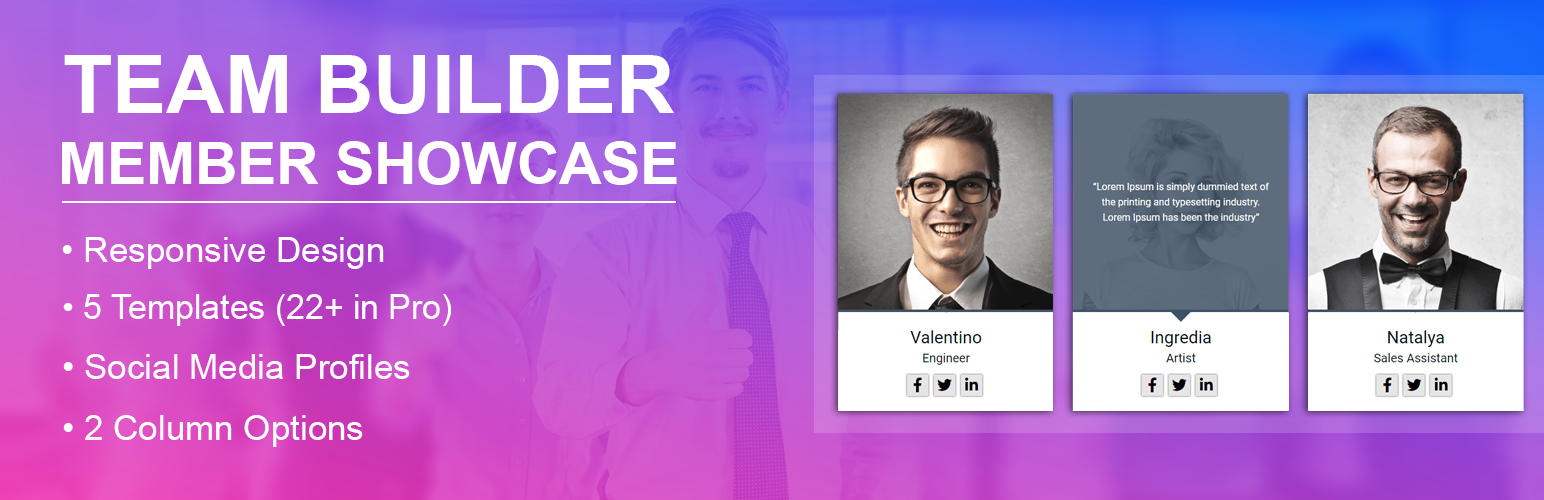
內容簡介
Team Builder Member Showcase 外掛幫助您輕鬆建立專業的團隊成員展示頁面,透過簡單的短碼和響應式佈局,讓您的網站訪客能夠快速了解團隊成員的資訊,增強信任感。
【主要功能】
• 響應式佈局,適用於所有現代螢幕
• 提供 5 種現成模板設計
• 簡單的短碼生成器顯示團隊
• 支援 1 到 4 欄的網格系統
• 無限制的團隊成員條目
• 每位成員可添加社交媒體連結
外掛標籤
開發者團隊
② 後台搜尋「Team Builder Member Showcase」→ 直接安裝(推薦)
📦 歷史版本下載
原文外掛簡介
Build a beautiful Team Builder Member Showcase with simple shortcodes, responsive grids, and clean bios.
Team Builder Member Showcase Description
Want to show your staff on your website?
The Team Builder Member Showcase helps you create a professional page.
You can share team details in just a few minutes.
This team member showcase is fully responsive.
It works perfectly on mobile phones, tablets, and computers.
Sharing the faces of your team builds trust with clients.
With this builder, you can add names and photos.
You can also add jobs, short bios, and social links.
Everything displays in a clean and organized grid layout.
Free Version Demo: Team Builder Member Showcase Free
Premium Version Demo: Team Builder Member Showcase Premium
Where To Buy: Premium Version Detail Page
Why use a builder showcase?
* It introduces your staff to website visitors.
* It helps build credibility and trust.
* It gives your business a human touch.
* It keeps visitors engaged on your site.
How to create your showcase:
* Add staff members inside the admin panel.
* Pick one of the beautiful templates.
* Paste the shortcode on any page.
Team Builder Member Showcase Features
Free Features:
* Clean responsive layout for all modern screens.
* 5 ready-to-use template designs.
* Simple shortcode builder to display your team.
* Grid system with 1 to 4 columns.
* Unlimited team member entries.
* Fields for photos, names, titles, and bios.
* Social media links for each staff member.
* Works with all popular web browsers.
* Simple bootstrap administrative panel.
Premium Features:
* 22 professionally designed templates.
* Owl Carousel slider for your team showcase.
* Autoplay settings with custom speed controls.
* Pause carousel on mouse hover.
* Navigation dots and next/prev buttons.
* Custom background colors for member cards.
* Custom text and description color choices.
* Advanced column options for responsiveness.
* Customizable social media icons.
* Link targets like new tabs or self.
* Priority customer support desk.
Use Cases
Company about us pages.
Professional agency staff showcases.
Startup founder profile lists.
Restaurant chef and staff cards.
Medical doctor and clinic directories.
Law firm lawyer biographies.
Real estate agent grids.
School teacher and faculty tables.
Church leader profiles.
Team Builder Member Showcase Frequently Asked Questions
How do I add a team member in this showcase?
Go to TBMS > Add Team in your dashboard.
Create a new staff list and add details.
Copy the shortcode and paste it on any page.
Can I build multiple showcases on one page?
Yes, you can build as many showcases as you like.
Each shortcode will display different team member lists.
Is there a limit to the showcase builder?
No, there is no limit.
You can add as many staff profiles as you need.
Will this team showcase work with my theme?
Yes, it works with all properly coded themes.
The templates adapt to your page width automatically.
Can I turn my team member grid into a slider?
The free version uses a grid layout.
The premium version adds a responsive slider with autoplay options.
How do I link social profiles to each team member?
Edit a member and paste their profile URLs.
You can add links for Facebook, Twitter, and LinkedIn.
Can I change colors of the showcase cards?
The free templates use clean default colors.
The premium version offers a color picker for cards and text.
Does this builder work with Elementor?
Yes, you can use the shortcode with any page builder.
It works with Elementor, Divi, and the block editor.
Is this team member plugin translation ready?
Yes, you can translate all text into your language easily.