內容簡介
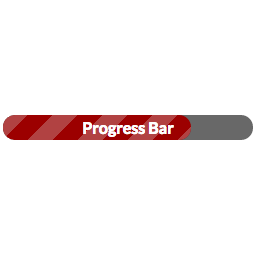
TDD進度條讓您追蹤多個項目的進度,實際上可以是任意數量。一個很酷的功能是能夠“競賽”多個項目。進度條在管理端進行管理,並使用短碼(shortcode)顯示。哦,還有嗎?我有提到它有一個非常漂亮的動畫嗎?
用法
在菜單中,您將看到一個名為“進度條”的新菜單,這是您用於添加和管理進度條的菜單。這裡還有一個設置區域,但說實話,如果您從未接觸過它們,事情也會運作良好。
在配置進度條之後,可以使用短碼在任何地方插入它。
簡單的例子:[progress id=32]
競賽多個條形: [progress id=32,35,54]
設置條形的寬度:[progress ids=12,33 width="25%"]
設置條形的高度:`[progress ids=12 height=”50px”]
居中對齊:[progress ids=4 width="50%" class="aligncenter"]
請注意,“id”和“ids”是可互換使用的
或使用小工具,該小工具允許您選擇要顯示的條形
外掛標籤
開發者團隊
原文外掛簡介
TDD Progress Bar allows you to track the progress of multiple projects. Actually, as many as you’d like. A cool feature is the ability to “race” multiple projects at once. Progress bars are managed in the admin side and displayed using shortcode. Oh, and did I mention it has a very pretty animation?
Usage
In the menus, you’ll see a new menu for “Progress Bars” which is what you’ll use to add and manage progress bars. There’s also an area here for settings, but honestly if you never touch them, things will work fine.
After configuring a progress bar, insert it anywhere you’d like with shortcode.
Simple example: [progress id=32]
Race multiple bars: [progress id=32,35,54]
Set the bar’s width: [progress ids=12,33 width="25%"]
Set the height of the bar `[progress ids=12 height=”50px”]
Align Center: [progress ids=4 width="50%" class="aligncenter"]
Note that “id” and “ids” are interchangeable
Or use the widget which allows you to pick bars to display