內容簡介
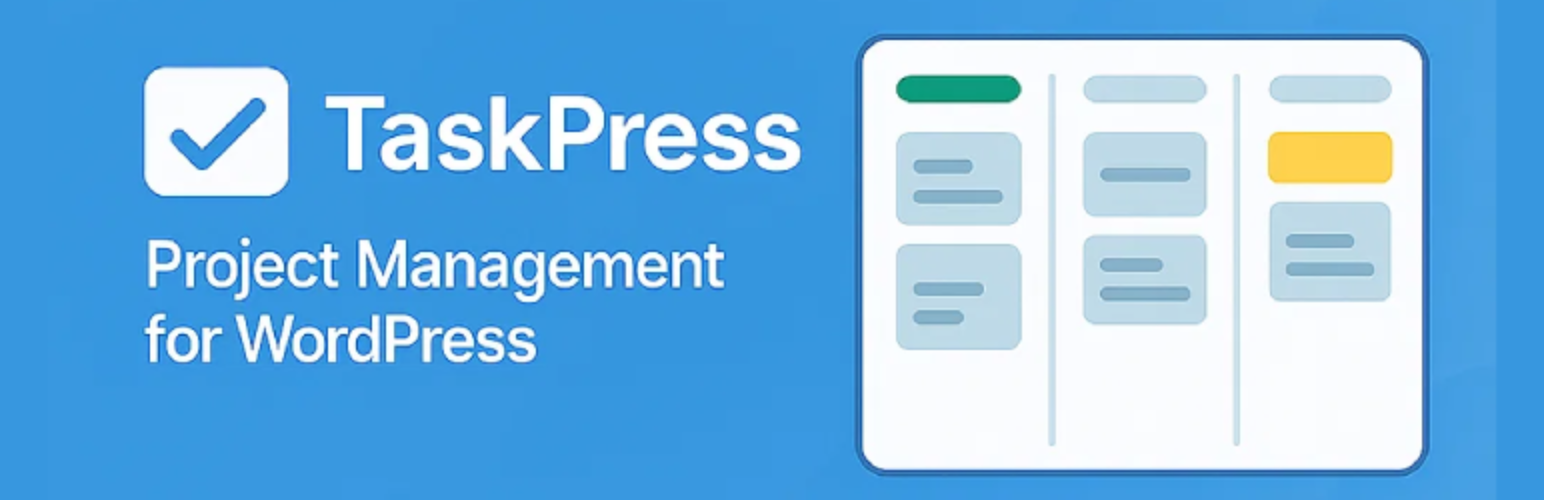
總結:TaskPress是一個能將Trello風格的Kanban看板直接整合到您的WordPress儀表板中的外掛。適用於希望在WordPress內管理專案的團隊、代理機構和企業。
問題與答案:
1. TaskPress 的主要功能是什麼?
- Kanban Boards、Multiple Boards、Lists & Cards、Drag & Drop、User Assignments、Due Dates、Color Labels、Rich Text Editing、Comments System、Activity Tracking、Responsive Design。
2. TaskPress 提供了哪些使用者管理相關的功能?
- Custom Roles、Granular Permissions、User Assignment、Permission-Based Actions。
3. TaskPress 的技術特點有哪些?
- AJAX API、Frontend Shortcode、Security First、WordPress Standards、Virtual Pages。
外掛標籤
開發者團隊
📦 歷史版本下載
原文外掛簡介
⚠️ BETA VERSION – This is a beta release for testing and feedback. While fully functional, we’re actively seeking user input to improve the plugin before the stable 1.0 release.
TaskPress brings Trello-style Kanban boards directly into your WordPress dashboard. Perfect for teams, agencies, and businesses who want to manage projects without leaving WordPress.
🚀 Key Features
Core Functionality:
Kanban Boards – Visual project management with intuitive drag-and-drop interface
Multiple Boards – Create unlimited boards for different projects and teams
Lists & Cards – Organize tasks into customizable workflow columns
Drag & Drop – Smooth card movement powered by SortableJS
User Assignments – Assign tasks to specific team members
Due Dates – Set and track deadlines for better time management
Color Labels – Categorize and prioritize cards with custom colored labels
Rich Text Editing – Full WordPress WYSIWYG editor for card descriptions
Comments System – Threaded comments with rich text support for team collaboration
Activity Tracking – Complete activity log for all card changes and movements
Responsive Design – Works perfectly on desktop, tablet, and mobile devices
User Management:
Custom Roles – Project Manager (full access) and Project Member (limited access) roles
Granular Permissions – Control who can create, edit, and delete content
User Assignment – Assign cards to specific team members with visual indicators
Permission-Based Actions – Actions shown based on user capabilities
Technical Features:
AJAX API – Full AJAX API support via WordPress admin-ajax.php
Frontend Shortcode – [taskpress] for standalone app-like pages
Security First – Proper nonce verification and capability checks throughout
WordPress Standards – Follows WordPress coding standards and best practices
Virtual Pages – Boards page works like WooCommerce Shop (can be set as homepage)
Centralized Routing – Clean template architecture for maintainability
🎯 Perfect For
Development teams managing sprints and backlogs
Marketing teams tracking campaigns and content calendars
Agencies managing multiple client projects
Freelancers organizing their work and deadlines
Product teams planning features and releases
Support teams tracking tickets and issues
Any team that needs visual project management
📋 How It Works
Create a Board – Set up a board for your project or team
Add Lists – Create workflow columns (e.g., “To Do”, “In Progress”, “Done”)
Create Cards – Add tasks with titles, descriptions, labels, and due dates
Assign Members – Assign cards to team members
Drag & Drop – Move cards between lists as work progresses
Collaborate – Add comments, edit descriptions, track activity
Track Progress – Monitor everything from your WordPress dashboard
👥 User Roles
Project Manager – Full access to create, edit, and delete boards, lists, and cards. Can manage all aspects of projects and team members.
Project Member – Access to assigned boards with ability to manage their own cards, add comments, and update task status.
Administrator – Full access to all TaskPress features plus plugin settings and configuration.
📱 Shortcode
Use the [taskpress] shortcode to display boards on any page or post:
[taskpress]
This creates a standalone app-like experience for your team members, perfect for creating a dedicated project management page.
💻 Developer Friendly
Clean Code – Well-documented, modular code structure
WordPress Standards – Follows WordPress coding standards and best practices
AJAX Endpoints – Comprehensive AJAX API for custom integrations
Hooks & Filters – Action and filter hooks for extensibility
Modern JavaScript – Clean JavaScript with jQuery and SortableJS
Namespaced – Proper PHP namespacing to avoid conflicts
Secure – Security-first approach with nonce verification and sanitization
🔒 Privacy
TaskPress does not collect or store any personal data outside of your WordPress installation. All data is stored in your WordPress database and follows WordPress privacy standards. No external services are contacted, and no data is transmitted to third parties.
Support
Beta Testing Support:
For support and to report beta issues, please visit:
WordPress.org Support Forums: https://wordpress.org/support/plugin/taskpress/
GitHub Issues: https://github.com/jakaria-istauk/taskpress/issues
Documentation: Check the docs/ folder in the plugin directory
Your feedback is valuable for improving the plugin! When reporting issues, please include:
WordPress version
PHP version
Active theme and plugins
Steps to reproduce the issue
Expected vs actual behavior
Screenshots (if applicable)
Browser and device information
Contribute
TaskPress is open source software. We welcome contributions!
Ways to Contribute:
Report bugs and issues
Suggest new features
Improve documentation
Beta testing and feedback
Code contributions
Translations
Development:
GitHub Repository: https://github.com/jakaria-istauk/taskpress
Coding Standards: WordPress Coding Standards
Testing: Thoroughly test all changes
Pull Requests: Welcome for bug fixes and features
Third Party Libraries
TaskPress includes the following third-party libraries:
SortableJS – MIT License – Drag and drop functionality
Version: 1.15.0
Homepage: https://sortablejs.github.io/Sortable/
License: https://github.com/SortableJS/Sortable/blob/master/LICENSE
Select2 – MIT License – Enhanced select dropdowns
Version: 4.0.13
Homepage: https://select2.org/
License: https://github.com/select2/select2/blob/develop/LICENSE.md
All libraries are included locally and do not make external requests. No data is transmitted to third parties.
Roadmap
Planned for 1.0 Stable:
Enhanced error handling and validation
Performance optimizations
User feedback integration
Comprehensive testing suite
Improved accessibility (WCAG compliance)
Enhanced mobile experience
Better internationalization support
Advanced security hardening
Future Enhancements:
Real-time collaboration with WebSockets
File attachments on cards
Email notifications and alerts
@mentions in comments
Advanced filtering and search
Time tracking functionality
Analytics and reporting dashboard
Card templates and automation
Third-party integrations (Slack, Teams, etc.)
Custom themes and branding
Credits
Development:
Built with ❤️ for the WordPress community
Follows WordPress coding standards and best practices
Inspired by Trello’s intuitive interface
Special Thanks:
WordPress community for best practices and support
Trello for UI/UX inspiration
SortableJS for excellent drag-and-drop library
All beta testers and early adopters
License
TaskPress is licensed under the GPL v2 or later.
This program is free software; you can redistribute it and/or modify it under the terms of the GNU General Public License as published by the Free Software Foundation; either version 2 of the License, or (at your option) any later version.
This program is distributed in the hope that it will be useful, but WITHOUT ANY WARRANTY; without even the implied warranty of MERCHANTABILITY or FITNESS FOR A PARTICULAR PURPOSE. See the GNU General Public License for more details.
You should have received a copy of the GNU General Public License along with this program; if not, write to the Free Software Foundation, Inc., 51 Franklin Street, Fifth Floor, Boston, MA 02110-1301, USA.