內容簡介
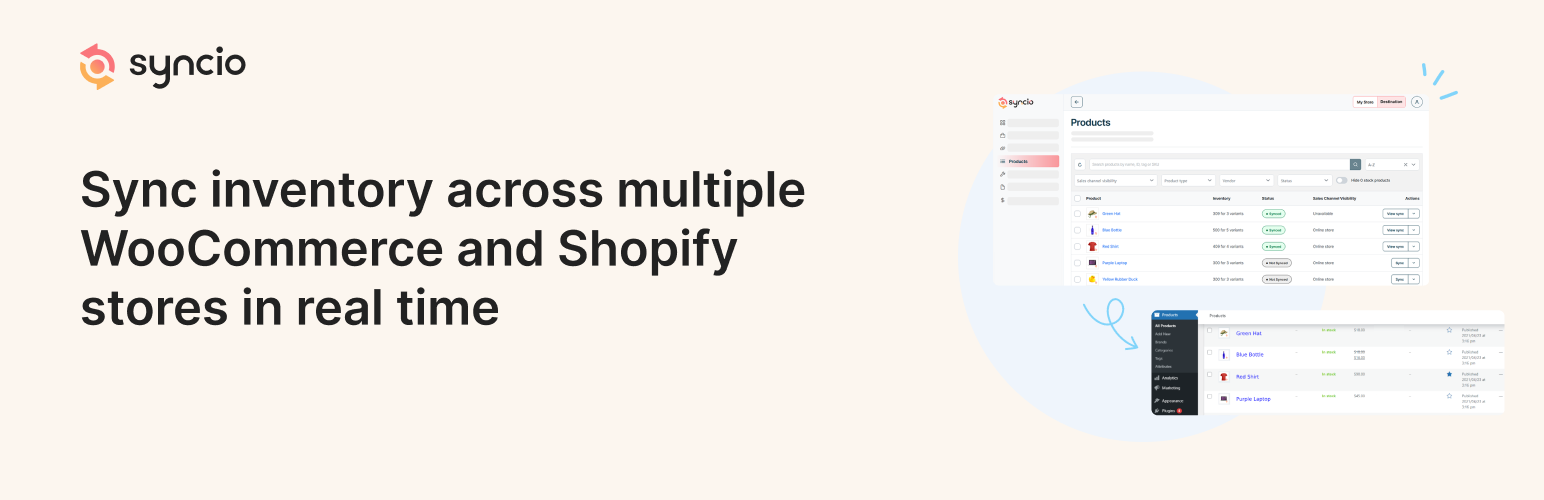
Syncio 是一款專為 WooCommerce 多商店設計的外掛,能夠無縫同步多個 WooCommerce 和 Shopify 商店的庫存與產品,提升管理效率,並實現即時庫存同步與批量產品進出口。
【主要功能】
• 即時庫存同步
• 批量產品進出口
• 多商店產品管理
• 跨平台兼容性
• 防止超賣
• 簡化擴展新商店
外掛標籤
開發者團隊
② 後台搜尋「Syncio — Multistore Product & Inventory Sync For WooCommerce」→ 直接安裝(推薦)
原文外掛簡介
Seamlessly sync inventory and products across multiple WooCommerce and Shopify stores. Efficiently manage WooCommerce multistores with real-time stock sync and bulk product import and export.
🔗 Getting Started Guide | 📚 Documentation
Third-Party Libraries
This plugin makes use of the following third-party libraries:
– intercom.js: npm package
– Compressed file: /js/intercom.min.js CDN link
– Uncompressed file: /assets/js/intercom-uncompressed.js
- SweetAlert.js: [GitHub Repository](https://github.com/t4t5/sweetalert)
- Compressed file:/js/sweetalert.min.js[CDN link](https://unpkg.com/[email protected]/dist/sweetalert.min.js)
- Uncompressed file:/assets/js/sweetalert-uncompressed.js
– Bootstrap.js Bootstrap v5.0.0-beta2
– Compressed file: ‘/View/bootstrap.css’
– Uncompressed file: Link
Why Choose Syncio?
Syncio is the ultimate solution for WooCommerce multi stores. Whether you’re running multiple WooCommerce stores or migrating from Shopify (or vice versa), Syncio ensures your inventory and products stay in perfect harmony.
🏆 Trusted by 10,000+ stores
⭐ 4.7/5 star rating on the Shopify App Store
🔄 Syncs over 2 million products daily
Key Features
Real-time Inventory Sync: Keep stock levels accurate across all your stores, preventing overselling and improving customer satisfaction. Set it and forget it – Syncio handles all your stock syncing automatically.
Bulk Product Import/Export: Save time by migrating and syncing entire product catalogs with a single click.
Multistore Product Management: Easily manage and sync products across multiple WooCommerce stores.
Cross-Platform Compatibility: Seamlessly connect WooCommerce to WooCommerce, WooCommerce to Shopify, and Shopify to Shopify stores.
Supercharge Your Multistore Operations
Prevent Overselling: Real-time stock sync ensures you never sell out-of-stock items.
Expand with Ease: Easily add new stores to your network as your business grows.
Save Time: Automate tedious inventory and product management tasks.
Boost Efficiency: Manage all your stores from a single dashboard.
Improve Customer Experience: Ensure product availability and consistent information across all your stores.
Perfect For:
Retailers managing multiple stores
Brands expanding to new markets
Businesses transitioning from WooCommerce to Shopify (or vice versa)
Multi-vendor marketplaces
Multi-location retailers
What Our Users Say
“Syncio has helped KOOKAÏ maximize sales by managing product and inventory across multiple regions. We have a large volume of SKUs which require constant changes to our stock file. Syncio has saved our team hours of work per week by updating our products in real time and providing us with the information we need to make prompt and informed business decisions.” – KOOKAI, Fashion Retailer
“The Syncio app is an absolute game changer for my business. As a multi-vendor marketplace, it streamlines everything. The support team is fabulous and has hopped on 1 on 1 calls to help get everything set up and running smoothly. Could not recommend this app and team more” – Modatrova, Multi Vendor Marketplace
Supported Platforms
WooCommerce
Shopify
How to Get Started
Syncio creates a link between online stores (WooCommerce and/or Shopify). You’ll need at least two stores to connect, these stores can be stores controlled by within your own organisation or by a third party.
To get started, install the Syncio — Multistore Product & Inventory Sync For WooCommerce plugin.
Once the plugin has been installed, follow the steps to get setup and register with Syncio from within the plugin:
Give Syncio permissions to Sync your data
Register to set up your Syncio app
Start using the Syncio app to connect and sync stores
Key requirements
* Each store needs Syncio installed to enable the sync.
* Each store requires a separate Syncio account, we recommend using the email associated with the admin account for each install.
* You can select store type during the installation.
* Products or variations to be synced require unique SKUs. If your products lack SKUs. Syncio can auto-generate these for you.
Follow this guide for detailed step-by-step instructions for installation.
Syncio is your trusted partner in multistore inventory management. Start syncing your WooCommerce and Shopify stores and take control of your multi-store operations.