內容簡介
SyncDock 是一款專為高頻率發佈內容的使用者設計的 WordPress 外掛,能夠快速撰寫、重寫並發佈文章,提升內容管理效率。使用者可在多個網站上同時操作,並透過 AI 技術快速生成 SEO 優化的文章。
【主要功能】
• 每日可發佈 10 至 50 篇文章
• 一鍵更新舊文章
• 支援多網站管理
• 快速生成 SEO 分數和內部連結
• 整合 Markdown 轉換為 Gutenberg 區塊
• 自動排程發佈文章
外掛標籤
開發者團隊
原文外掛簡介
Write, rewrite and publish WordPress posts at AI speed — across every site you run.
SyncDock is built for people who publish a lot: ten to fifty posts a day, often spread over several sites. Turn a topic into a finished, SEO-scored Gutenberg post in about a minute. Refresh an old post in one click. Plan clusters, queue a batch, and let a schedule publish it for you — without opening wp-admin for any of it.
Ten to fifty posts a day — generate in bulk from a topic list, queue the batch, and drip-publish it, instead of writing one post at a time from a blank page
Every site from one place — install this plugin on each site you run and publish, rewrite and schedule across all of them from one browser toolbar
About a minute per post — draft, SEO score, internal links, featured image and native Gutenberg blocks in a single pipeline run, using your own AI provider key
SyncDock is two halves, and you need both to get the point of it.
SyncDock (this plugin) runs on your WordPress site. It opens a hardened publishing API and guards it: API keys with scopes, optional HMAC request signing, rate limiting, an audit log, a Gutenberg block converter, an SEO bridge, and a durable job queue. It deliberately adds no writing interface of its own.
SyncDock Client (free browser extension) is the console you actually work in. Writing, one-click AI drafting, Markdown-to-Gutenberg conversion, SEO scoring, media, scheduling, automations, and publishing to every site you manage all happen there — and reach your site through this plugin.
Install the extension: SyncDock Client on the Chrome Web Store — free, no account, one click. Install the plugin, generate an API key, paste it into the extension. That is the whole setup.
The plugin on its own is an API with nothing driving it. The extension on its own has nowhere to publish. Together they let you run WordPress content operations — one site or twenty — without opening wp-admin to write another post.
What SyncDock Client adds on top of this plugin
Publish without wp-admin — write, edit, delete, schedule, and upload from the browser toolbar
One-click AI drafting and rewrites — topic in, drafted and SEO-scored post out, using your own AI provider key
Markdown and HTML to Gutenberg — paste Markdown, get native blocks: headings, lists, tables, quotes, images
Unlimited connected sites — install this plugin on each site and switch between them in one click
Automations, workflows and a content calendar — set a cadence per site and let it publish on schedule, with topic de-duplication
Content clusters — plan topical coverage as a system instead of a pile of one-off posts
Media library access — browse, search, upload, and set featured images per site
SEO scoring before publish — readability, heading structure, and keyword coverage, written back through this plugin’s SEO bridge
Keys encrypted on your own machine — credentials sit in a PIN-locked vault in the browser, and requests go straight from your browser to your site. No SyncDock server sits in between, because there isn’t one.
Why the plugin exists
WordPress’s native REST API provides basic CRUD operations, but modern AI workflows, automation pipelines, and external integrations demand much more. SyncDock bridges the gap with:
Secure API Key Authentication — SHA-256 hashed keys with per-key scopes, rate limits, and expiration
HMAC-SHA256 Signature Verification — Tamper-proof request signing with replay protection
Gutenberg Block Converter — Bidirectional JSON ↔ block markup for 18+ core block types
Content Context Layer — AI-optimized intelligence endpoints for content discovery and gap analysis
Advanced Query Engine — Multi-filter content search with taxonomy AND/OR logic
SEO Plugin Bridge — Auto-detects Yoast, Rank Math, and AIOSEO for transparent SEO metadata
Response Caching — Configurable TTL with auto-invalidation on content changes
Activity Logging — Full request audit trail with retention policies
Key Features
🔐 Multi-Layer Security
API Key authentication with SHA-256 hashing (keys never stored in plaintext)
Optional HMAC-SHA256 request signing with 5-minute replay window
10 granular permission scopes (read_posts, write_posts, delete_posts, etc.)
Per-key and per-IP rate limiting with sliding window
Failed authentication brute-force protection (10 failures / 15 min / IP)
📝 Full Post Lifecycle
Create, read, update (PUT/PATCH), and delete posts
Structured Gutenberg block input/output (JSON ↔ block markup)
Partial block-level updates (insert/replace/delete by index)
Post revision listing and one-click restore
Scheduled publishing via status: future
SEO metadata sync with popular SEO plugins
🧠 Content Intelligence
/context/posts — Recent, popular, and similar posts with content gap analysis
/context/taxonomies — Hierarchical category trees and tag clouds
/context/media — Library summary, MIME distribution, unattached files
/context/site-info — Site configuration, image sizes, post types
🔍 Query Engine
Multi-taxonomy filters with AND/OR logic
Date range queries on publish or modified dates
Full-text search with highlighted excerpts
Site-wide content discovery endpoint
📁 Media Management
Upload via multipart/form-data or base64 JSON
Server-side MIME type validation
Attach/detach media from posts
Full image metadata and size information
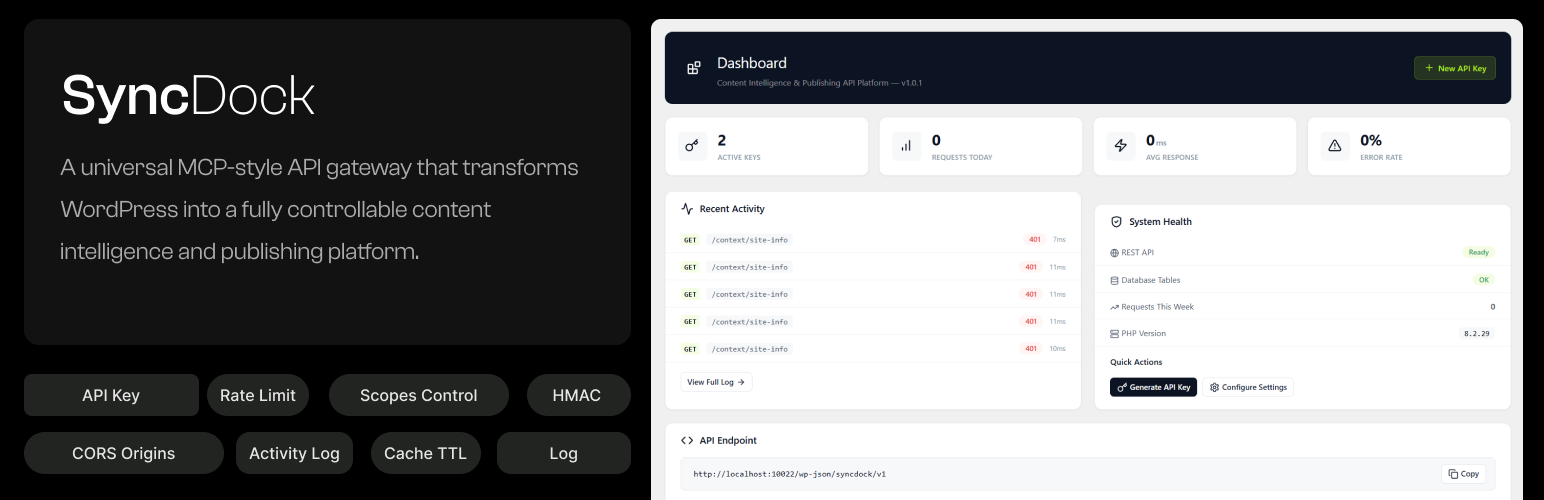
⚙️ Admin Dashboard
Real-time API metrics (requests, errors, response times)
API key management with one-click creation and revocation
Filterable activity log with status/method/search
System health monitoring
Configurable rate limits, caching, and data retention
Who Is SyncDock For?
Anyone running the SyncDock Client extension — the fastest path: install, generate a key, publish. Get the extension
AI Agents — Connect Claude, GPT, or custom models to publish and manage content
SaaS Applications — Build external content management dashboards
Browser Extensions — Create write-from-anywhere tools
Desktop Apps — Build native publishing applications
Automation Pipelines — Integrate WordPress into CI/CD or content workflows
Mobile Apps — Power native mobile content creation tools
External services
Out of the box, SyncDock does not connect to any external service. API key management, authentication, rate limiting, caching and content operations all run on your WordPress server. The two optional features below send data off your site only after an administrator turns them on.
Autopilot AI providers (optional)
Autopilot writes posts on your server with an AI provider. It is off until an administrator stores a provider API key under SyncDock → Settings, and it only contacts the one provider that administrator picked. Nothing is sent to any provider while no key is stored.
When data is sent: when an administrator clicks “Test Key” (a one-word test prompt), and each time an enabled automation runs on WP-Cron (one call to write an article, plus one short call for topic ideas if that automation asks the AI to suggest topics).
What is sent: the stored API key (in a request header), the chosen model name, the writing instructions, and the automation’s topic, site niche and standing brief. A topic-suggestion call also sends up to 30 recent post titles from your site, so the provider can avoid repeating them. No visitor data, user accounts or passwords are sent.
The services, and their terms and privacy policies:
Anthropic Claude API (api.anthropic.com) — used when the provider is Anthropic Claude. Terms, Privacy policy.
OpenAI API (api.openai.com) — used when the provider is OpenAI. Terms, Privacy policy.
Google Gemini API (generativelanguage.googleapis.com) — used when the provider is Google Gemini. Terms, Privacy policy.
Outbound webhooks (optional)
A client with the right scope can register a webhook URL. When a subscribed event happens (for example a post or job event), SyncDock sends that event’s JSON payload, your site URL and a timestamp, signed with the webhook’s secret, to that URL only. The receiver is chosen by you or the client you authorised, not by SyncDock, so its terms and privacy policy are the receiver’s own. Private and loopback addresses are refused, and redirects are not followed.
Other
Gravatar avatar URLs may appear in API responses for post authors. This is standard WordPress core behavior (get_avatar_url()) and is not initiated by SyncDock.
The admin pages link to the SyncDock Client listing on the Chrome Web Store. These are ordinary links you choose to click — nothing is requested from, or sent to, that site by the plugin. The extension itself, if you install it, talks to your WordPress site directly from your browser; it does not route anything through a SyncDock server.