內容簡介
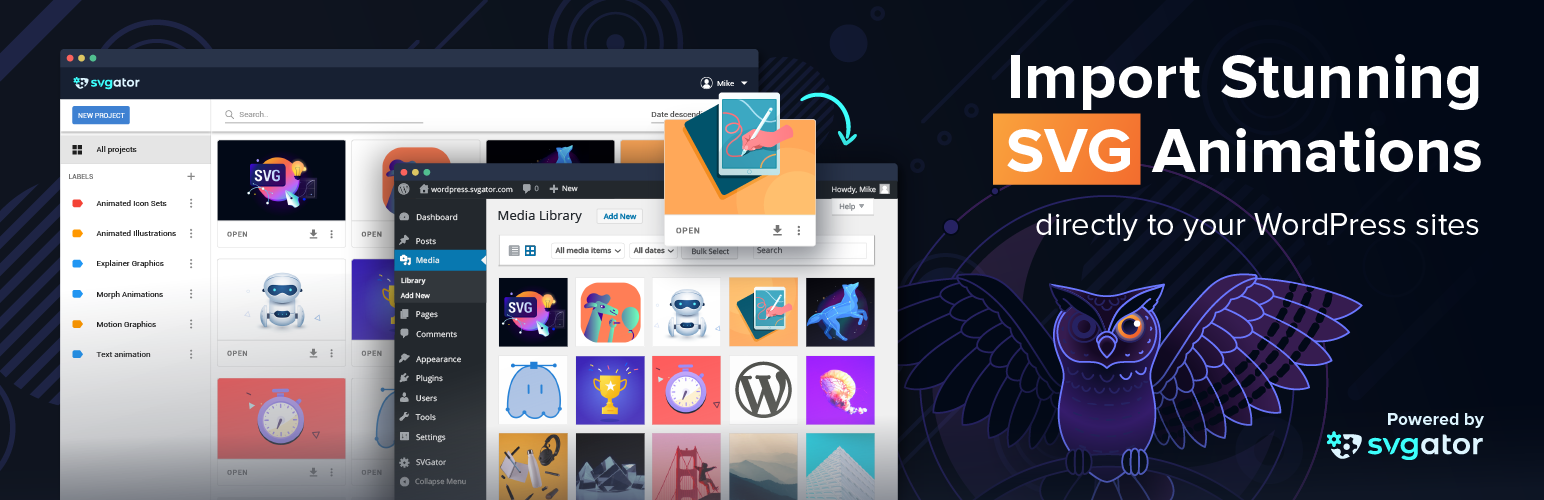
SVGator 外掛允許用戶將在 SVGator 中創建的 SVG 檔案導入到 WordPress 媒體庫,並作為普通圖像檔案使用。這個外掛簡化了動畫專案的存取,並輕鬆將其添加到頁面中,讓網站更具互動性與吸引力。
【主要功能】
• 導入 SVG 檔案至 WordPress 媒體庫
• 支援 CSS 或 JavaScript 動畫類型
• 提供多種導出格式選擇
• 自訂緩動函數及互動效果
• Figma 整合與現成模板庫
• 與 AI 助手連接進行動畫創建
外掛標籤
開發者團隊
📦 歷史版本下載
原文外掛簡介
Import your SVG files created in SVGator to your WordPress media library and use them as normal image files. This plugin lets you comfortably access all your animation projects and makes it super-easy to add them to your page. You are free to choose an SVG with either CSS or JavaScript as the animation type.
Scalable Vector Graphics (SVG) are constantly growing in popularity due to their scalability, small size, and responsiveness. They are ideal for illustrations like logos, icons, buttons, and graphs. Animated SVG files make your page unique, interactive, and look crisp on any device.
SVGator is a browser-based animation software that lets users create animations without any coding skills, in a WYSIWYG interface. Besides the animated SVG format, many other export formats are available: Lottie JSON, GIF, JS, .DART, multiple raster image formats, video formats, and more.
Custom easing functions, snapping, and interactivity are also supported, so the animation can be set to start on mouse-over, on scroll into view, or on click. The keyframe-based, friendly interface includes advanced animators like Morph, Filter, Color, Translate, Stroke, and many more.
With Figma integration and a library of ready-made templates, there are more ways than ever to start an animation project and create stunning animated icons, logos, illustrations, and other graphic art in the fastest way possible.
Use SVGator MCP to connect your AI assistant to your account, so you can create, edit and export animations by chat. It’s free and works on every plan, and exports follow your plan’s limits.
Usage
You can check out our documentation with screenshots on our help page: How to use SVGator Plugin for WordPress
Before starting to use the WordPress plug-in, you will have to sign up for the SVGator app. After creating an account, you can import your SVG files and start working on them to turn your static designs into dynamic and interactive animations.
When you are done with the animation, you can fully benefit from the plugin. There is no need to export or convert your work, just follow these simple steps:
1. Find and install the SVGator plugin
2. Activate the plugin
3. Log in to load your projects from SVGator and authorize the app
4. Select an animation project from your SVGator library and add it to the media library
5. Add an animated SVG block to your post or page by clicking the SVGator icon on the new block tool.
6. Select the animated SVG from the media library and scale it to any size without losing quality
7. Alternatively, you can import your SVGs directly on the media library box, under “Import from SVGator” tab
You can also use the animations inside widgets by simply adding the SVGator widget to your sidebars or footers.
Note: When you import your animation to the page, you may find it in a tag in the editor, but you don’t have to worry about this. Although theoretically, this would mean that the animation might not work the same as in SVGator, (especially if it’s an interactive SVG), in preview mode you will already find it inline and it will work perfectly.
Security
By authorizing the plugin you acknowledge that WordPress will have access to your SVGator library and is enabled to list and export the animations created in your account.
You can remove the plugin at any time by clicking on SVGator’s Account settings under your name, then choosing the 3rd Party Apps tab and deleting the plugin. If you would like to add it back, you will have to follow the steps presented above.
Feedback
We are always open to your feedback, questions, and suggestions. Email us at [email protected]
We hope you find this plugin useful. Please take a moment to rate it here.
Disclosure
This plugin is relying on SVGator.com as a 3rd party service.
All SVGs loaded using this plugin will be done via API requests to SVGator.com.
Service URL: [https://www.svgator.com/]
Service API: [https://github.com/SVGator/SDK/]
Terms of service: [https://www.svgator.com/terms-of-service]
Privacy policy: [https://www.svgator.com/privacy-policy]
License
SVGator.com WordPress Plugin
Copyright (C) 2020 – 2026 SVGator.com
This program is free software: you can redistribute it and/or modify
it under the terms of the GNU General Public License as published by
the Free Software Foundation, either version 2 of the License, or
(at your option) any later version.
This program is distributed in the hope that it will be useful,
but WITHOUT ANY WARRANTY; without even the implied warranty of
MERCHANTABILITY or FITNESS FOR A PARTICULAR PURPOSE. See the
GNU General Public License for more details.
You should have received a copy of the GNU General Public License
along with this program. If not, see http://www.gnu.org/licenses/
or write to the Free Software Foundation, Inc.,
51 Franklin St, Fifth Floor, Boston, MA 02110-1301 USA.