內容簡介
這個外掛讓您可以輕鬆地從特定頁面或文章中移除頁面標題。最基本的使用情境是隱藏您在 “Home” 頁面中所設定的標題。
此外掛只適用於 Storefront 主題
使用方式:
要隱藏特定頁面的標題,您需要登入您的 WordPress 後台,然後編輯您想要隱藏標題的頁面。
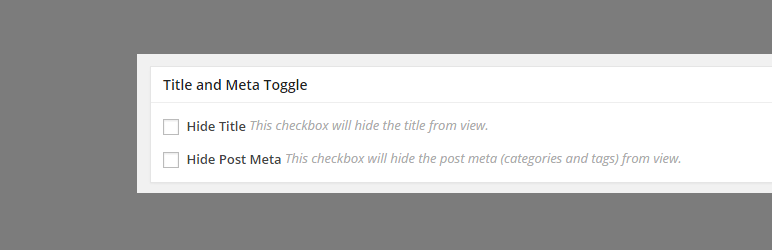
在編輯頁面中,向下滾動,直到看到標題和切換元框。勾選 “隱藏標題” 复选框,然後更新您的頁面。
頁面更新後,檢查您的頁面,看標題是否已經成功移除。
此外,還有一個選項可以移除文章的詳細資訊(標籤和評論數)。
外掛標籤
開發者團隊
② 後台搜尋「Title Toggle for Storefront Theme」→ 直接安裝(推薦)
原文外掛簡介
This plugin lets you easily remove the page title from specific pages or posts. The basic case scenario is to be
able to hide the title that you will be setting for your “Home” page.
This plugin is built to work only for the Storefront theme
How to use:
To hide the title for a certain page, you need to login to your WordPress dashboard, and edit the page that you want to hide the title.
On the edit page, scroll down until you see the Title and Toggle meta box. Check “Hide Title” checkbox and update your page.
After the page has been updated, check your page to see if the title has been successfully removed.
There is also an option to remove the post meta (tags and comment count) for posts.