內容簡介
總結:Store Addons for WooCommerce 是一款功能強大的外掛,提供為顧客需求量身定制的自定義商店選項和附加組件,讓 WooCommerce 商店擁有更強大的功能,改善購物體驗,滿足不同客戶需求。
問題與答案:
- 你是想要提供個性化產品的 WooCommerce 商店所有者嗎?
- Store Addons for WooCommerce 可提供怎樣的解決方案?
- 這個外掛能為 WooCommerce 商店帶來什麼樣的功能?
- Buy Together 功能如何提升銷售和收入?
- 產品插件功能能夠為產品帶來怎樣的特性?
- 產品標籤功能如何讓產品資訊更加突出?
- 有任何問題或錯誤需要修正時應該怎麼辦?
外掛標籤
開發者團隊
② 後台搜尋「Store Addons for WooCommerce」→ 直接安裝(推薦)
原文外掛簡介
Are you a WooCommerce store owner looking to offer personalized products? Store Addons for WooCommerce is your ultimate solution for crafting custom store options and addons tailored to customer needs. This powerful plugin simplifies adding a variety of custom options directly to your wocommerce pages. Enhancing the shopping experience and meeting diverse customer preferences.
Store Addons for WooCommerce is an all-in-one toolkit to enhance your WooCommerce store. This is a highly effective plugin developed for assisting online businesses in improving sales and profits.
KEY FEATURES
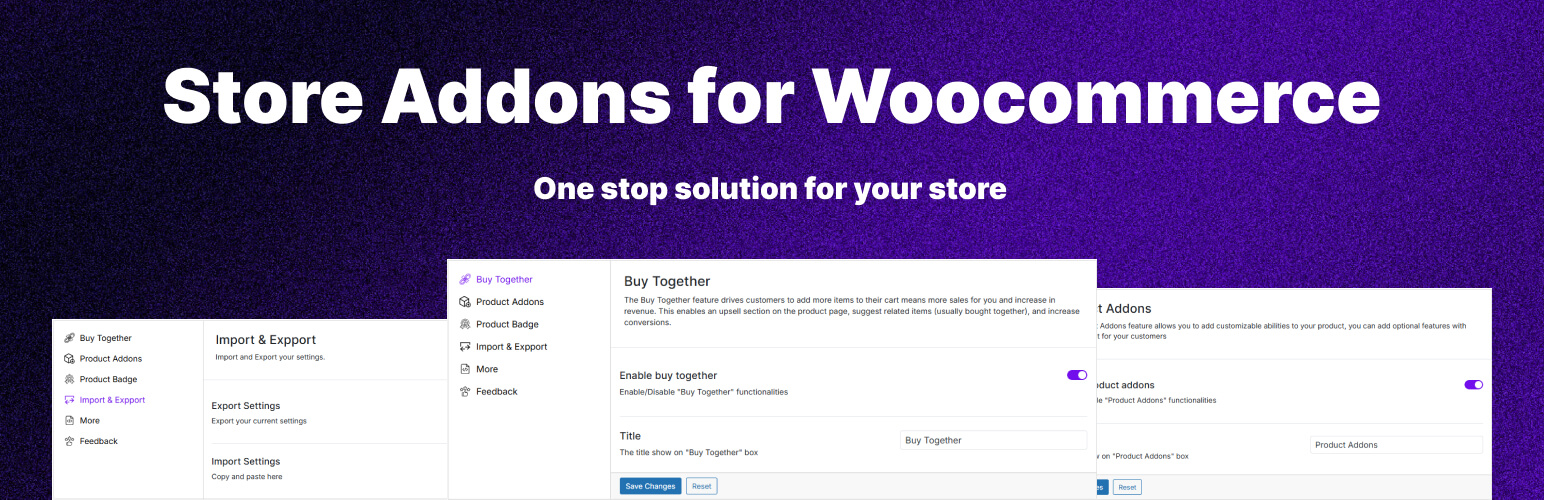
Buy Together: The Buy Together feature drives customers to add more items to their cart means more sales for you and increase in revenue. This enables an upsell section on the product page, suggest related items (usually bought together), and increase conversions.
Product Addons: The Product Addons feature allows you to add customizable abilities to your product, you can add optional features with your product for your customers
Product Badge: Product Badges helps you showcase key product details, or important info directly on your product images. Choose from pre-made badges, upload your own, or create custom badges with text or code.
Potential Enhancements
Got a bug? Something look off? Hit me up.