內容簡介
Stillframe 是一款強大的截圖外掛,讓使用者能夠直接在瀏覽器中捕捉 WordPress 後台或前端頁面的截圖,並提供豐富的標註工具,便於保存至媒體庫或下載高解析度 PNG 圖片。
【主要功能】
• 同時設備捕捉:一次性捕捉桌面、平板和手機視圖
• 自訂頁面選擇:選擇任何已發佈的頁面或自訂 URL
• 靈活捕捉範圍:可選擇可視區域或全頁面捕捉
• 專業標註工具:提供九種標註工具以便編輯截圖
• 清潔展示模式:自動隱藏 WordPress 管理工具列
• 私密運行:無需外部伺服器,無資料庫足跡
外掛標籤
開發者團隊
② 後台搜尋「Stillframe – Screenshot Capture & Markup」→ 直接安裝(推薦)
原文外掛簡介
Stillframe lets you take screenshots of your WordPress admin area or front-end pages directly inside your browser. Capture responsive desktop, tablet, and mobile views, mark them up with rich annotation tools, and save them straight to your Media Library or download high-resolution PNGs.
Multi-Device Studio (Tools > Stillframe)
Simultaneous Device Capture: Capture Desktop (1440×900 px), iPad / Tablet (834×1112 px), and Mobile Phone (390×844 px) viewports in a single run.
Target Any Page: Select from any published page or post on your site, or enter any custom URL.
Flexible Capture Scope: Choose between Viewport (above-the-fold) and Full Page (full scrolling height).
Retina Resolution Quality: Export at 1x Standard, 2x Retina (crisp for high-DPI displays), or 3x Ultra.
Clean Presentation Mode: Automatically hide the WordPress admin bar for showcase-ready screenshots.
Batch Actions: Preview all captured devices side-by-side and use “Save All to Media” or “Download All” with one click.
On-Page Capture Toolbar
Camera Icon in Admin Bar: One-click launch from anywhere on your WordPress site.
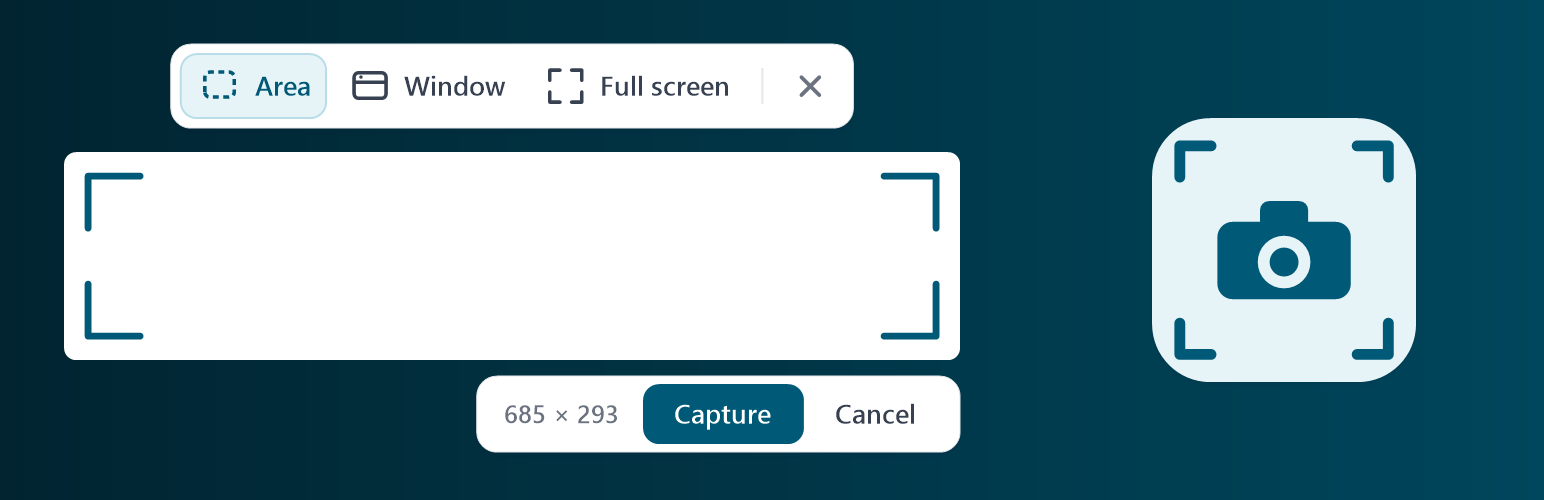
Area Selection: Drag to select any custom region with live pixel dimensions and adjust with corner and edge handles.
Window / Element Capture: Hover over any section or element to highlight and capture it cleanly.
Full Screen Capture: Instant one-click capture of the entire visible window.
Direct Page & Device Switcher: Switch pages and preview viewport dimensions directly from the floating capture bar.
Professional Annotation Suite
9 Annotation Tools:
Select (V): Click, marquee drag, Shift-click, or Ctrl+A to multi-select, move, resize, and rotate annotations.
Pen: Smooth freehand drawing with adjustable stroke size.
Circle / Ellipse: Highlight areas with circular outlines.
Arrow: Directional arrows with 45° angle snapping.
Rectangle: Clean bounding boxes for framing UI elements.
Highlighter: Semi-transparent color highlight strips.
Text Boxes: Drag to size, automatic text wrapping, inline typing, and double-click to re-edit.
Numbered Step Badges: Auto-incrementing step numbers (1, 2, 3…) for creating tutorials and walkthroughs.
Blur / Pixelate: Redact sensitive client data, passwords, or personal details with a privacy blur tool.
Curated Color Palette & Stroke Widths: Pick harmonious colors and line thicknesses.
Full Undo / Redo: Step back and forth through any edits with keyboard shortcuts (Ctrl+Z).
Private & Zero Database Footprint
Stillframe runs 100% in your browser using modern client-side rendering. It does not send any data to external servers, adds zero tables or options to your database, and only loads for logged-in administrators with manage_options permissions.
Development
Stillframe is open-source software. You can view the source code, contribute, or submit feedback on GitHub.
Third-party code
Stillframe bundles modern-screenshot 4.7.0 (MIT license) as assets/js/vendor/modern-screenshot.js. Source: https://github.com/qq15725/modern-screenshot. The license text is in assets/js/vendor/LICENSE-modern-screenshot.txt.
Stillframe also bundles Fabric.js 6.7.1 (MIT license) as assets/js/vendor/fabric.min.js. Source: https://github.com/fabricjs/fabric.js (npm package “fabric”). The license text is in assets/js/vendor/LICENSE-fabric.txt.