內容簡介
總結:Sticky Elementor 外掛可增強 Elementor 頁面建立工具,為容器添加固定特性。透過這個外掛,您可以啟用個別 Elementor 容器的固定捲動、設定固定後的頂部偏移、填充、寬度、背景顏色和動畫效果類別、根據滾動位置應用固定效果,以及在單一頁面上支援多個固定容器(頂部、中部和底部)。
1. 什麼功能是 Sticky Elementor 外掛的特色?
- 增加 Elementor 頁面建立工具的固定設計功能。
2. 可以為哪些 Elementor 容器啟用固定捲動?
- 可以為個別 Elementor 容器啟用固定捲動。
3. 在設定固定後,可以調整哪些屬性?
- 可以設定固定後的頂部偏移、填充、寬度、背景顏色和動畫效果類別。
4. Sticky Elementor 可以根據什麼位置應用固定效果?
- 可以根據滾動位置應用固定效果。
5. 在單一頁面上,Sticky Elementor 支援多少個固定容器?
- 支援多個固定容器,包括頂部、中部和底部。
6. Sticky Elementor 最適合用於創建什麼樣式的版面?
- 形成現代動態版面,如固定標題、區塊或行動呼籲方塊。
外掛標籤
開發者團隊
② 後台搜尋「Sticky Elementor – Sticky Header, Menu Color After Sticky, Logo Swap & Back to Top Button」→ 直接安裝(推薦)
📦 歷史版本下載
原文外掛簡介
Are you looking for a Free Sticky Header for Elementor?
Sticky Elementor is a high-performance, lightweight plugin designed to add advanced sticky effects to any Elementor container. Whether you want a Transparent Sticky Header, a Sticky Mobile Menu, or a Shrink Logo on Scroll effect, this plugin provides a complete toolkit with zero coding required.
Built for full compatibility with Elementor’s Flexbox container system, it offers advanced scroll effects, sticky triggers, entrance animations, and responsive visibility.
🌟 Why Choose Sticky Elementor?
Zero Layout Shift (CLS Fix): Our dynamic spacer ensures your content doesn’t “jump” when the header becomes sticky, improving your Google Core Web Vitals score.
Mobile-First Design: Individual sticky controls for Desktop, Tablet, and Mobile.
All-in-One Solution: Get advanced sticky options, logo swapping, and menu styling in one lightweight package.
🚀 Key Features
Works seamlessly with Elementor Flexbox containers and common widgets: Nav Menu, Button, Heading — with full control to change their styles even after they become sticky.
Compatible with Essential Addons for Elementor (e.g., Button, Simple Menu widgets) – sticky effects work perfectly with them.
Fully works with Templately templates, so you can directly use sticky effects inside pre-built designs.
Back to Top button with smooth scroll animation (fully customizable).
Any container sticky – headers, sections, logos, toolbars, or promo bars.
Control sticky position: top, middle, or bottom.
Customize appearance: top offset, padding, background, width, and border radius.
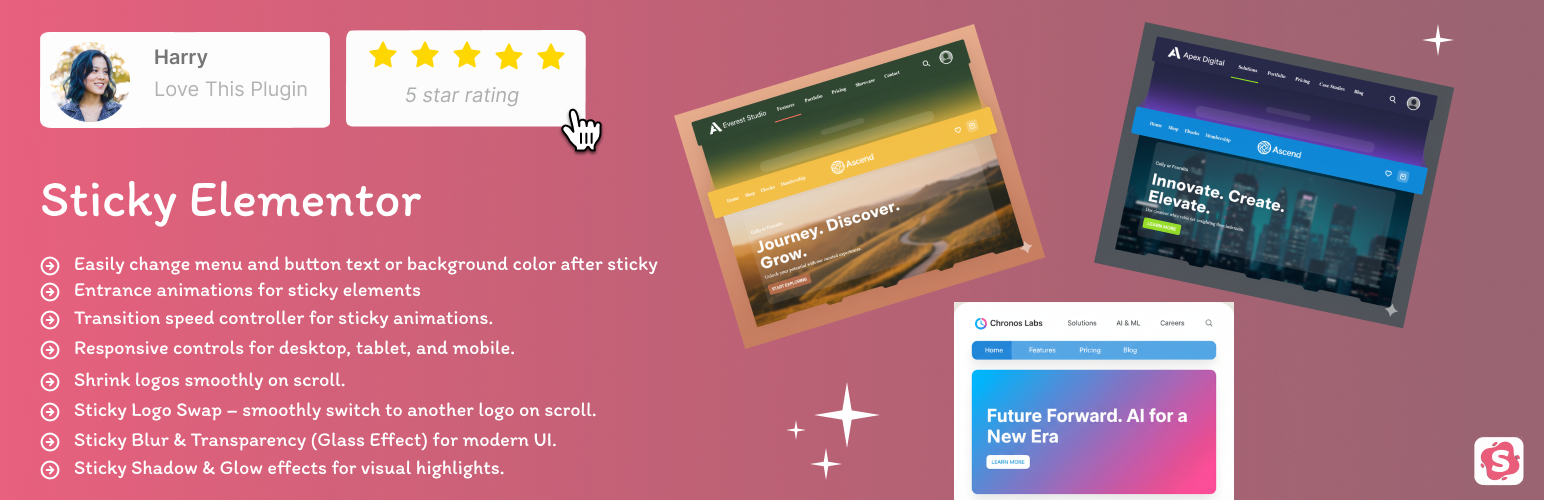
Entrance animations for sticky elements: fade, slide, zoom, rotate, bounce, and more.
Transition Speed controller to adjust animation speed.
Z-Index control to manage stacking of sticky elements.
Rotation effects (X & Y) on scroll for dynamic animations.
Responsive controls for desktop, tablet, and mobile.
Shrink logos and change logo color on scroll.
Glassmorphism Effects: Add modern Blur (Backdrop Filter) and Transparency effects for a premium look.
Menu & Button Styling: Change navigation text color and button backgrounds specifically for the sticky state.
Back to Top Button: Add a smooth-scrolling back to top button with customizable styles.
Works seamlessly with popular Elementor addons (Royal Addons, Premium Addons, ElementsKit, Ultimate Addons for Elementor, plus more) ensuring smooth compatibility.
Lightweight and optimized with minimal JS & CSS for top performance.
Whether you’re building a sticky header, floating section, or a smart scroll-based container — this plugin makes it fast and easy, and it works fully with free Elementor (Pro is not required).
✅ Compatibility with Popular Elementor Addons
Sticky Elementor is fully tested and compatible with popular Elementor addons and their key widgets:
Elementor Addons – Fully supports Heading,Button and Icon styling after sticky.
Essential Addons for Elementor – Works with Button, Simple Menu widgets.
Royal Addons for Elementor – Compatible with Nav Menu, Mega Menu, and Button widgets.
Premium Addons for Elementor – Sticky effects work smoothly with Nav Menu and Button widgets.
ElementsKit Elementor Addons – Fully supports Nav Menu and Button styling after sticky.
Ultimate Addons for Elementor – Compatible with Nav Menu widgets and sticky styling.
Flexbox Containers & Templately Templates
👨💻 Why Choose Sticky Elementor?
100% free and easy to use.
Lightweight and optimized for performance.
Designed with SEO-friendly practices.
Regular updates with new features.
Credits
Developed with ❤️ by Bhumi
License
This plugin is licensed under the GPLv2 or later.
See https://www.gnu.org/licenses/gpl-2.0.html for details.