前言介紹
- 這款 WordPress 外掛「Status Widget Restorer for WooCommerce」是 2025-10-15 上架。
- 目前有 50 個安裝啟用數。
- 上一次更新是 2025-12-03,距離現在已有 84 天。
- 外掛最低要求 WordPress 5.0 以上版本才可以安裝。
- 外掛要求網站主機運作至少需要 PHP 版本 7.2 以上。
- 尚未有人給過這款外掛評分。
- 還沒有人在論壇上發問,可能目前使用數不多,還沒有什麼大問題。
外掛協作開發者
外掛標籤
status | widget | restore | dashboard | woocommerce |
內容簡介
### 簡介
有時,在安裝和配置 WooCommerce 外掛後,WooCommerce 狀態 (又稱 WooCommerce 概覽) 小工具可能不會出現在您的儀表板的主畫面,或者它可能突然消失而無法重新啟用。
Status Widget Restorer for WooCommerce 是一個輕量且易於使用的外掛,可立即解決這個問題。它恢復了缺失的 WooCommerce 狀態小工具,並確保在設置完成後正確顯示在您的儀表板上。
### 問題與解答
1. 問題:我安裝了 WooCommerce 外掛,但我的 WooCommerce 狀態小工具沒有出現在儀表板上,應該怎麼辦?
答案:您可以使用 Status Widget Restorer for WooCommerce 外掛,它可以立即解決這個問題,並確保狀態小工具正確顯示在您的儀表板上。
2. 問題:我可能需要這個外掛的原因有哪些?
答案:可能是因為您的主題自定義隱藏了儀表板小工具、外掛衝突導致小工具消失、WooCommerce 設置問題或意外將狀態選項隱藏。
原文外掛簡介
Sometimes, after installing and configuring the WooCommerce plugin, the WooCommerce Status (a.k.a. WooCommerce Overview) widget may not appear on your Dashboard → Home screen — or it may suddenly disappear without any option to re-enable it.
Status Widget Restorer for WooCommerce is a lightweight and easy-to-use plugin that solves this issue instantly. It restores the missing WooCommerce Status widget and ensures it appears correctly on your dashboard after setup.
Features:
Multiple restoration methods to ensure compatibility
Intelligent WooCommerce setup completion detection
Debug mode for troubleshooting (when WP_DEBUG is enabled)
Automatic Screen Options management
Permission-aware (respects user capabilities)
Fallback custom widget creation
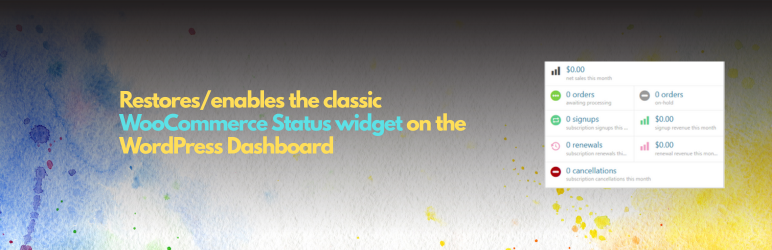
What the widget shows:
Net sales this month
Orders awaiting processing
Orders on hold
Subscription signups and renewals
Subscription cancellations
Revenue metrics
Why you might need this:
Theme customizations that hide dashboard widgets
Plugin conflicts that remove the widget
WooCommerce setup issues
Screen Options accidentally hiding the widget
Our WooCommerce Plugins
Variation Selector for WooCommerce: Variation Selector for WooCommerce replaces the default WooCommerce variation dropdowns with clean, user-friendly input types, beautiful radio buttons, checkboxes, and button selectors that improve the shopping experience and increase conversions.
Products Bundle for WooCommerce: Products Bundle for WooCommerce allows you to create bundle products where multiple items are sold together at a fixed price. The plugin automatically handles cart management, pricing, and checkout integration – making it perfect for payment gateway integrations.

各版本下載點
- 方法一:點下方版本號的連結下載 ZIP 檔案後,登入網站後台左側選單「外掛」的「安裝外掛」,然後選擇上方的「上傳外掛」,把下載回去的 ZIP 外掛打包檔案上傳上去安裝與啟用。
- 方法二:透過「安裝外掛」的畫面右方搜尋功能,搜尋外掛名稱「Status Widget Restorer for WooCommerce」來進行安裝。
(建議使用方法二,確保安裝的版本符合當前運作的 WordPress 環境。
延伸相關外掛(你可能也想知道)
Backuply – Backup, Restore, Migrate and Clone 》ckuply 是一款 WordPress 外掛程式,可協助您備份 WordPress 網站,以免因伺服器故障、黑客入侵、錯誤更新或惡意外掛導致資料損失。, Backuply 提供本地備份...。
BackWPup – WordPress Backup & Restore Plugin 》備份外掛BackWPup 可用來保存您的完整安裝,包括 /wp-content/ ,並將它們推送到外部備份服務,例如 Dropbox,S3,FTP 等等,下面有更多清單。只需要一個備份...。
JetBackup – Backup, Restore & Migrate 》JetBackup 是 WordPress 最完整的備份和遷移選擇,提供最簡單的方式備份、還原和遷移您的 WordPress 網站或部落格,您可以備份 / 遷移您的文件、數據庫或兩者...。WP Umbrella: Update Backup Restore & Monitoring 》WP Umbrella 提供您所需的一切,以輕鬆管理多個 WordPress 網站。WP Umbrella 協助代理商和自由工作者管理其 WordPress 維護業務。, WP Umbrella 包含強大的...。
Total Upkeep – WordPress Backup Plugin plus Restore & Migrate by BoldGrid 》escriptions of Total Upkeep WordPress Plugin:, , Total Upkeep 不僅是一個「備份外掛」。它可以在網站出現崩潰之前阻止此類情況發生。, , 即使您做了一切...。
Clone 》在你的免費虛擬網站上試試看:點擊此處 => https://tastewp.com/plugins/wp-clone-by-wp-academy。, (這個技巧適用於 WP 庫中的所有外掛程式 —— 將 URL ...。
InstaWP Connect – 1-click WP Staging & Migration 》InstaWP 讓您可以在幾秒鐘內為測試、開發和暫存建立 WordPress 網站。使用這個外掛,您可以將現有的 WordPress 網站連接到 InstaWP 的任何地方。當您的網站連...。Jetpack VaultPress Backup 》Jetpack VaultPress Backup 是一個外掛,可以提供您基於雲端的備份功能和一鍵還原功能,而不需要安裝完整的 Jetpack 外掛。, 注意:使用這個外掛需要擁有包含...。
Advanced WordPress Reset – Debug, Recover & Reset WP 》注意:如果您要清除數據庫中的孤立的內容,請使用我們的插件:Advanced Database Cleaner。, 'Advanced WordPress Reset' 插件可重置和還原您的 WordPress 數...。
Royal WP Backup, Restore and Database Reset – Website Backups made Easy 》```html, <ul>, <li>總結:Royal Backup & Reset 是一個全面的 WordPress 外掛,提供完整的備份、還原和重設功能,適用於您的 WordPress ...。
QNAP NAS Backup 》此外掛需要與多應用程式復原服務 (MARS) 一起使用。, QNAP NAS 備份能夠簡單地備份和還原您的 WordPress 網站,包括無限大小的數據庫、媒體檔案、外掛和佈景...。Updraft 》Updraft - Backup/Restore是一個設計用來備份你的WordPress部落格的外掛。上傳、佈景主題、外掛,甚至你的資料庫都可以定期備份到Rackspace Cloud Files、Ama...。
Media Library Recovery – Restore Lost Image Files 》這是一個工具,可以幫助您在資料庫重置後,從您的 /wp-content/uploads 資料夾中恢復舊的及現有的圖片。, 當您從媒體庫中刪除一個圖片或任何媒體檔案時,它只...。
WP All Backup 》WP All Backup 外掛可讓您輕鬆一鍵備份和還原備份,並且支援手動或自動備份,以及將備份存放至安全的地方,如 Dropbox 和 FTP。, 可備份您整個網站:包括資料...。WooCommerce Auto Restore Stock 》「WooCommerce Auto Restore Stock」是一個 WordPress 外掛,它可以自動幫您恢復「取消或退貨訂單」所使用的 Woocommerce 商品庫存。, 當訂單狀態為「保留中...。