內容簡介
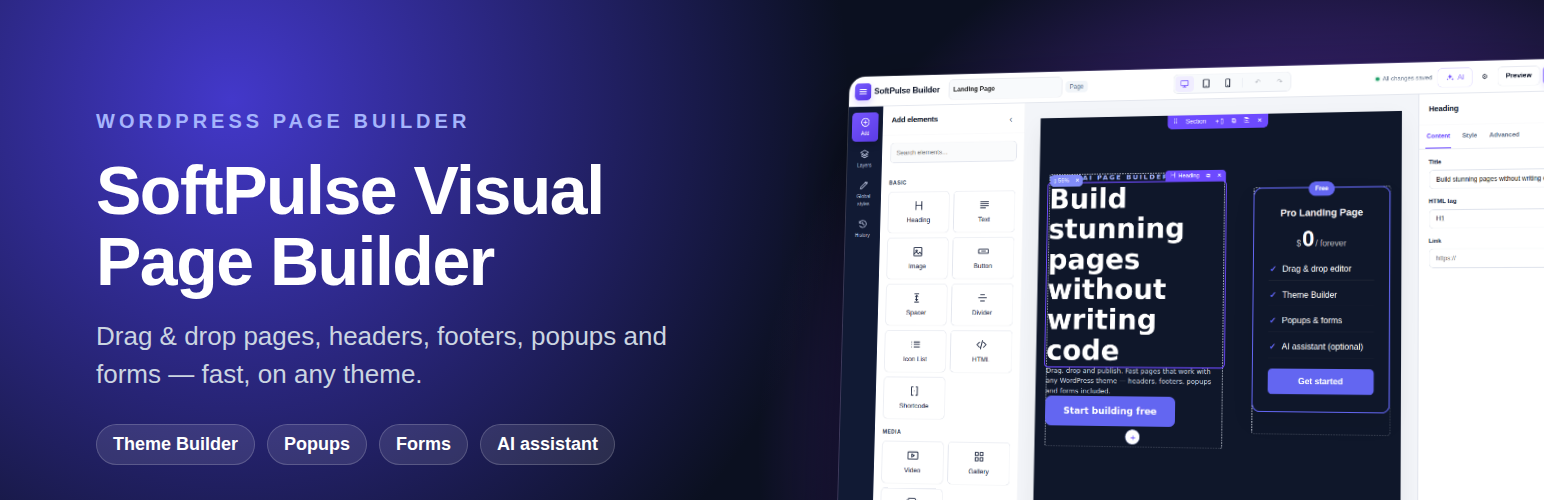
SoftPulse Visual Page Builder 是一款輕量級的視覺頁面建構器,適用於任何 WordPress 佈景主題。它僅在使用該外掛建構的頁面上載入 CSS 和 JavaScript,並不使用 jQuery,確保設計保持乾淨且資料經過清理。
【主要功能】
• 拖放編輯器,支援多種小工具和即時預覽
• 專注的三面工作區,包含可搜尋的元素庫
• 3D 設計控制,提供多種視覺效果
• 自訂頁面模板,支援全寬或空白畫布
• 彈出視窗,支援多種觸發方式
• 表單建構,具備資料儲存和防垃圾郵件功能
外掛標籤
開發者團隊
② 後台搜尋「SoftPulse Visual Page Builder」→ 直接安裝(推薦)
原文外掛簡介
SoftPulse Visual Page Builder is a lightweight visual page builder for any WordPress theme. It loads its CSS and JavaScript only on pages built with it, uses no jQuery on the frontend, and keeps your design as clean, sanitized data.
Builder
Drag & drop editor — sections, columns and 20+ widgets, live preview, undo/redo, desktop/tablet/mobile preview, keyboard shortcuts and browser crash recovery.
Focused three-panel workspace — searchable element library, visual Layers navigator, Global Styles, session History and a dedicated inspector.
3D design controls — perspective, rotate X/Y/Z, depth/translate-Z, 3D entrance effects and pointer-following tilt without a heavy frontend library.
Widgets — Heading, Text, Image, Button, Spacer, Divider, Icon List, Video (lite YouTube embed), Gallery with lightbox, Slides, Pricing Table, Testimonials, Accordion/FAQ (with FAQ schema), Countdown, Form, Social Icons, Nav Menu, Site Logo, Saved Template, HTML, Shortcode and WooCommerce Products.
Page templates — theme default, full width or blank canvas.
Typography — 35+ fonts (Google Fonts incl. Urdu, Arabic and Hindi) with size, mobile size, weight, line height and letter spacing.
Motion effects — 18 entrance animations, hover effects (incl. 3D tilt), loop animations and CSS scroll-driven effects. Respects “reduce motion”.
Theme Builder
Design your own header and footer. Works with block themes and classic themes (Astra, GeneratePress, Kadence, OceanWP, Neve and others).
Display conditions — entire site, specific pages, post types, archives, logged-in users, user roles, URLs and more.
Reusable section templates you can place anywhere with a widget or shortcode.
Popups
Open on page load, scroll, exit intent or click; once per visit or every X days; modal, slide-in or bar.
Forms
Build forms, store submissions in their own database table, email notifications, webhooks (Zapier, Make, n8n), CSV export, file uploads and spam protection (honeypot, time check, rate limit). Works with page caching.
AI (optional)
Write, improve and translate text, or draft a whole page from a prompt.
On WordPress 7.0+ SoftPulse Visual Page Builder uses the WordPress AI Client: connect a provider once in Settings → Connectors and every AI plugin can use it. AI needs WordPress 7.0 or newer; this plugin stores no API keys.
AI agents — registers WordPress Abilities so authorized AI agents (for example through the MCP Adapter) can list, create and edit pages. New pages are always saved as drafts.
All builder features work without AI.
SoftPulse Builder Pro
SoftPulse Visual Page Builder is complete and free. SoftPulse Builder Pro is an optional add-on for professional web designers with 10 extra widgets, custom CSS on any widget or section, white label and automatic updates.
External services
This plugin can connect to third-party services. Nothing is sent unless you configure or use the feature.
AI providers (optional). When you use an AI button in the editor, or an AI agent asks SoftPulse Visual Page Builder to draft a page, the text you write (prompt, selected text) is sent from your server to the AI provider you chose:
The request goes through the WordPress AI Client in WordPress core (WordPress 7.0+) to the provider you connected in Settings → Connectors. This plugin does not contact any AI service itself. The provider’s terms and privacy policy apply.
YouTube (Video widget). When you add a YouTube link, the video thumbnail is loaded from i.ytimg.com. The player (youtube-nocookie.com) loads only after the visitor clicks play. YouTube Terms, Google Privacy
Google Fonts (optional, off by default). Google Fonts are not loaded on a new install. If you enable them and pick a Google font, the font stylesheet is loaded from fonts.googleapis.com / fonts.gstatic.com for visitors of those pages. To enable them, untick SoftPulse Builder → Settings → “Do not load Google Fonts”; tick it again to turn them off. Google Fonts privacy FAQ, Google Privacy
Form webhooks (optional). If you enter a webhook URL in a form, each submission is sent to that URL.