內容簡介
以下是關於 WordPress 外掛「Multimedia Player」的介紹摘要:
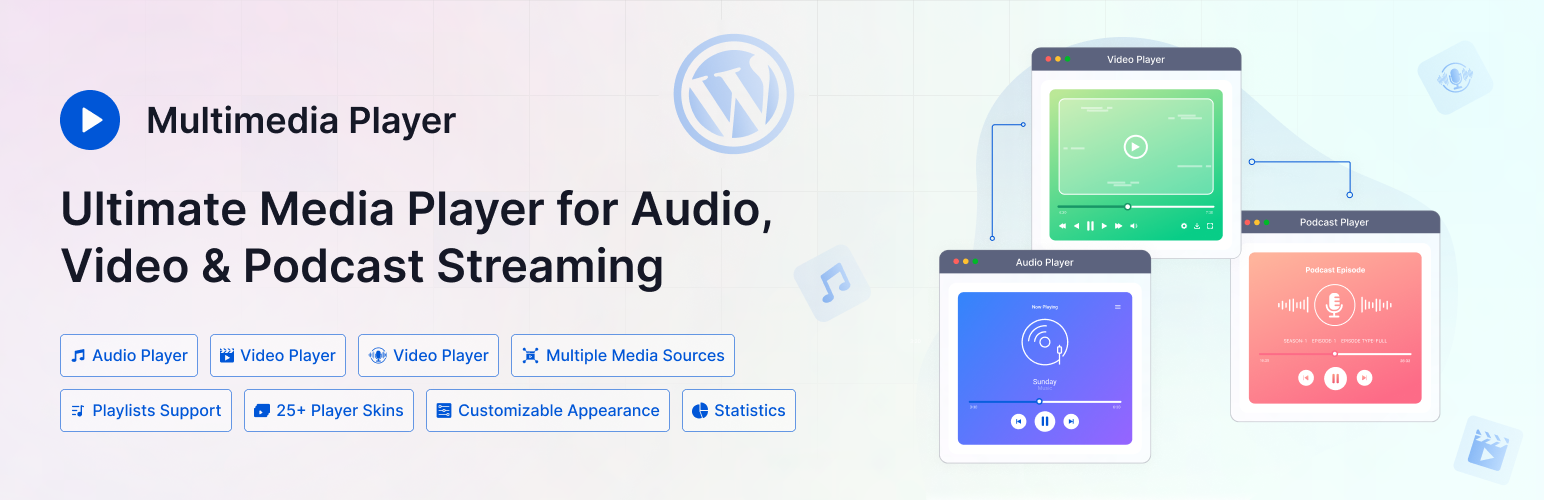
- 「Multimedia Player」是一款可靠、靈活且易於使用的媒體播放器,能夠直接在您的 WordPress 網站上嵌入音訊、視訊和播客內容。
- 無論您是在本地主機上還是第三方平台上托管檔案,此外掛確保流暢播放和完整相容性。
接下來使用 HTML 文字清單來呈現問題與答案:
<ul>
<li>問題:「Multimedia Player」支援哪些媒體播放器類型?</li>
<li>答案:此外掛支援多種播放器類型,包括音訊、視訊和播客播放器,全部都包含在同一個外掛中,使媒體使用更具靈活性。</li>
<li>問題:可以從哪些來源播放媒體內容?</li>
<li>答案:您可以從本地檔案、直接網址、YouTube、Facebook、Vimeo 等多個來源播放媒體,確保最大的相容性和覆蓋範圍。</li>
<li>問題:有哪些自訂功能可以增強使用者體驗?</li>
<li>答案:您可以自訂和顯示曲目元資料,如標題、藝術家、專輯和封面圖片,以提升使用者體驗和 SEO。</li>
<li>問題:有沒有自動播放功能?</li>
<li>答案:您可以啟用自動播放功能,以提供訪客更好的使用者體驗。請注意:僅在瀏覽器支援自動播放功能時才適用。</li>
<li>問題:支援實時播放器編輯預覽嗎?</li>
<li>答案:是的,此外掛提供實時預覽功能,讓您即時查看對播放器設定所做的任何更改,以了解其外觀。</li>
</ul>
外掛標籤
開發者團隊
② 後台搜尋「Soft Multimedia Player – Play Audio, Video & Podcasts Easily」→ 直接安裝(推薦)
原文外掛簡介
Looking for a reliable, flexible, and easy-to-use media player for WordPress? Multimedia Player is your ultimate solution for embedding and audio, video, and podcast content directly on your WordPress website.
Whether you’re hosting files locally or third-party platforms, this plugin ensures smooth playback and full compatibility.
🎥 VIDEO OVERVIEW
👀 Try Live Demo | 📄 Docs | 🚀 Get PRO
🎬 MULTIMEDIA PLAYER SUPPORTS
🎵 Audio Player – Stream MP3, WAV, and other popular audio formats with customizable controls.
🎥 Video Player – Embed MP4, WebM, and video links from YouTube, Vimeo, and Facebook.
🎙️ Podcast Player – Perfect for podcasters! Embed episodes from local files or podcast RSS feeds.
🔥 MULTIMEDIA PLAYER FEATURES
📼 Multiple Players
Supports multiple player types, including audio, video, and podcast players—all in one plugin for complete media flexibility.
🎨 Pre-built Player Skins
Choose from a variety of professionally designed player skins to match your site’s style with no coding required.
🌎 Multiple Sources
Play media from local files, direct URLs, YouTube, Facebook, Vimeo, and more, ensuring maximum compatibility and reach.
📝 Track Meta Data Customization
Customize and display track metadata like title, artist, album, and cover art to enhance user experience and SEO.
🎛️ Easy Control Buttons
User-friendly control buttons for play, pause, skip, volume, and more—fully customizable to match your needs.
▶️ Autoplay
Enable autoplay for a better user experience when visitors land on your page. Note: Only applicable if the browser supports autoplay functionality.
📱 Mobile Media Notification
Displays a media notification on mobile devices, allowing users to control the player from their lock screen.
👁️ Realtime Player Editing Preview
Provides a live preview of any changes you make to the player settings, allowing you to see how they will look in real-time.
🛠️ Custom CSS
Allows you to add custom CSS code to further customize the player and make it fit seamlessly with your website design.
🔁 Multiple Instances
Allows you to add multiple instances of the player on a single page or post.
🏗️ Gutenberg Block
Comes with a Gutenberg block for easy integration with the WordPress block editor to add the player to any page or post.
🔌 Elementor Widget
Comes with an Elementor widget for easy integration with the popular Elementor page builder plugin to add the player to any page or post.
🚀 MULTIMEDIA PLAYER PRO FEATURES:
▶️ Add Unlimited Players
Allows you to create and display unlimited players on your website.
🎨 25+ Player Skins
Comes with multiple player skins, allowing you to choose the look and feel that best matches your website.
📋 Navigational Playlist
Add an interactive playlist with easy navigation, allowing users to browse and play multiple tracks or videos effortlessly.
🔗 Embedding
Easily embed players using shortcodes, and embed a URL from fronetend.
💬 Popup Player
Displays a popup player when the user clicks on a button or link.
🎨 Color Customizations
Allows you to customize the colors of the player to match your website’s color scheme.
📋 Player Duplicator
Allows you to quickly duplicate an existing player and make changes as needed, saving you time and effort.
⬇️ Player Embed Code
Provides a player embed code that you can use to display the player to any website or page.
🖌️ Appearance Customization
Customize colors, layouts, and player behavior to match your branding and site design.
🧠 Schema Markup
Built-in structured data (schema) for better visibility in search engines and enhanced SEO performance.
📈 Statistics
Track plays, views, and engagement with built-in analytics to measure media performance.
📊 Dashboard Widget
A quick overview of multimedia player’s statistics right on the WordPress Dashboard.
📨 Email Reporting
Receive scheduled performance reports directly in your inbox to stay updated on listener/viewer activity.
🌟 MULTIMEDIA PLAYER is Perfect for
🎙️ Podcasters – Share episodes with rich metadata, playlists, and embedded players on any post or page.
🎸 Musicians & Bands – Stream songs, albums, and live performances with audio players and customizable skins.
🎥 Content Creators – Showcase video content from YouTube, Vimeo, and more with responsive, embedded players.
👩🏫 Educators & Online Courses – Deliver lessons, tutorials, and lectures with audio/video support and chapter navigation.
✍️ Bloggers & Publishers – Enhance articles with multimedia content to increase engagement and time on page.
⛪ Churches & Speakers – Share sermons, talks, and events as podcasts or videos for on-demand access.
🏢 Businesses & Agencies – Embed promotional videos, webinars, or audio testimonials to boost marketing efforts.
📝 Notes:
🚫 Autoplay Disabled
Kindly be aware that browsers have disabled the autoplay feature, making it impossible to control. Consequently, the multimedia player will not commence playback automatically upon the user’s visit to the webpage. For additional details, please refer to this link: https://developer.chrome.com/blog/autoplay/
🔥 WHAT’S NEXT 🔥
Consider checking out our other plugins:
🗂️ Integrate Google Drive
Browse, Upload, Download, Embed, Play, and Share Your Google Drive Files Into Your WordPress Site.
📻 Radio Player
Live Shoutcast, Icecast and Audio Stream Player for WordPress.
🌙 Dracula Dark Mode
The Revolutionary Dark Mode Plugin For WordPress
📝 Essential Addons for Contact form 7
48+ Essential Fields, Features & Integrations Add-ons for Contact Form 7.