內容簡介
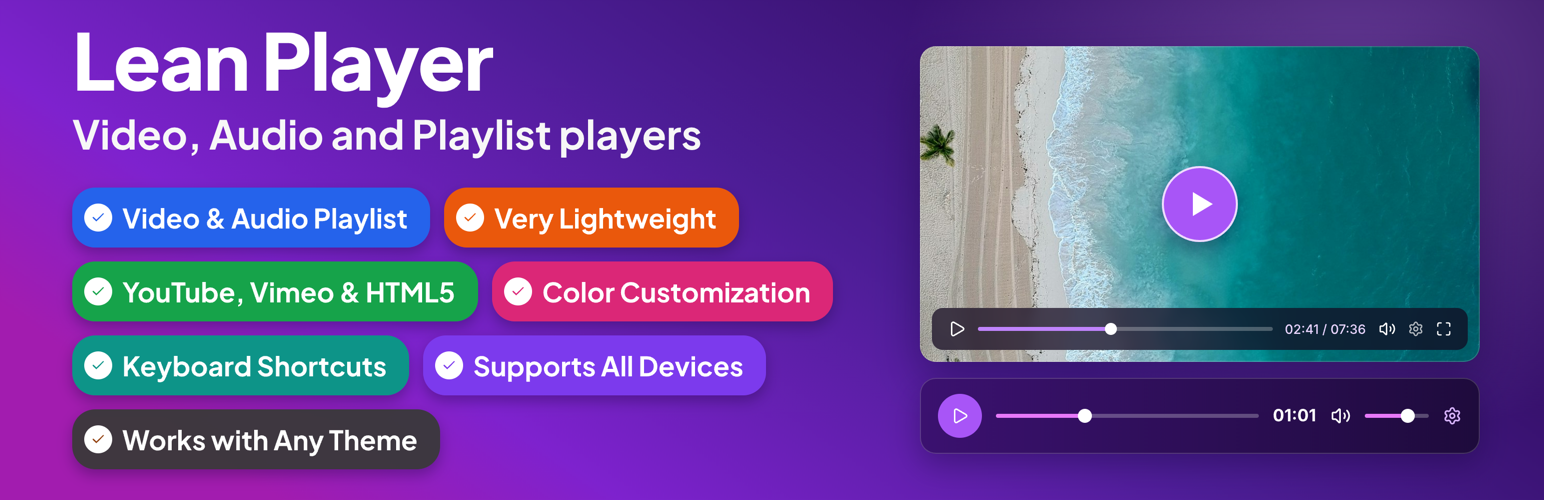
Lean Player 是一款輕量級的 WordPress 外掛,提供完整的影片與音訊播放清單功能,支援 YouTube、Vimeo 及多種音訊格式,並可輕鬆嵌入於任何佈景主題中,提升網站的媒體呈現效果。
【主要功能】
• 支援 YouTube、Vimeo 和 HTML5 影片播放
• 提供多種音訊格式播放,包括 MP3 和 WAV
• 可自訂播放器顏色,與網站風格一致
• 支援影片與音訊清單功能
• 媒體預載選項,提升頁面載入速度
• 支援時間戳連結,方便跳轉播放
外掛標籤
開發者團隊
② 後台搜尋「Lean Player – Video and Audio Player with Playlist for WordPress, Elementor and Gutenberg」→ 直接安裝(推薦)
📦 歷史版本下載
原文外掛簡介
Lean Player handles it all, in one lightweight plugin:
YouTube Video
YouTube Shorts Video
Vertical video – fits the screen automatically, no stretching or distortion (YouTube Shorts or HTML5 upload)
Vimeo
HTML5 video – MP4, WebM, OGG
Audio – MP3, OGG, WAV, M4A, AAC, FLAC
Audio – Live Stream (Icecast, Shoutcast and other radio streams)
Video playlist
Audio playlist
Brand color matching so the player looks like part of your site, not a plugin
Never slows your site down
Works with any theme
Embed anywhere – shortcode or the Elementor widget
🎬 See Players in Action
🎵 See Playlist Demo
🌐 Visit Official Website
⚡ Upgrade to Pro
Lean Player is a lightweight video and audio player for WordPress with full playlist support. A redesigned admin experience with instant live preview makes setup effortless. Embed players and playlists anywhere in 3 steps:
Create a player or playlist from the admin
Copy the shortcode
Paste it anywhere — or use the Elementor widget, Block Editor, or Classic Editor
Works with YouTube, Vimeo, MP4 video (upload or direct URL/CDN), and audio files (MP3, AAC, OGG, WAV, M4A, FLAC — upload or direct URL/CDN). Plays nicely with Elementor, Block Editor, and Classic Editor on any theme, without slowing your site down.
Players Demo | Playlist Demo | Pro | Support
Lean Player also helps keep media-heavy pages fast. With Media Preload, you choose whether video and audio should load only basic info, wait until the visitor clicks play, or start loading immediately. This is useful for pages with multiple players or playlists.
Link directly to a moment in a video or podcast with Timestamp Links. Drop [lean_timestamp time="1:30"]Jump to intro[/lean_timestamp] anywhere in your post content, and clicking it seeks the player to that time and starts playback, no page reload. Great for podcast show notes, course sections, and video reviews.
Features
Player Management:
* Global Player Settings – Set default behavior once for all players
* Player Manager – Create and manage players through admin interface
* Per-Player Configuration – Override global settings for individual players
* Admin Columns – View all players at a glance with Player Type, Source Type, Source, Autoplay status, and copy-ready Shortcode
* Preview Player – Preview your player before publishing directly from the players list or from the player edit page
* Live Preview – See your changes reflected instantly on the edit screen as you configure a player or playlist, no save needed
* Simple Shortcode – [lean_player id=”123″] to embed anywhere
* Timestamp Links – [lean_timestamp time=”1:30″]Jump to intro[/lean_timestamp] to jump a player to a specific moment from your post content
* Player Categories – Group and organize players using categories
Video Sources:
* YouTube video support
* YouTube Shorts support – vertical video fits the screen automatically, no stretching or distortion
* Vimeo video support
* HTML5 video (upload or URL/CDN)
Audio Sources:
* Supported formats: MP3, OGG, WAV, M4A, AAC, FLAC
* Live radio stream support (MP3, AAC), works with Icecast, Shoutcast and any other server that serves a direct stream URL
* Media library upload or direct URL/streaming URL
Playback Options:
* Autoplay
* Start Muted
* Initial Volume control (0-100%)
* Loop Playback
* HTML5 Media Preload – Keep pages lighter by controlling when video and audio files start loading
* Starting Playback Speed (0.5x to 4x)
* Pause Other Players – Automatically pause other players when one starts playing (works across standalone players and playlists) [PRO]
* Keyboard Shortcuts – Control playback when the player is focused, with optional global shortcuts for single-player pages
* Time Display Format – Countdown or elapsed time [PRO]
* Skip Forward/Back Amount – Set forward/back jump time (1-60 seconds) [PRO]
* Reset to Start When Finished
Player Controls:
* Fullscreen button
* Click to play/pause
* Picture-in-picture (PIP) mode
* Keyboard shortcuts
* Player Layout – Choose from 5 built-in layouts (Classic, Modern, Simple, Floating, Minimal), each with its own styling and control set
* Custom Preset Builder – Build, name, and save your own control-bar preset (free): show/hide and reorder controls (play-large, play, progress, current-time, mute, volume, captions, settings, pip, airplay, fullscreen, download); applying a preset to a player [PRO]
* Auto-Hide Controls – Hide controls during playback [PRO]
Design & Styling:
* Display your own preview thumbnail
* Primary Color customization – Match player with your brand colors [PRO]
* Compatible on all mobile & desktop devices
* Very lightweight – no major impact on website speed
* Works with all themes
Playlist:
* Works with YouTube, Vimeo, HTML5 video, and audio files
* Shortcode: [lean_playlist id=”123″]
* Search players and add them to a playlist from the admin
* Filter players by category and add all from a selected category at once
* Panel position: left, right, top, or bottom of the player
* Panel width, max width, and height (synced or fixed)
* List layout with thumbnails (16:9 or 1:1 shape), duration badge, duration next to title, item numbers, and subtitle/artist text
* Play icon: active item only or always visible
* Playlist header with title and item count
* Light and dark skin
* Solid panel background
* Auto-advance to the next track when one finishes
* Audio now-playing compact view
* Grid layout [PRO]
* Accent color customization [PRO]
* Custom gradient panel background [PRO]
* Play icon hidden variant [PRO]
* Audio now-playing large card [PRO]
* Start from a specific item number [PRO]
* Automatic Thumbnail – auto-fetch thumbnails from YouTube and Vimeo when no custom image is set [PRO]
Integration:
* Elementor widgets (video, audio & playlist)
* Block Editor (Gutenberg) support
* Classic Editor support
* Shortcode support everywhere
Video Player Elementor Widget
All player options are available directly in the Elementor panel – no shortcode needed. Widget-specific additions:
Saved Player mode – pick an existing saved player by name; its settings apply automatically
Player Accent Color – per-widget brand color override
Controls Bar Color – per-widget icon and text color
Per Element Style (Pro) – granular colors for play button, progress bar, volume slider, settings icon, tooltips, settings menu, and timer
Layout (Pro) – icon size, button spacing, corner radius, progress track height
Audio Player Elementor Widget
All player options are available directly in the Elementor panel – no shortcode needed. Widget-specific additions:
Saved Player mode – pick an existing saved player by name; its settings apply automatically
Poster Card Style – background, text, border color, padding, radius, and thumbnail radius
Player Accent Color – per-widget brand color override
Controls Bar Color – per-widget icon and text color
Per Element Style (Pro) – granular colors for play button, progress bar, volume slider, download button, tooltips, settings menu, and timer
Layout (Pro) – icon size, button spacing, corner radius, progress track height
Playlist Elementor Widget
Embed any saved playlist on an Elementor page without a shortcode. All playlist settings (panel position, layout, colors, auto-advance) are configured in the Playlist Manager, not the widget.
Select Playlist – pick from your saved playlists by name