外掛標籤
開發者團隊
原文外掛簡介
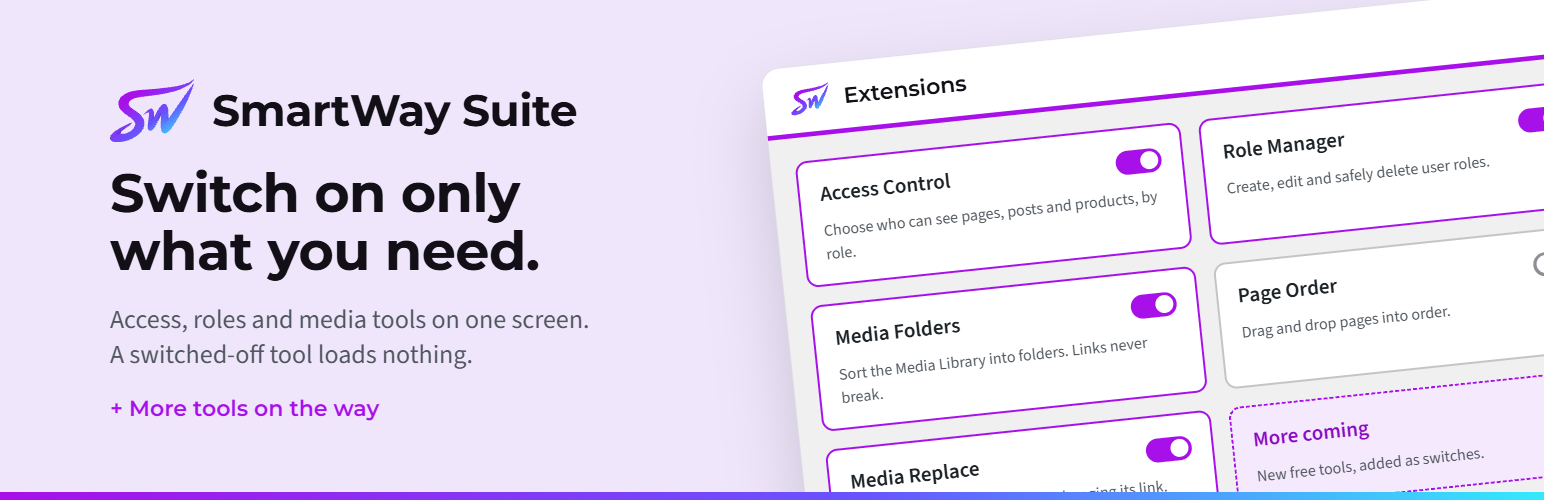
SmartWay Suite is a set of tools for WordPress sites, in one plugin. Each tool is an extension you switch on or off on the SmartWay screen. An extension that’s switched off loads nothing, and switching it off keeps its settings.
Access Control
Choose who can see what, by role.
Pages, posts and other content: only for logged-in people, only for chosen roles, for logged-in people except chosen roles, only for logged-out visitors, or hidden from chosen roles. Child pages can follow their parent.
Categories, tags and whole post types: one rule covers everything in a category, or every product, and their archive pages too.
Menu items, Elementor elements and parts of a page (with the [smartway_restrict] shortcode).
Every role counts: someone who is both a Customer and a Member is never locked out because of the other role.
Enforced on the server: direct links, search, feeds, the REST API and the sitemap all follow the rules.
What people see instead: a message, the login page, the home page or a page you choose. After logging in, people come back to the page they wanted.
Whole site: a private-site switch, a lock that keeps logged-out visitors out of the REST API, and your own login page address (hides wp-login.php), with a rescue link if you’re ever locked out.
Tools → Access checks exactly what any person, or a logged-out visitor, can see, and why.
Moving from another plugin? The importer brings over rules from Restrict, Restrict for Elementor, Members, Nav Menu Roles, Content Control and User Menus, shows each one before it changes anything, and can be undone.
Role Manager
Create, edit and clone roles, with a clear capabilities editor.
Safe deletes: deleting a role moves its people to another role first, shows everywhere the role is used, and can be undone.
More than one role per person: tick boxes on Edit user, Add New User and your own profile, so nobody loses a role when their profile is saved.
Add or remove a role for many people at once on Users → All Users.
The Administrator role can never be deleted, and you can’t remove your own administrator role.
Media Replace
Upload a new version of an image or file without changing its link. Every page, product and Elementor design shows the new version straight away.
The title, alt text, caption and upload date stay. Image sizes are made again.
Same type only (a JPG for a JPG, a PDF for a PDF), checked by the file’s real content.
In the file’s details, on Edit Media, and as a Replace file link in the Media Library’s list view.
Page Order
Drag and drop pages in the Pages list to put them in order. Drag right to put a page under the one above, or left to move it out a level. Child pages move with their parent.
A Move link on each row does the same with the keyboard, and Undo puts the last move back.
Uses WordPress’s own Order and Parent fields, so the order stays if you switch it off. Coming from Simple Page Ordering? The order you set carries over.
If Access Control is on and a move changes who can see the page, you’re asked first.
Media Folders
Sort the Media Library into folders and subfolders, as many as you like. Files never move on disk, so their links never change.
Drag and drop one file, or a selection, onto a folder. Drag folders to put them in order, or inside one another.
Right-click a folder (or press Shift+F10) to rename it, add a subfolder or delete it. Double-click or F2 renames too.
All files and Unorganized at the top, with a count on every folder. An Include subfolders switch shows the files in a folder’s subfolders too.
Files uploaded while a folder is open go straight into it.
The same folders in every media window: the block editor, the classic editor, WooCommerce product images and galleries, and Elementor.
In the grid view, a click shows the file’s details beside the files instead of a full-screen window, and you can pick several files to move or delete at once.
A list view on the same screen, with each file’s folder, date and size.
A Folder field in each file’s details, and Move to folder for everything you’ve picked.
Deleting a folder never deletes files: they move up into its parent folder.
Moving from Real Media Library, FileBird, Folders by Premio, Enhanced Media Library, Media Library Organizer or Media Library Folders? SmartWay → Tools → “Media: import from …” with that plugin’s name copies its folders, subfolders and filed files in one click, and changes nothing in the other plugin. It works even after that plugin is deactivated, or its licence has run out.
Built to stay light
Extensions you don’t switch on load nothing.
Visitors’ pages load no SmartWay CSS or JavaScript.
No ads, no upsell notices and no tracking.
Uninstalling keeps your settings unless you choose to remove them.
Shortcode
Access Control’s [smartway_restrict] shortcode hides part of a page, post or Elementor Shortcode widget. Only the people it names see what’s inside.
[smartway_restrict roles="customer"]…[/smartway_restrict]: only people with that role. List several with commas (roles="customer,member"): any one of them is enough. Use the role’s slug, shown on SmartWay → Roles.
[smartway_restrict logged_in="yes"]…[/smartway_restrict]: anyone who is logged in.
[smartway_restrict logged_out="yes"]…[/smartway_restrict]: only visitors who aren’t logged in.
message="Members only.": what everyone else sees. Leave it out to use the site’s default message; message="" shows nothing.
A misspelled role, or a shortcode with no roles, logged_in or logged_out, hides the content from everyone, and administrators see a note explaining why. The same guide is in the Access Control settings.
What’s inside the shortcode is cleaned the way WordPress cleans post content: scripts are removed, while embedded videos and form fields still work.
Privacy
SmartWay Suite doesn’t send any data to SmartWay Designs or anyone else, and it doesn’t track you or your visitors. The rescue link emails only your site’s administrators, through your site’s own email.