
內容簡介
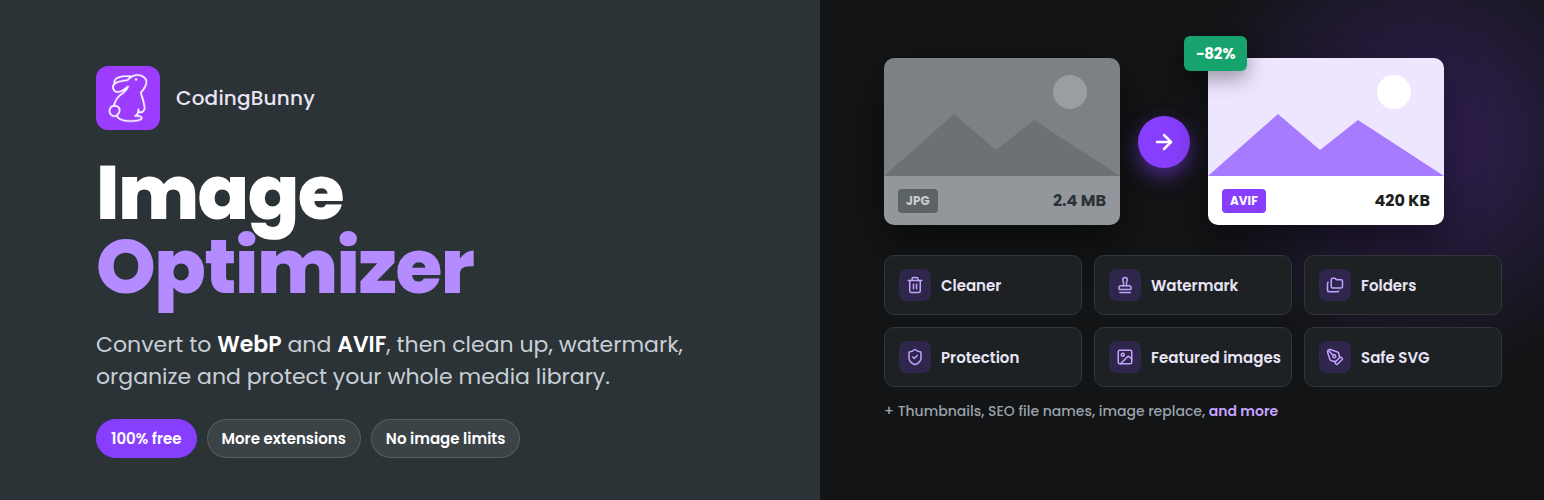
CodingBunny Image Optimizer 是一款強大的影像優化外掛,能加速網站效能並管理媒體庫。它自動將影像轉換為 WebP 或 AVIF 格式,調整大小並生成替代文字,並提供多種擴充功能以清理未使用的影像、添加水印及保護影像不被複製。
【主要功能】
• 自動轉換影像為 WebP 或 AVIF 格式
• 自動生成替代文字,支援 AI 生成
• 批次優化媒體庫中的所有影像
• 調整影像大小,選擇縮圖尺寸
• 擴充功能可清理未使用影像及添加水印
• 影像保護,防止右鍵點擊及拖曳
外掛標籤
開發者團隊
📦 歷史版本下載
原文外掛簡介
CodingBunny Image Optimizer speeds up your site and keeps your Media Library under control. It converts images to WebP or AVIF, resizes them and generates their alt text automatically on upload, and it includes optional extensions to clean up unused images, add watermarks, organize the Media Library into folders and protect images from being copied.
Everything is free, with no license and no limits on the number of images. Extensions are turned on only when you need them: the ones that are off are not loaded at all, so they add no weight to your site.
Conversion and compression
Automatic conversion to WebP or AVIF on upload.
Server-side conversion (Imagick or GD) or browser-side conversion to save server resources.
Adjustable WebP and AVIF quality, with Lossy / Glossy / Lossless presets.
Option to delete original images after a successful conversion.
Remove unnecessary metadata from images (requires Imagick).
Resizing and thumbnails
Automatic resizing to a maximum width and height.
Disable the WordPress default big image threshold.
Choose which thumbnail sizes WordPress should generate.
Bulk tools
Optimize all images in the Media Library in batches, with adjustable batch size.
“Optimize Selected Images” in both the list and grid views of the Media Library.
Fix image attachments across posts and pages.
Alternative text
Automatic ALT text generation on upload.
Customizable template with {post_title}, {title}, {caption}, {filename}, {site_title} and {sku} (WooCommerce).
Bulk generation and a “Generate ALT TEXT” button in the Media Library.
Optional AI generation (beta): the image is analyzed by OpenAI, Anthropic (Claude) or Google (Gemini) using your own API key, with the template as a fallback.
AI alt texts include the WooCommerce product name and brand, and the focus keyphrase from Yoast SEO, Rank Math, SEOPress or All in One SEO.
Additional instructions, prefix and suffix for AI alt texts.
Optionally copy the alt text to the image title, caption and description.
“Without alt text” filter and “Generate alt text” bulk action in the Media Library.
Fills empty alt attributes of images already inserted in posts and pages with the Media Library alt text.
Protected words to keep hand-written alt texts, and alt text coverage at a glance.
Performance
Lazy loading: images load only when visible.
Preload of the critical (LCP) image for better Core Web Vitals.
Extensions
Turn each extension on or off from the Extensions page in the plugin menu.
Image Cleaner
Find unused images, orphaned thumbnails, duplicates, missing files and posts without a featured image.
Review the results before deleting anything.
Optionally delete the images of a post or WooCommerce product when it is deleted.
Image Watermarker
Text or image watermarks, applied automatically on upload or in bulk from the Media Library.
Single text, text repeated across the image or repeated and tilted, with adjustable angle, gaps and opacity.
Live preview, minimum width threshold and watermark status of each image in the Media Library.
Backups of the original images, with a one-click restore.
Image Organizer
Media Library folders: a sidebar of categories and subcategories, with drag and drop in both the grid and list views.
Files uploaded while a category is open are added to that category automatically.
“Move to category” bulk action, category filter in the media window of the editor and Category field in the attachment details.
Automatic filters for protected, watermarked and unused images.
Unused images per category, based on the last Image Cleaner scan.
Resizable and collapsible sidebar, category colors and ZIP export of a whole category.
Image Protector
Protect selected images from right-click, dragging and developer tools.
Protected images are served through a protected URL and replaced by a placeholder of the same size with a lock icon when someone tries to capture or copy them.
Bulk actions to protect or unprotect images in the Media Library.
Choose which protections to use, customize the placeholder text, protect new uploads automatically and turn protection off for logged-in editors.
Image Replacer
Replace the file of an image while keeping its ID, title, alt text, categories and links.
Thumbnails are generated again and your conversion settings are applied.
If the file name or format changes, links in posts, pages and Elementor layouts are updated.
Regenerate Thumbnails
Regenerate missing thumbnails or all of them, in batches with a progress bar.
Delete the thumbnails of sizes that are no longer used.
Single image and bulk actions in the Media Library. Watermarks are not applied twice.
SEO File Names
Give new images descriptive file names from a pattern, for example the title of the post or product.
Rename existing images from their details or in bulk; links in your content are updated.
Where Used
See in the image details where each image is used: content, featured images, product galleries, Elementor layouts, category images, site logo and icon.
Safe SVG
Upload SVG logos and icons: every file is cleaned of scripts, event handlers and external references before it is saved.
Only administrators and editors can upload SVG files.
Auto Featured Image
Give a featured image to posts without one when they are published, or in bulk: first image in the content, image attached to the post, YouTube video thumbnail, first external image or a default image.
“Generate featured image” bulk action in the list of posts.
Settings Import/Export
Export all the plugin settings, the active extensions and the watermark image to a file, and import it on another site.
Duplicate Check
Stop the upload of an image that is already in the Media Library and tell which image to use instead.
External Images Import
Find images loaded from other websites in your content, import them into the Media Library with your conversion settings and update the links.
Upload Rules
Set a maximum file size, minimum dimensions and the allowed formats for uploaded images, with clear messages for whoever uploads them.
Clear admin interface
Settings organized in a sidebar, with an “ON” badge on the features that are active.
Server information at a glance: image library in use (Imagick or GD), WebP and AVIF support, output format and conversion engine.
External services
This plugin can connect to an AI service to generate the alternative text of images. This happens only if you select “AI” as the generation method in the Alternative Text settings and enter an API key for one of the supported providers. No data is sent otherwise.
When AI is enabled, for each image processed (on upload, with the bulk generation, with the “Generate ALT TEXT” button or with the connection test) the plugin sends to the selected provider: a copy of the image resized to a maximum of 1024 pixels, the title of the page, post or product where the image is used (and the product brand, for WooCommerce products), the SEO focus keyphrase of that page if enabled, your additional instructions, the site name and the image file name. The provider returns the alt text, which is saved in the Media Library. Each request is billed by the provider on your account.
OpenAI API (api.openai.com) – used when “OpenAI” is selected. Terms of use: https://openai.com/policies/terms-of-use – Privacy policy: https://openai.com/policies/privacy-policy
Anthropic API (api.anthropic.com) – used when “Anthropic (Claude)” is selected. Terms of service: https://www.anthropic.com/legal/commercial-terms – Privacy policy: https://www.anthropic.com/legal/privacy
Google Gemini API (generativelanguage.googleapis.com) – used when “Google (Gemini)” is selected. Terms of service: https://ai.google.dev/gemini-api/terms – Privacy policy: https://policies.google.com/privacy














