內容簡介
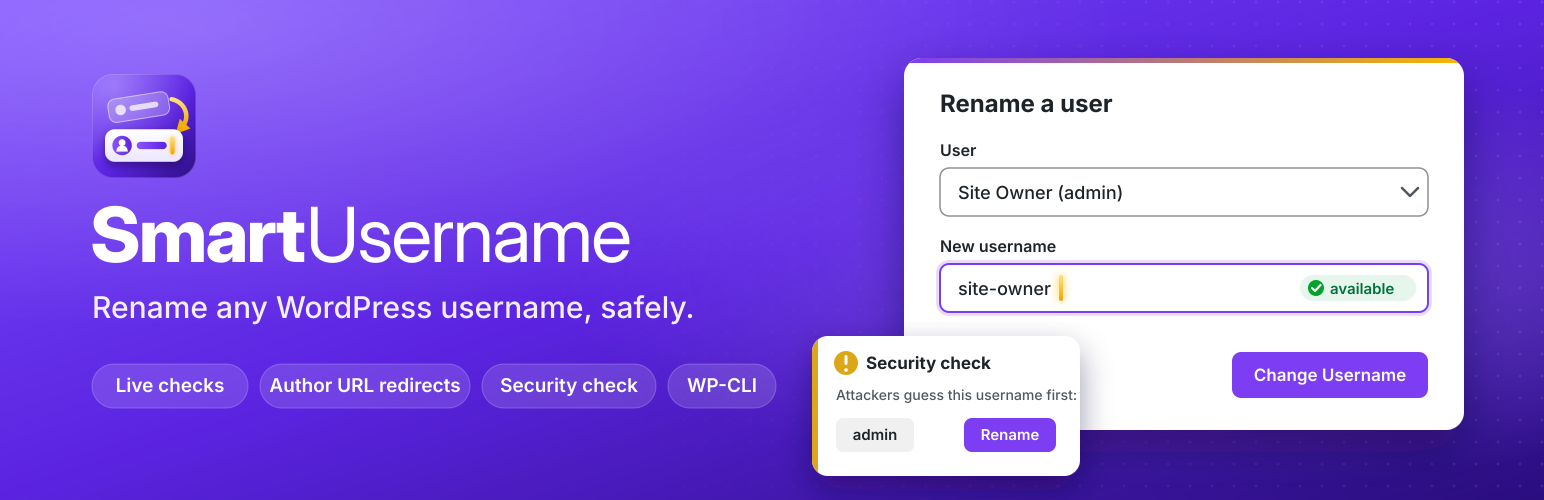
SmartUsername 是一款安全的管理登入名稱更改與使用者名稱編輯工具,允許用戶在不影響其文章、評論及角色的情況下,輕鬆更改現有帳號的使用者名稱,增強網站安全性。
【主要功能】
• 允許用戶更改現有帳號名稱
• 提供安全檢查,警告高風險使用者名稱
• 支援自助服務功能,讓特定角色自行更改名稱
外掛標籤
開發者團隊
② 後台搜尋「SmartUsername – Change Username, Admin Username Changer & Login Protection」→ 直接安裝(推薦)
原文外掛簡介
WordPress does not let you change a username after an account is created, not even the admin username. SmartUsername is a username changer for WordPress: open SmartUsername > Change Username, pick the user, type the new name and click once. It renames the existing account in place, so posts, comments, roles, passwords and user meta stay attached to the same user.
Use it to change the admin username (the first thing login bots guess), rename a user after a typo or a rebrand, edit a username that was generated from an email address, or update usernames across a client site. Then switch on Login name protection so visitors and bots cannot read your login names at all.
Features
Exposure check: one card shows every place your login names are visible (REST API users list, ?author=1 lookups, users sitemap, embeds, author URLs, login error messages, display names) with a Hidden or Exposed verdict, and a button for each fix.
Login name protection: one switch closes those places to visitors. Logged-in authors and editors keep the block editor tools. An optional switch turns off author archives for sites that do not need them.
Trap usernames: names nobody uses, like admin, and old names you keep after a rename become traps. Login attempts with them are refused and counted on a Dashboard widget, “Login attacks caught”. No IP addresses are stored.
Fix author slugs: one click gives every author whose public URL shows the login a new slug based on the display name.
Rename any user: pick the account from a list, or use the “Change username” link on the Users screen or next to the Username field on the profile screen.
Security check: warns on the Dashboard and Users screens when an account uses a username that login attacks guess first (admin, administrator, root, your site name and similar), with a one-click Rename button. The notice can be dismissed and only returns if something new is found.
Email the user: optionally send the renamed user a short email with the old and new username and the login link.
Self-service (optional, off by default): let chosen roles change their own username from Profile > Change Username, with a waiting period between changes.
WP-CLI: wp smartusername rename, wp smartusername check and wp smartusername log for agencies and scripts.
Live validation: as you type, the plugin checks length, allowed characters and whether the name is taken.
Same rules as WordPress core: at most 60 characters; letters, numbers, spaces and . – _ @ only; names blocked by the illegal_user_logins filter are refused.
Optional new author slug: the new slug comes from the display name, never the login. The old author URL redirects to the new one with a 301.
Safe sign out: renaming your own account asks you to confirm first. A renamed user’s open sessions are ended so they log in again with the new name. Email login keeps working.
Rename log: the latest 50 changes are listed on the screen, with who made each change (administrator, the user themselves or WP-CLI) and whether the email was sent. You can clear it at any time.
Clear errors: anything that cannot be saved is reported in an admin notice and nothing is changed.
Clean admin screen: built from core admin styles, accessible labels and live regions. Works without JavaScript. Styles and scripts load on this screen only.
Security
Only users with the manage_options capability (manage_network_users on multisite) can rename other users, and only users they are allowed to edit.
Self-service is off until an administrator turns it on and picks the roles.
Every form and the live check are protected by nonces.
Input is validated with sanitize_user() in strict mode and validate_username(); output is escaped.
Network super admin usernames are not changed on multisite.
External services
The Exposure check card has a link, “Check from outside with the free Username Exposure Checker”. It opens a free tool on digitalpritam.in in a new tab with your site address filled in. Nothing is sent until you click the link. The tool then reads only public pages of your site (such as the REST API users list and author URLs) and shows what it found. The plugin itself never contacts this service. Tool: https://www.digitalpritam.in/tools/wordpress-username-checker/ Privacy policy: https://www.digitalpritam.in/privacy-policy/
Privacy
SmartUsername does not send any data off your site and does not track anything. The rename log (old and new usernames, author slugs, user IDs and the time) is stored in your own database and is removed when you delete the plugin. The optional notification email is sent by your own site through wp_mail() to the renamed user only.
For developers
Action smartusername_username_changed( $user_id, $old_username, $new_username, $change ) fires after each rename.
Filter smartusername_log_limit changes how many log entries are kept (default 50).
Filter smartusername_notification_email changes the email (to, subject, message, headers).
Filter smartusername_risky_usernames changes the list used by the security check.
WP-CLI: wp smartusername rename
SmartUsername Pro
An optional paid add-on for agencies and busy sites adds a weekly exposure monitor, bulk renames, undo, full history, lockouts, reports and white label. Every feature in this free plugin stays free and complete. See https://smartusername.com/pro/