內容簡介
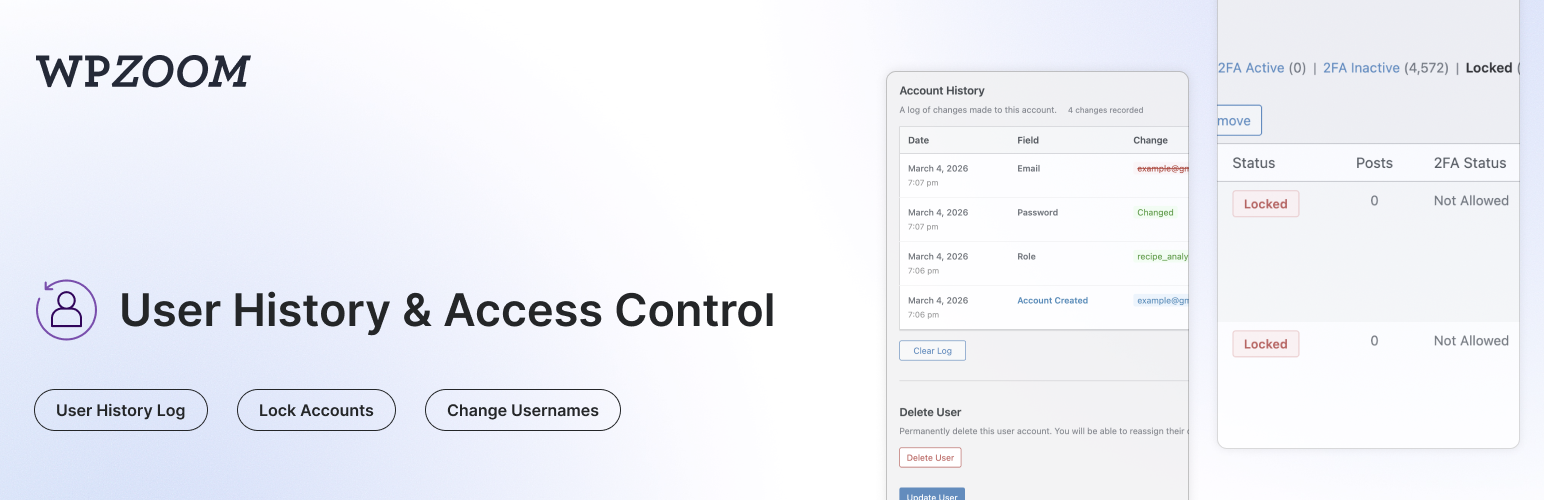
WPZOOM User History 外掛能夠追蹤用戶檔案的所有變更,並在用戶編輯頁面上顯示完整的歷史記錄。它還提供輕量級的全站活動日誌,讓管理員鎖定或解鎖用戶帳號、變更用戶名稱、限制控制台訪問及註冊用戶名,並監控登錄/登出活動。
【主要功能】
• 追蹤用戶檔案變更,記錄所有修改
• 提供輕量級全站活動日誌,快速查看用戶行為
• 鎖定或解鎖用戶帳號,立即終止會話
• 監控登錄及登出活動,記錄失敗嘗試
• 設定自定義鎖定訊息,提升用戶體驗
• 搜尋用戶歷史,依舊值查找用戶
外掛標籤
開發者團隊
② 後台搜尋「WPZOOM User History – Activity Log, Lock Users & Change Usernames」→ 直接安裝(推薦)
原文外掛簡介
User History tracks all changes made to user profiles and displays a complete history log on the user edit page. It also keeps a lightweight site-wide activity log, lets admins lock or unlock user accounts, change usernames, restrict dashboard access and registration usernames, monitor login/logout activity, manage active sessions, and search for users by their previous details.
Everything lives under a dedicated User History admin menu: Activity Log, Lock Accounts, Dashboard Access, Username Restrictions and Settings.
Activity Log:
Lightweight Site Activity Log – A simple, fast log of what users do on your site, without the bloat of full audit-log plugins
Content Events – Posts, pages and custom post types created, updated, published, unpublished, trashed, restored or deleted; categories and tags created, edited or deleted
Media & Comments – File uploads, updates and deletions; comments posted, approved, unapproved, marked as spam, trashed or deleted
User Events – Users created, registered, deleted, profile and role changes, password resets, username changes, account locks/unlocks
Login Events – Successful logins, logouts and failed login attempts
Plugins, Themes & Core – Plugin activation/deactivation/install/update/deletion, theme switches/installs/updates/deletions, WordPress core updates
Settings Changes – Changes to key WordPress settings (site title, admin email, registration, permalinks, reading/discussion settings…) with old and new values
Filter & Search – Filter by user, event group or specific event; search by object name or IP; adjustable rows per page
Choose What to Record – Toggle each event group on or off, or disable the log entirely
Shared Retention & Privacy – Follows the same retention period and IP-tracking setting as the user history
Profile Change Tracking:
Track Profile Changes – Automatically logs changes to username, email, display name, first/last name, nickname, website, bio, and role
Password Change Logging – Records when passwords are changed (without storing any password data)
See Who Made Changes – Each log entry shows whether the user changed their own profile or if an admin made the change
IP Address Tracking – Records the IP address for each change (can be disabled for GDPR compliance)
Search by Previous Values – Find users on the All Users page by their old email or username
Clear History – Admins can clear the history log for any user
Login & Session Monitoring:
Login/Logout Tracking – Records successful logins, logouts, and failed login attempts with date, IP address, and browser info
Failed Login Attempts – Track failed login attempts for existing user accounts
Active Sessions – View all active WordPress sessions for any user, including login time, IP address, browser, and expiry
Log Out Everywhere – Destroy all active sessions for a user with one click
Browser & OS Detection – Automatically detects and displays the browser and operating system from the user agent
Lock/Unlock User Accounts:
Lock User Accounts – Prevent users from logging in by locking their account
Instant Session Termination – Locked users are logged out immediately and all active sessions are destroyed
Application Password Blocking – Locked users cannot authenticate via application passwords (REST API, XML-RPC)
Status Column – See which users are locked at a glance with a status column on the All Users page
Bulk Lock/Unlock – Lock or unlock multiple users at once from the All Users page
Row Actions – Quickly lock or unlock individual users from the All Users list
Locked Users Filter – Filter the All Users list to show only locked accounts
Custom Lock Message – Set a custom message shown to locked users on the login screen (User History > Lock Accounts)
WP-CLI Access – Locked users can still be managed via WP-CLI
Dashboard Access Restriction:
Block wp-admin for Non-Admins – Restrict dashboard access to administrators, editors, authors, or users with any specific capability
Custom Redirect – Send disallowed users to the homepage or any URL of your choice
Profile Access Exception – Optionally let restricted users still edit their own profile
Login Screen Message – Display a custom message above the login form
URL Allowlist – Exempt specific admin URLs from the restriction, with wildcard support (e.g. ?page=customer-*)
AJAX Blocking – Optionally apply the restriction to admin-ajax.php requests
Migration from Remove Dashboard Access plugin – Automatically imports settings from the Remove Dashboard Access plugin
Username Restrictions:
Block Specific Usernames – Prevent visitors from registering with reserved or official-sounding names (admin, support, webmaster…)
Block Words in Usernames – Reject usernames containing certain text fragments, such as offensive words or a prefix reserved for staff
Require a Prefix, Suffix or Substring – Force usernames to start with, end with, or contain one of your chosen fragments
Length Limits – Enforce a minimum and/or maximum username length
Disallow Spaces – Reject usernames containing spaces (WordPress allows them by default)
Custom Error Message – Explain your naming rules to visitors who pick a restricted username
Username Test Tool – Check sample usernames against your rules right on the settings page, with the reason for each rejection
Broad Compatibility – Works with the WordPress registration form, Multisite signup, BuddyPress, WooCommerce and most registration plugins
Migration from Restrict Usernames plugin – Automatically imports settings from the Restrict Usernames plugin
Admin Tools:
Change Username – Allows admins to change usernames directly from the user edit page (WordPress normally doesn’t allow this)
Delete User Button – Quick access button to delete a user directly from their profile page
Data Retention – Automatically delete old logs after a configurable number of days (default: 30 days)
Clear All Logs – Bulk delete all history logs for every user from the settings page
Privacy & Compliance:
IP Tracking Toggle – Enable or disable IP address recording for GDPR compliance (User History > Settings)
Configurable Retention – Set how long logs are kept (1-365+ days, or keep forever)
Automatic Cleanup – Daily cron job removes logs older than the configured retention period
Compatibility:
Multisite Compatible – Works with WordPress multisite installations, including super admin username changes
Members Plugin Compatible – Correctly tracks role changes when using the Members plugin for multiple role assignments
Migration from Lock User Account plugin – Automatically migrates locked users from the Lock User Account plugin
Use Cases:
Find customers who changed their email after making a purchase
Track when and who changed user roles
Audit user profile modifications for security
Monitor login activity and detect suspicious access
View and manage active user sessions
Allow username changes without database access
Lock compromised or suspended accounts instantly
Temporarily disable user access without deleting accounts