
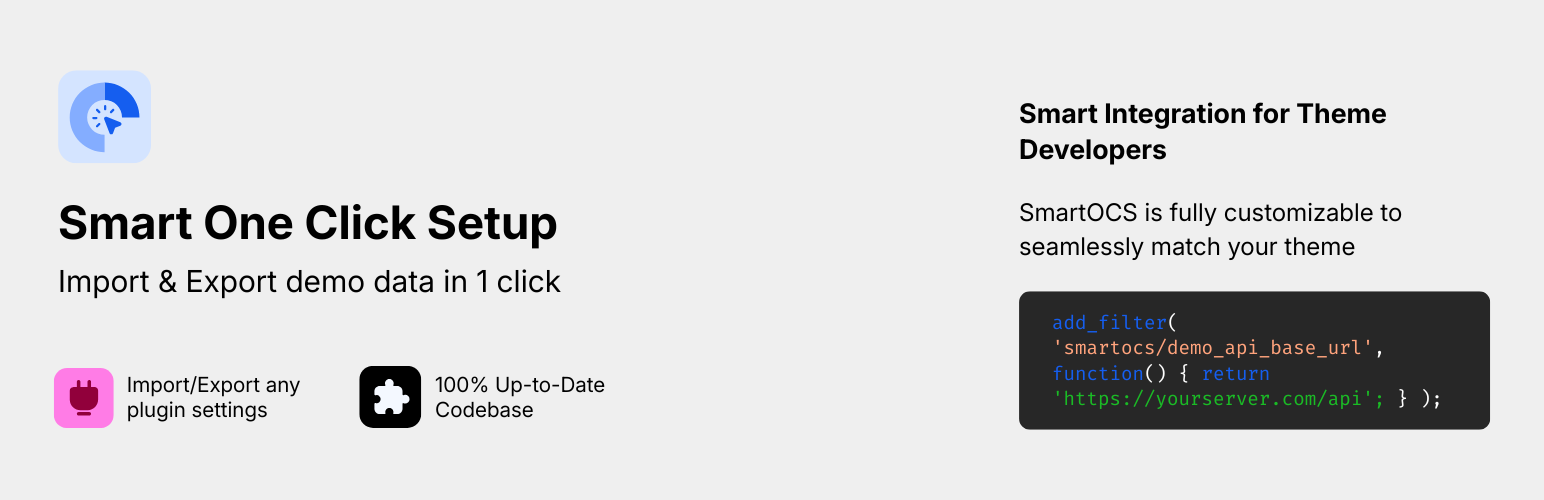
內容簡介
總結:Smart One Click Setup 是一個能夠讓主題作者在主題中定義導入檔案的工具,讓使用者只需點擊「導入演示數據」按鈕即可開始使用。
問題與答案:
1. 什麼是 Smart One Click Setup 的主要功能?
- 答:Smart One Click Setup 的主要功能是讓主題作者在主題中定義導入檔案,讓使用者能夠透過點擊「導入演示數據」按鈕來開始使用。
2. 這個工具有哪些主要功能?
- 答:這個工具包含一鍵 ZIP 導入/導出功能、Elementor 相容性、任何插件設置的導入/導出、遠程文件支援、智能導入接口以及開發者友好特性。
3. Smart One Click Setup 如何協助網站遷移和備份?
- 答:這個工具可以將整個網站配置轉移至單一檔案中,輕鬆協助網站的遷移和備份工作。
外掛標籤
開發者團隊
② 後台搜尋「Smart One Click Setup – Complete Demo Import & Export」→ 直接安裝(推薦)
原文外掛簡介
Smart One Click Setup is a powerful demo import and export plugin designed for modern WordPress websites.
It allows you to replicate a complete WordPress site content, design, and settings using a single ZIP file. Ideal for theme developers, Elementor users, agencies, and anyone who needs fast, reliable demo setup or site migration.
🎯 What This Plugin Can Do
Import complete demo content from a local ZIP or remote URL
Export your entire WordPress site into a single portable ZIP file
Migrate full site setups between domains
Install ready-made theme demos in one click
Restore Elementor layouts, templates, global styles, popups, and kit settings
Import plugin configurations and custom options
Transfer Customizer settings like colors, typography, and layouts
Reproduce full website designs without manual rebuilding
🚀 Powerful Features
✨ One Click Demo Import
Import complete website demos including:
– Posts, pages, and media
– Menus and widgets
– Customizer settings
– Theme options
– Elementor templates, global styles, and kits
– Plugin configuration data
Everything is restored in one flow – no partial imports.
✨ One Click ZIP Import & Export
Export your full site into one clean ZIP file
Import from a single ZIP with automatic data detection
Ideal for demo installation, backups, migrations, and staging
Preserves structure, design, and settings
🎨 Elementor Compatible
Full support for Elementor pages, templates, and site kits
Imports global styles, headers, footers, and popups
Preserves Elementor designs across domains
Compatible with Elementor Pro features
🔌 Plugin Settings Import / Export
Export and import settings from any plugin
Automatic detection of active plugins
Select which plugins to include during export
Supports nested and complex option structures
Developers can register custom export hooks
Supports custom option names via JSON arrays or objects
🌐 Remote File Support
Import demos directly from remote URLs
Supports presigned URLs (Amazon S3, CDN, private storage)
Local file support from theme directories
Flexible setup for theme authors and agencies
🚀 Smart Import Interface
Predefined demo imports for themes
Manual ZIP upload support
Clean, tab-based interface
Visual demo previews before import
⚙️ Developer-Friendly
Extensive hooks and filters
Before and after import actions
WP-CLI support for automation
Theme integration helper functions
Built following WordPress coding standards
✅ Why Choose Smart One Click Setup?
Most demo importers focus only on content.
Smart One Click Setup restores the entire site experience – design, settings, plugins, and structure in one click.
It’s built for:
– Elementor-based websites
– Professional theme demos
– Full site replication
– Faster client delivery
Are you a theme author?
Setup Smart One Click Setup for your theme and your users will thank you for it!
Follow this easy guide on how to setup this plugin for your themes!
Are you a theme user?
Contact the author of your theme and let them know about this plugin. Theme authors can make any theme compatible with this plugin in 15 minutes and make it much more user-friendly.
Please take a look at our plugin documentation for more information on how to import your demo content.
Important Note: There is no setting to “connect” authors from the demo import file to the existing users in your WP site (like there is in the original WP Importer plugin). All demo content will be imported under the current user.
Do you want to contribute? Please refer to our official GitHub repository.
External services
This plugin may connect to external services to fetch demo import configurations and download import files. This functionality is only active when configured by theme authors or developers.
Demo API Service
This plugin can connect to a remote API service to automatically fetch and register demo import configurations. This feature is used to provide users with a list of available demo imports for their theme.
What data is sent and when:
The plugin sends a GET request to a remote API endpoint to retrieve demo import configurations
The API URL is constructed from a base URL (configured via the smartocs/demo_api_base_url filter) and the current theme name
The theme name (TextDomain or stylesheet directory name) is included in the API URL path
This request is made when the plugin initializes and checks for available demo imports
The API response is cached for 1 hour (configurable via smartocs/demo_api_cache_duration filter) to reduce external requests
No personal data, user information, or site-specific data is transmitted to the API service
Example API URL format:
{base_url}/{theme_name}/demos.json
About External Domains
This plugin does not include, define, or ship with any default API domain, endpoint, or external server.
The plugin code contains no hard-coded URLs.
All external domains used by the plugin come entirely from the theme author or developer via the smartocs/demo_api_base_url filter.
If a theme developer does not provide an API base URL, the plugin will not make any external requests.
In this case, it operates only with locally bundled or manually provided demo files.
This means the plugin never contacts any external service by itself, and only does so when explicitly configured by the theme developer.
This plugin does not provide a service of its own. It only acts as a bridge to fetch files from URLs defined by the theme author.
This plugin facilitates the import of demo content by connecting to an external server.
Service: Theme Demo Content Delivery
Service Provider: The specific server and endpoint are defined dynamically by the active theme via the smartocs/demo_api_base_url filter. This plugin has no default connection.
Data Sent: The user’s IP address and a request for the demo content package.
Privacy Policy & Terms of Service: Since the external server is chosen by the theme developer, please refer to the Privacy Policy and Terms of Service provided by the author of your active theme.
When this service is used:
Only when a theme author or developer has configured the API base URL using the smartocs/demo_api_base_url filter
The service is optional and not required for plugin functionality
If no API base URL is configured, the plugin works normally with locally defined or manually uploaded import files
Service provider information:
The API service provider is determined by the theme author or developer who configures the smartocs/demo_api_base_url filter. Theme authors are responsible for:
* Providing the API base URL to their users
* Ensuring their API service has appropriate terms of service and privacy policy
* Disclosing any data collection or usage by their API service
Remote file downloads:
The plugin may also download import files (ZIP archives, XML files, JSON files, etc.) from remote URLs when:
* Theme authors have configured remote URLs for demo imports
* Users manually specify remote URLs for import files
* The plugin needs to fetch import files from external sources
These downloads are standard HTTP GET requests to retrieve file content. No additional data beyond standard HTTP headers is sent during these requests.
Privacy and data protection:
The plugin does not collect or transmit personal user data to external services
Only theme identification information (theme name) is included in API requests
All external requests use WordPress’s built-in wp_remote_get() function with proper SSL verification
Theme authors should ensure their API services comply with applicable privacy laws and regulations
Disabling external services:
If you wish to disable external API calls, simply do not configure the smartocs/demo_api_base_url filter. The plugin will function normally using only locally defined or manually uploaded import files.










