內容簡介
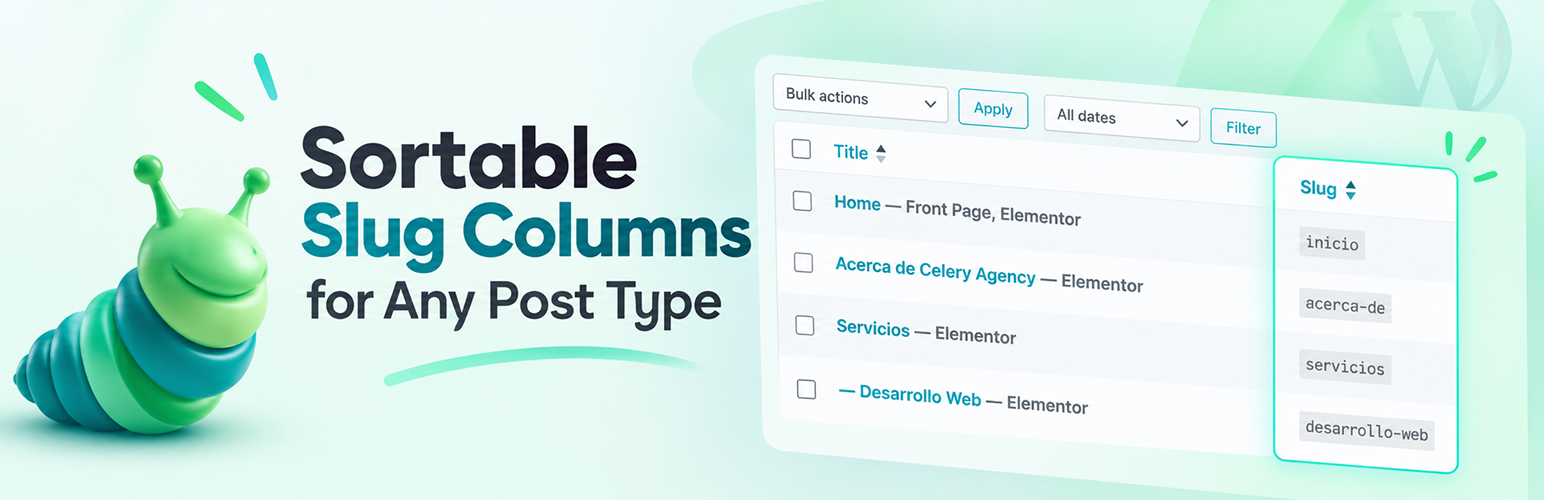
Slugmatic 是一款為 WordPress 控制台的文章類型新增可排序「Slug」欄位的外掛,讓使用者能夠輕鬆管理和排序文章、頁面、媒體及自訂文章類型的 URL 結構,提升內容管理效率。
【主要功能】
• 每個文章類型的控制功能
• 支援文章、頁面、媒體及所有自訂文章類型
• 自動偵測所有公開的文章類型
• 可按字母順序排序 Slug
• 草稿/待審/排程文章顯示灰色 Slug
• 簡潔的設定頁面
外掛標籤
開發者團隊
② 後台搜尋「Slugmatic – Sortable Slug Columns for Any Post Type」→ 直接安裝(推薦)
原文外掛簡介
Slugmatic adds a clean, sortable “Slug” column to your WordPress admin list tables — for Posts, Pages, Media, and any Custom Post Type on your site.
Key Features:
Per-post-type control — enable the column only where you need it
Slug column for Posts, Pages, Media, and all Custom Post Types
Auto-detects all public post types including WooCommerce Products, Portfolios, Events, etc.
Sortable column — click to sort alphabetically by slug
Draft/Pending/Scheduled posts show greyed-out slugs
Appears in Screen Options for per-user visibility control
Clean settings page in the Slugmatic menu
Lightweight — no JavaScript frameworks, no external API calls, no tracking
Zero frontend impact — runs only in wp-admin
Why This Plugin?
Most slug columns are all-or-nothing: once active, the column shows up on every list table whether you want it there or not. Slugmatic puts you in control — switch it on for the post types you actually audit and leave the rest of your admin untouched.
It also shows the raw slug itself rather than a rendered URL path, so you can sort alphabetically by slug and spot naming inconsistencies at a glance.
Perfect For:
SEO professionals auditing URL structures
Content managers organizing large sites
Developers working with Custom Post Types
Agencies managing client WordPress sites