內容簡介
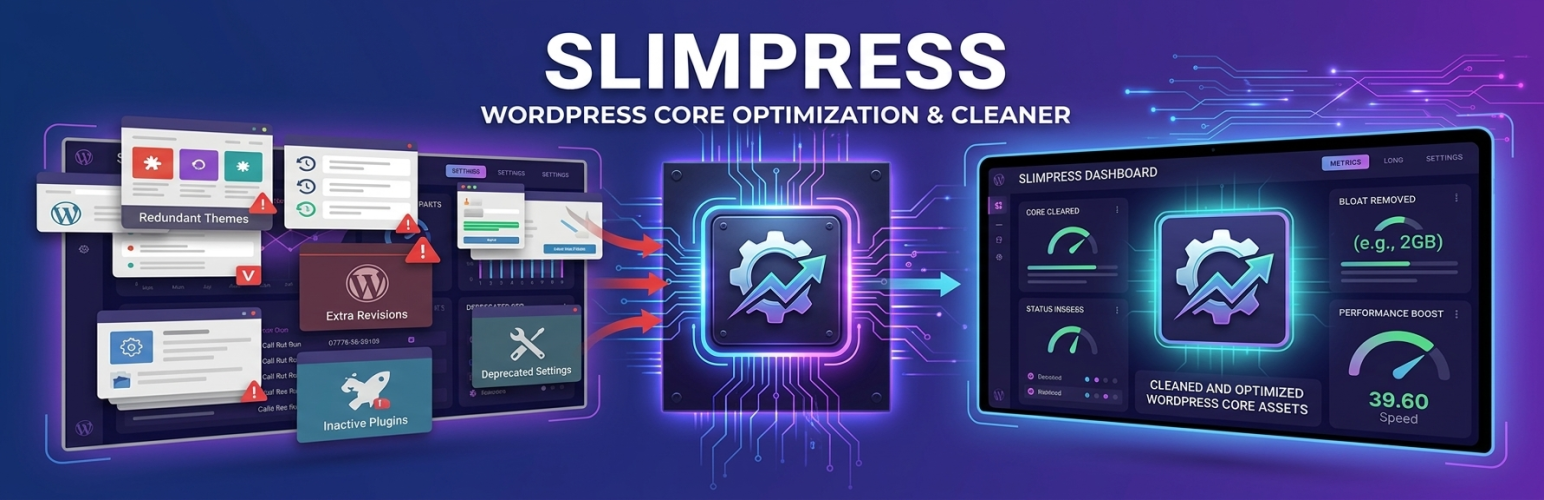
SlimPress 外掛可關閉 WordPress 核心中未使用的功能,提升網站效能。透過簡單的開關,使用者可以關閉不必要的腳本、API 和小工具,並提供性能測試來比較變更前後的效果。
【主要功能】
• 關閉未使用的 emoji 腳本和 XML-RPC
• 控制 REST API 和 Heartbeat 功能
• 管理評論、搜尋和修訂版本
• 提供性能測試以評估影響
• 支援一鍵恢復最近的設定變更
• 122 個開關選項,分為 13 組
外掛標籤
開發者團隊
② 後台搜尋「SlimPress – Disable Unused Features, Heartbeat & XML-RPC」→ 直接安裝(推薦)
原文外掛簡介
SlimPress turns off parts of WordPress core that your site does not use – emoji scripts, XML-RPC,
the REST API for logged-out visitors, Heartbeat, comments, feeds, author and date archives,
search, revisions, image sizes, block editor extras, dashboard clutter, automatic updates,
admin emails and more – grouped by area and explained in plain language. A built-in performance test
compares your own pages with and without SlimPress, without changing your settings.
What makes it different:
Every toggle is free. No pro tier, no upsells, no nag banners, no telemetry.
“What might break” on every switch, plus a warning when an active plugin relies on the feature
you are about to switch off.
An honest impact badge on every toggle, including “None – cleanup only”.
A performance test that tells the truth. It loads your pages with and without SlimPress’s
features in the same run and says “within noise” when the difference is too small to be
reliable. It also shows what each plugin, the theme and WordPress core add to the page,
marking the files SlimPress can remove. It can measure each feature individually and report
which autoloaded options each request loads from the database.
Undo for every change. SlimPress keeps the last 10 versions of its settings, so any save,
preset, import or reset can be undone.
What SlimPress deliberately does not do: page caching, minification, “remove unused CSS”,
JavaScript delays, per-page script managers or CDN rewrites. Features must serve the purpose of
turning off something WordPress core does.
Nothing is switched off until you switch it off. Every switch is a runtime filter, so
deactivating SlimPress restores WordPress’s default behaviour on the next request. SlimPress never
writes to core tables or core options itself, except when you click the one-off “Delete old
revisions” button and confirm. Retention limits also have lasting effects: when you set a limit
for revisions, trash, WooCommerce scheduled actions or logs, WordPress or WooCommerce permanently deletes anything
that exceeds it. Media switches affect the image copies created during upload; switching them
off or deactivating SlimPress does not recreate missing copies or restore deleted data.
122 switches in 13 groups, plus the Assets tab
Front-end – emoji scripts, generator tag, RSD, shortlink, feed and REST links in the page
head, global styles, core block CSS, Dashicons and jQuery Migrate for visitors, the image
lightbox, speculative loading, smart quotes – plus “Load the next page before the click”.
APIs & connections – XML-RPC, the REST API for logged-out visitors (with an allowlist),
the REST user list, Heartbeat per location, WP-Cron on page load, oEmbed, auto-embeds,
application passwords, the Abilities API, the AI client and Connectors screen, and calls from
wp-admin to outside servers you choose.
Comments – comments site-wide or per post type, closing comments while keeping old ones
visible, pingbacks and self-pingbacks, links in comments, avatars and Gravatar.
Content & URLs – feeds, author and date archives, attachment pages, search, the core sitemap or
just its users sitemap, ?author= username lookups, 404 redirect guessing, a fast 404 for missing
files, post formats.
Revisions & autosave – revision limits, autosave interval, trash retention, plus a
one-off “delete old revisions” button that asks first.
Media – the extra 1536px and 2048px image copies, selected image sizes, saving new
images as WebP or AVIF, in-browser image processing, PDF preview images, and Openverse in the
media inserter.
Block editor – welcome guide, the default fullscreen mode, patterns from WordPress.org, the Font
Library and Google Fonts, Notes, block directory, command palette, the classic editor for
chosen post types and the classic widgets screen.
Dashboard & admin – dashboard widgets, help tabs, “Howdy”, admin bar items, footer text,
update notices for non-admins, the Customizer on block themes, and the notices and dashboard
widgets of plugins you choose.
Updates – automatic updates for core, plugins, themes and translations.
Emails – the admin emails WordPress sends about updates, new users and password changes,
the admin email check screen and recovery mode emails.
Security – file editing, installing from the dashboard, Post via email, the login
language switcher, the front-end password meter.
Site Health & privacy – the weekly Site Health check, the Site Health screen and the
privacy tool menus.
Assets – load a plugin’s CSS and JavaScript only on the pages that use it. Choose between
Everywhere, Only on chosen pages, Everywhere except, or Nowhere on the front end. Scan plugins
to see which plugins load files and measure their total size.
WooCommerce (only shown while WooCommerce is active) – shop assets and order attribution
scripts on non-shop pages, product gallery effects, Analytics, the Marketing hub, remote and
marketplace suggestions, usage tracking, background thumbnail regeneration, the order count in
the admin menu, Action Scheduler’s extra background requests from wp-admin, and how long Action
Scheduler and log files are kept.
Each group has an on/off switch of its own, so you can pause a whole group while you look for a
problem and restore it exactly as it was. The Overview tab counts the requests and outside calls
SlimPress has blocked today and over the last 30 days.
Presets
The Overview tab offers site-wide presets (Safe defaults, Blog, Brochure site, WooCommerce store,
Headless). A preset only enables SlimPress switches: it shows you what it would change first,
skips anything an active plugin relies on, and leaves everything else as it is.
Built to cost nothing
A feature that is off loads no code and adds no hooks. SlimPress adds no CSS, JavaScript or
markup to your public pages, ever. With every feature off, SlimPress adds about 115 KB of memory
and no database queries to a front-end request, and its processing overhead was too small to measure
(WordPress 7.1, PHP 8.4, using the median of 40 paired runs).
External services
The performance test tab has an optional “Run Google PageSpeed test” button. When you click it,
SlimPress sends your site’s homepage URL to Google’s PageSpeed Insights API
(https://www.googleapis.com/pagespeedonline/v5/runPagespeed) to retrieve Core Web Vitals for that
page, using the test type (strategy=mobile) and the category (category=performance). No other
data is sent, no API key is used, and nothing is sent automatically. Google also
receives your server’s IP address and the standard WordPress User-Agent (which includes your site
address), as with any web request.
This service is provided by Google: Terms of Service,
Privacy Policy.