內容簡介
Simple Scroll to Top WP 外掛可協助你啟用「回到頁首」按鈕到你的 WordPress 網站。此外掛可讓你的訪客輕鬆地快速回到頁面最上方。它支援所有主要瀏覽器,並應該適用於所有主題,包括響應式和高解析度主題。
外掛文件: https://wordpress.org/plugins/simple-scroll-top-wp/
實際操作示範
需要協助?
關於作者
影片教學
⚡ 您可以進行設定更改
無需設定
無限制的顏色選擇
自定義按鈕
您可以在 WordPress.org 提交正面評價,讓我的一天更加美好!
使用方法
安裝後前往儀表板,並進入「外觀 > 自訂 > Scroll To Top」進行設定手冊。
⚡ 特色
可立即使用不需要任何設定
無限制的顏色選項
當用戶向下滾動頁面時顯示按鈕
使用流暢動畫回到頁首
安裝非常容易
靈活且易於使用
輕量且快速
外掛標籤
開發者團隊
原文外掛簡介
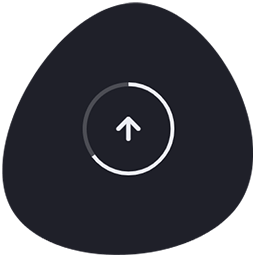
Simple Scroll To Top WP is a lightweight, feature-rich WordPress plugin that adds an elegant “Back to Top” button to your website. The button appears as users scroll down the page and features a smooth circular progress ring that fills as they scroll, providing visual feedback of their position on the page.
This plugin is compatible with all major browsers and works seamlessly with all WordPress themes, including responsive and high-resolution themes.
Links:
* Live Demo
* Need Help?
* About Author
Video Tutorial
⚡ Key Features
Enable/Disable Toggle — Easily turn the plugin on or off from the settings
Custom Icon Upload — Upload your own icon image (recommended 64×64 px)
Adjustable Button Size — Control button dimensions from 30–100 px
Progress Ring Indicator — Smooth circular progress border that fills as users scroll
Progress Ring Width Control — Adjust ring stroke width from 1–10 px
Round or Square Shape — Toggle between circular and square button styles
Unlimited Colors — Choose any color for the button background
Button Positioning — Place the button on the left or right side of the screen
Responsive Visibility — Hide the button on mobile, tablet, or desktop layouts
Smooth Animations — Animated scroll-to-top with easing
No Configuration Required — Works out-of-the-box with smart defaults
Lightweight & Fast — Minimal impact on page performance
Browser Compatible — Works with all modern browsers
Usage
After activating the plugin:
Navigate to Dashboard > Scroll To Top in the WordPress admin
Configure the following settings:
Enabled — Turn the button on or off
Round Corner — Choose between circular or square shape
Custom Icon — Upload a custom icon image (optional)
Button Size — Set width/height in pixels (30–100 px)
Progress Ring Width — Set the ring border thickness (1–10 px)
Button Position — Choose left or right side placement
Primary Color — Select the button background color
Visibility — Hide the button on specific device sizes
Click Save Changes
The button will appear on your website when users scroll down
No additional code or configuration is needed!
Support
For support, feature requests, or bug reports:
* Contact Author
* GitHub Repository
License
This plugin is licensed under the GPLv2 or later. See LICENSE file for details.
Copyright (c) 2026 Ali Hossain