內容簡介
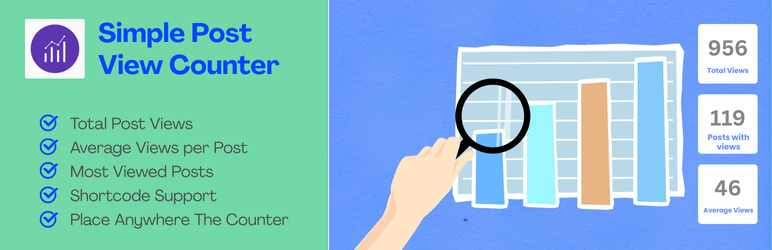
總結:Simple Post View Counter 是一款輕量但功能強大的外掛,可追蹤您的 WordPress 文章被閱讀次數。
1. 這個外掛的主要功能有:
- 自動追蹤文章閱讀次數(採用 AJAX 技術,在隱身模式下也能運作)
- 防止重新整理時的重複計算
- 內建機器人偵測
- 可在內容前後、旁邊或手動顯示閱覽次數
- 「最受歡迎文章」小工具,具有自訂顯示功能
- 支援 Shortcodes 顯示最受歡迎文章和個別文章閱覽次數
- 具有統計功能的管理頁面(總閱覽次數、平均次數、熱門文章等)
- 管理文章清單中的閱覽次數欄位(可按閱覽次數排序)
- 可排除管理員的閱覽次數
- 可與快取外掛共同運作
2. Shortcodes 使用方式:
- [post_views] → 顯示當前文章的閱覽次數
選項:post_id、format="%s 次閱覽"
- [most_viewed_posts] → 顯示最受歡迎文章的清單
選項:limit="5"、show_count="yes"、show_excerpt="no"
3. 範例使用方式:
- [most_viewed_posts] → 顯示前 5 篇文章
- [most_viewed_posts limit="10" show_count="yes"] → 顯示前 10 篇文章及其閱覽次數
- [post_views] → 顯示當前文章的閱覽次數
4. Widgets 使用方式:
前往「外觀 → 小工具」,將「最受歡迎文章」小工具新增至你的側邊欄。
5. 主題功能:
`php
發展者:Sadhan Pal
授權:本外掛是自由軟體,您可以根據自由軟體基金會公佈的 GNU 通用公共授權條款,修改和重新發布它,可選擇遵循許可協議的第 2 版,或(根據您的選擇)任何以後的版本。
外掛標籤
開發者團隊
② 後台搜尋「Simple Post View Counter – Clean and Fast Post View Analytics」→ 直接安裝(推薦)
原文外掛簡介
Simple Post View Counter is a lightweight yet powerful plugin to track how many times your WordPress posts are viewed.
Key Features
✅ Automatic post view tracking (AJAX-based, works even in incognito mode)
✅ Prevents double-counting on refresh
✅ Built-in bot detection
✅ Display views before content, after content, beside meta, or manually
✅ “Most Viewed Posts” widget with customizable display
✅ Shortcodes for displaying most viewed posts and individual post views
✅ Admin settings page with statistics (total views, average views, top posts, etc.)
✅ Views column in admin post list (sortable by views)
✅ Exclude admin views from tracking
✅ Works with caching plugins
Shortcodes
[post_views] → Display view count for current post
Options: post_id, format="%s views"
[most_viewed_posts] → Display a list of most viewed posts
Options: limit="5", show_count="yes", show_excerpt="no"
Example Usage
[most_viewed_posts] → Show top 5 posts
[most_viewed_posts limit="10" show_count="yes"] → Show 10 posts with view counts
[post_views] → Show current post’s view count
Widgets
Go to Appearance → Widgets and add the Most Viewed Posts widget to your sidebar.
Video Tutorial
Theme Function
`php
Credits
Developed by Sadhan Pal
License
This plugin is free software: you can redistribute it and/or modify it under the terms of the GNU General Public License as published by the Free Software Foundation, either version 2 of the License, or (at your option) any later version.