內容簡介
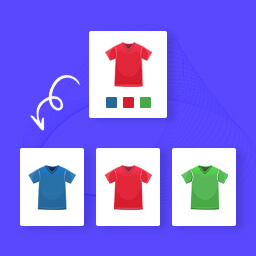
如果您想要在您的商店裡隱藏一些變體的下拉式選單,這個外掛是適合您的。
您可以建立一個變體產品,設置您的變體,並在邏輯上鏈結它們,然後觀察在前端畫面上變體選擇是如何出現或消失的。
這個外掛程式可與 WooCommerce 協同運作,安裝前請確保您已經安裝了 WooCommerce。
安裝完成後,請建立一個具有變體的產品,保存後進入「產品資料」的「關聯屬性」分頁中設置您的連結。
** 本外掛程式使用最佳的編碼實踐和最新的標準 **
外掛標籤
開發者團隊
② 後台搜尋「Simple Linked Variations for WooCommerce」→ 直接安裝(推薦)
原文外掛簡介
If you want to hide some variation drop downs from the front end in your shop this is the plugin for you.
Create a variable product, set your variations and link them logically and see how the variation select appears or disappears on the front end.
This plugin works with WooCommerce, so be sure to have WooCoommerce installed before you install this plugin.
After that create variable product with variations, save it and then set your links in the ‘Linked attributes’ tab in the ‘Product Data’ meta box.
** Created using the best coding practices and latest standards **