內容簡介
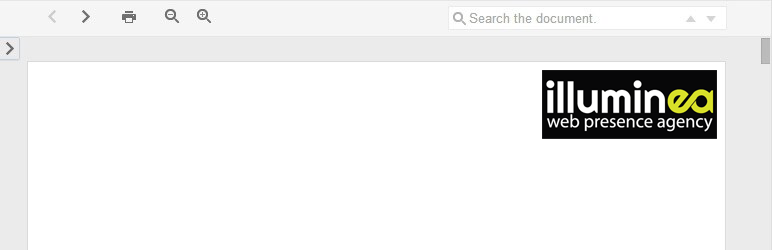
這個 WordPress 外掛可以輕鬆地使用簡單的短碼 [gviewer] 嵌入 Google Docs 支援的文件(如 PDF/DOC/DOCX/PPTX)。
例如: [gviewer file="https://example.com/thisismyfile.pdf"]
以下是完整的屬性列表:
file — 必填,您希望顯示的文件的 URL
width — 可選,所需瀏覽器中的寬度(以像素為單位)。如果未設置寬度,將使用主題的 $content_width 值。如果未設置值,寬度將默認為 600 像素。
height — 可選,所需瀏覽器中的高度(以像素為單位)。如果設置了高度,則高度將為寬度的 1.2 倍。例如,如果寬度為 100 像素,高度將為 120 像素。
language — 文檔的語言。如果文檔是用從右到左(RTL)的語言(如希伯來語和阿拉伯語)編寫的,指定語言將應用 RTL 設置。
另一種嵌入 Google 文檔的方法是使用外掛提供的模板標籤,示例如下:
<?php
echo simple_gviewer_embed( 'https://.../file.pdf', $args );
第二個參數 $args 是一個關聯數組。可以在上面的屬性列表中找到鍵。
簡單演示
外掛標籤
開發者團隊
📦 歷史版本下載
原文外掛簡介
Easily embed documents supported by Google Docs (PDF/DOC/DOCX/PPTX/etc)with a simple shortcode [gviewer]
Ex. [gviewer file=”https://example.com/thisismyfile.pdf”]
A full list of attributes:
file — Required. The URL of the file you wish to show
width — Optional. The desired width of the viewer in pixels. If no width is set, the value of the theme’s $content_width will be used. If no value is set, the width will default to 600 px.
height — Optional. The desired height of the viewer in pixels. If height is set, the height will 1.2 times the width. For example, if the width is 100 px, the height will be 120 px.
language — The language of the document. If the document is written in a right-to-left (RTL) language (like Hebrew and Arabic), specifying the language will apply RTL settings.
Another way to embed a Google Document is by using the template tag provided by the plugin in the source code. Here’s an example: