內容簡介
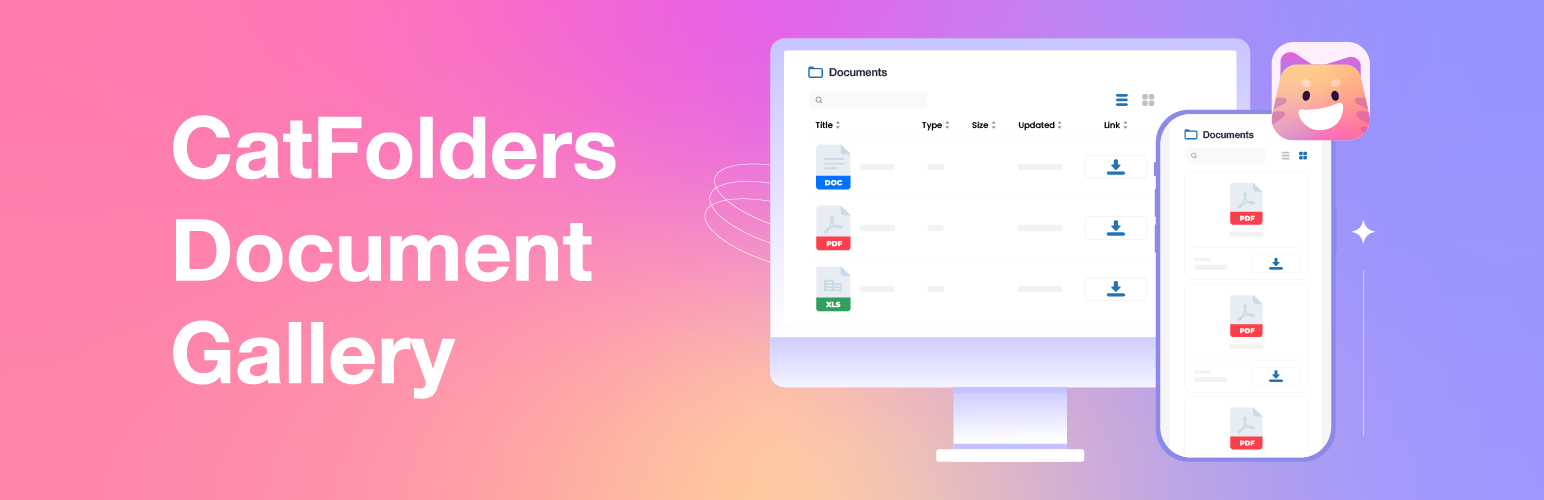
CatFolders Document Gallery 是一款免費的 WordPress 外掛,讓使用者能夠輕鬆地在網站上發布文件庫。透過簡單的 Gutenberg 區塊或短碼,即可顯示媒體資料夾的內容,讓訪客能夠快速瀏覽和下載各類文件。
【主要功能】
• 支援網格與列表佈局
• 即時預覽與下載功能
• 內建搜尋、排序與篩選
• 可自訂文件詳細資訊顯示
• 支援所有媒體類型
• 新增多層資料夾與麵包屑導航
外掛標籤
開發者團隊
② 後台搜尋「CatFolders Document Gallery & PDF Library」→ 直接安裝(推薦)
📦 歷史版本下載
原文外掛簡介
Document Gallery is a free extension for the CatFolders plugin that makes it easy to publish document libraries on your WordPress site.
With a single Gutenberg block (or simple shortcode), you can point to any media folder and instantly display its contents on a page.
In seconds, a folder of PDFs, Word docs, spreadsheets, ebooks, and more becomes a neat, browsable on-page gallery. No manual link-building required and no file links altered.
Visitors see each file as a clickable card (icon + title + first page image) and can open or download it without leaving the page.
📌 Documentation | View Demo of PDF gallery with first page thumbnails
Key Features
Grid & List Layouts
Display any media folder as a clean grid of cards or a classic table list. Each entry shows a file-type icon or PDF thumbnail alongside the file title and an optional description.
Instant Previews & Downloads
Click a file card to preview it in-page or trigger a download. Document Gallery automatically generates first-page thumbnails for PDFs, so visitors always have a visual reference.
Search, Sort & Filter
Built-in search and filtering let users narrow results by folder, file type, date, and more. Pagination and load-more buttons keep large collections fast and easy to browse.
Customizable File Details
Choose which columns to display: file size, updated date, type icon, a Download button, or custom notes. All output inherits your active theme’s styling for a polished, consistent look.
All Media Types Supported
Not just PDFs. Document Gallery works with Word, Excel, PowerPoint, images, audio, video, ebooks (EPUB, MOBI), and any custom file type stored in your WordPress media library. Suitable for any download-heavy site!
💥 New Feature: Nested Folders with Breadcrumb Navigation!
The CatFolders Document Gallery now supports multi-level folder structure, making it easier than ever to organize and present your documents. With intuitive breadcrumb navigation, your website visitors can quickly explore subfolders and find exactly what they need!
CatFolders Document Gallery support displaying all WordPress file types:
Documents: pdf, doc, ppt, odt, xls
Graphics: psd, svg
eBooks: epub, mobi, azw, azw3
Images: jpg, jpeg, png, gif, ico, webp
Audios: mp3, m4a, ogg, wav
Videos: mp4, mov, wmv, avi, mpg
Others: svg, zip, json, and custom file types
To get started with this WordPress PDF gallery plugin, simply follow these steps:
Install CatFolders (free, or pro version)
Install CatFolders Document Gallery (this plugin)
Start organizing documents into folders
Pick a folder to create WordPress gallery from folder
Customize the gallery appearances and publish
💪 WHY YOU SHOULD USE DOCUMENT GALLERY BY CATFOLDERS?
It will save you a huge amount of time thanks to these built-in features:
Two customizable layouts: list and grid
Over 5 file details available:: title, file type, icon, file size, updated date, and download link
Automatically shows PDF first-page thumbnails
Supports all standard WordPress media file types
Fully mobile responsive
Clean, modern gallery design
Option to show or hide specific columns
Built-in file title search box
Sort files by size, title, file type, or last modified date
Flexible pagination settings
Click to preview, open in a popup, or download any file
It’s especially useful for WordPress websites that offer downloadable resources, such as:
eCommerce websites offering digital products or file downloads.
Membership sites providing gated access to exclusive files.
Schools or universities sharing study materials.
Companies providing white papers or reports.
Nonprofits sharing brochures and legal docs.
Happy gallery-ing 💖