內容簡介
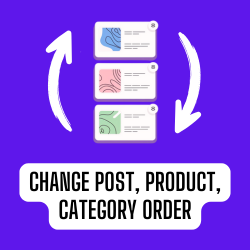
使用拖放排序 JavaScript 呈現文章(文章、任何自訂文章類型)排序。不需要進行配置。您可以直接在 WordPress 管理員介面上進行操作。不包括使用 order 或 orderby 參數的自訂查詢,例如 get_posts 或 query_posts 等。
此外掛現在由 Colorlib 提供支援和維護。
外掛標籤
開發者團隊
📦 歷史版本下載
原文外掛簡介
Simple Custom Post Order is the easiest way to manually sort your WordPress content using drag-and-drop functionality. Whether you’re managing blog posts, portfolio items, WooCommerce products, team members, testimonials, or any custom post type, this plugin gives you complete control over your content order.
Why Choose Simple Custom Post Order?
Zero Configuration – Works instantly after activation
Drag & Drop Interface – Intuitive sorting directly in your admin post lists
Universal Compatibility – Works with any post type and taxonomy
Lightweight & Fast – No bloat, minimal impact on site performance
Developer Friendly – Clean code with action hooks for customization
Key Features
Sort Any Content Type
Posts – Reorder your blog posts in any sequence you prefer
Pages – Organize pages beyond alphabetical or date order
Custom Post Types – Perfect for portfolios, team members, testimonials, products, events, FAQs, services, and more
WooCommerce Products – Manually sort products in your shop
Taxonomies – Reorder categories, tags, and custom taxonomies
Intuitive Admin Interface
Drag-and-drop sorting directly in the WordPress post list table
Visual feedback while reordering items
Changes saved automatically via AJAX – no page refresh needed
Works seamlessly with the default WordPress admin experience
Smart Query Integration
Automatically applies custom order to front-end queries
Respects custom orderby parameters when explicitly set
Does not interfere with search results (maintains relevance sorting)
Compatible with get_posts(), WP_Query, and standard loops
Reset & Restore
One-click reset to restore default ordering
Reset individual post types without affecting others
Useful when you need to start fresh with your content organization
Perfect For
Bloggers – Feature important posts at the top of your blog
Business Websites – Showcase key services or team members first
Portfolio Sites – Display your best work in a specific order
Online Stores – Highlight featured or seasonal products
Membership Sites – Organize course content or resources
News Sites – Pin important stories or announcements
Event Websites – Arrange events in your preferred sequence
Documentation Sites – Structure help articles logically
Use Cases
Portfolio Management
Arrange your portfolio items to showcase your best work first, group similar projects together, or create a visual narrative of your creative journey.
Team Page Organization
Display team members by hierarchy, department, or seniority rather than by when they were added to the system.
Product Highlighting
Feature seasonal items, bestsellers, or new arrivals at the top of your WooCommerce shop without relying solely on sorting by date or price.
Content Curation
Create curated reading lists by manually ordering posts in the exact sequence you want readers to discover them.
FAQ Organization
Sort frequently asked questions by importance or topic, ensuring the most relevant questions appear first.
Testimonial Display
Show your most compelling testimonials first to maximize their impact on potential customers.
Developer Features
Action Hooks
scp_update_menu_order – Fires after post order is updated
scp_update_menu_order_tags – Fires after taxonomy term order is updated
Filter Hooks
scpo_post_types_args – Modify which post types appear in settings
Advanced View Mode
Enable the advanced view in settings to see all registered post types, including those normally hidden from the admin menu.
Supported Post Types
Simple Custom Post Order works with:
WordPress Posts
WordPress Pages
WooCommerce Products
Easy Digital Downloads Products
Portfolio items (Jetpack, custom)
Team member post types
Testimonial post types
Event post types (The Events Calendar, etc.)
FAQ post types
Any custom post type with show_ui enabled
Supported Taxonomies
Categories
Tags
WooCommerce Product Categories
WooCommerce Product Tags
Custom taxonomies with show_ui enabled
How It Works
Install & Activate – Install the plugin from WordPress.org or upload manually
Configure – Go to Settings > SCPOrder and select which post types and taxonomies to enable
Reorder – Visit any enabled post type list and drag items to reorder
Done – Your custom order is automatically applied everywhere on your site
The plugin uses WordPress’s native menu_order field for posts and pages, and adds a term_order column for taxonomy terms. This approach ensures compatibility and data persistence.
Performance Optimized
Targeted cache invalidation (only clears cache for modified items)
Efficient database queries using prepared statements
Scripts loaded only on relevant admin pages
No front-end performance impact
Security First
All database queries use prepared statements
AJAX requests protected with nonce verification
Capability checks ensure only authorized users can reorder
Input sanitization on all user data
Additional Information
Support
For support questions, please use the WordPress.org support forum.
Bug Reports
Report bugs on our GitHub repository.
Contributing
Contributions are welcome! Please submit pull requests to our GitHub repository.
Credits
This plugin is made with love by the team at Colorlib.