內容簡介
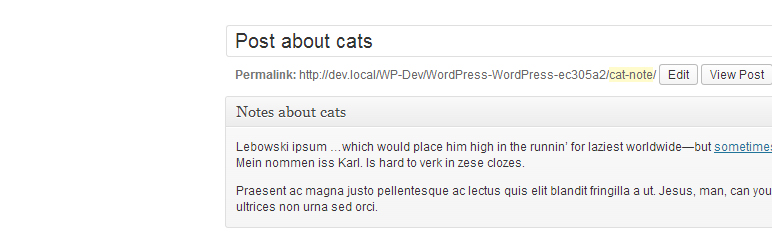
這個 WordPress 外掛就像是內建記事本,可以在 WordPress 管理介面中為客戶或自己留下備註。連結備註到某篇文章(或頁面或其他文章類型)編輯器上方或下方,也有一個預設的「備註」區塊可以在管理介面的選單中隱藏或顯示。
備註區塊的樣式已更新以配合 WordPress 3.8+ 的變更。請注意,介面在低於 WordPress 3.8 的版本中將無法正常顯示,且沒有修復的計劃。
功能:
使用 WordPress 內建的自訂文章類型
與預設的所見即所得編輯器兼容
如果設定顯示於文章編輯畫面,則使用 WordPress 的中繼欄位
於一個頁籤顯示「備註」(可排除)
不會在前端或搜尋結果中顯示
需要預設的文章權限
備註:
目前只能在每篇文章和一個位置(編輯器上方或下方)設置一個備註
與預設區塊的密碼保護兼容
請將任何問題回報至:https://github.com/wycks/Simple-Admin-Notes
外掛標籤
開發者團隊
原文外掛簡介
Like a built in notepad, leave notes for clients or yourself in the WordPress admin. Attach notes to above or below the editor of a post (or page or custom post type) and also has a default “Notes” section available from the admin menu which you can hide or show.
The style of the notes section has been updated with the changes in WordPress 3.8+. Please note that the UI will not look great on WordPress version lower then 3.8 and there are no plans to fix this.
Features :
Uses WordPress’s built in custom post types
Functions with default WYSIWYG editor
Uses WordPress’s meta fields if set to display on post edit screens
Shows “Notes” on one page in tab format (can be excluded)
Will not show in front end or search
Requires default post privileges
Notes :
It is currently only possible to set one note per post and one location (above or below editor)
Works with password protection in default section
Please report issues to: https://github.com/wycks/Simple-Admin-Notes