內容簡介
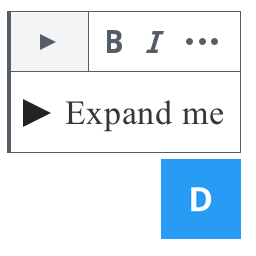
Show / Hide Section Block 提供兩個區塊:一個「顯示 / 隱藏群組區塊」和一個以上的「顯示 / 隱藏區塊」。
個別區塊的 HTML 輸出為:
<!-- 每個區塊都有一個詳細內容元素。-->
<details>
<!-- 每個詳細內容元素都有總覽和可摺疊的其他內容。 -->
<summary>總覽文字</summary>
<!-- 這裡填充任何類型的其他區塊。 -->
</details>
群組的 HTML 輸出為:
<div>
<details>
<summary></summary>
<!-- 要顯示/隱藏的其他區塊 -->
</details>
<details>
<summary></summary>
<!-- 要顯示/隱藏的其他區塊 -->
</details>
<!-- 其他區塊 -->
</div>
在區塊的側面板中提供一個選項,以切換「全部開啟」/「全部關閉」按鈕。如果對一個區塊切換到開啟狀態,就會插入一個額外的 <button> 元素,並且在前端將使用 JavaScript 控制群組中所有 <details> 元素的顯示 / 隱藏行為。
如果切換關閉,則前端不會載入任何 JavaScript。
外掛標籤
開發者團隊
原文外掛簡介
Show / Hide Section Block provides four blocks that are used to display a group of
and an arbitrary number of additional blocks.
The Show Hide Group block is a wrapping
.
The Show Hide Section block is a wrapping
. One or more of these blocks is added to a Show Hide Group block.
The Show Hide Summary block contains the content for a
tag. One of these blocks is inside each Show Hide Section block.
The Show Hide Details block contains arbitrary content. One of these blocks is added inside each Show Hide Section block.
The HTML output for an individual section is:
The HTML output for the group is:
An option is provided in the block’s side panel to toggle an “Open all”/”Close all” button. If this is toggled on for a block, an additional
The Show Hide Section block is a wrapping
The Show Hide Summary block contains the content for a