內容簡介
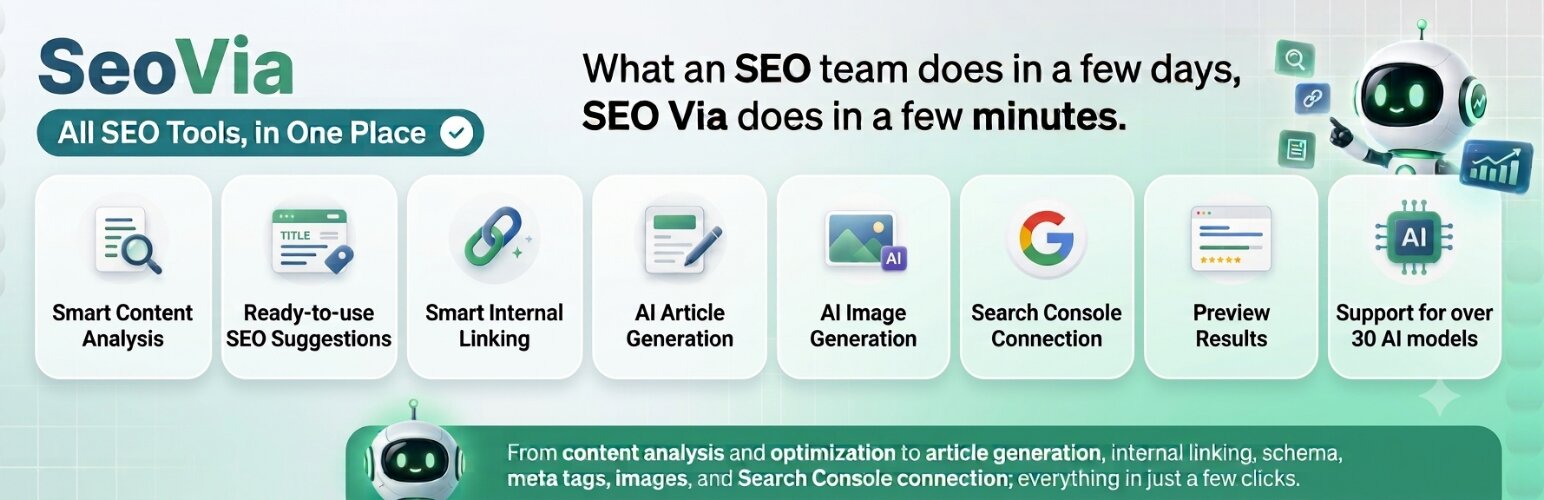
SeoVia 是一款針對 WordPress 的 AI 驅動 SEO 助手,幫助用戶從一個中央工作區分析、優化、創建和管理網站內容。它將 SEO 優化過程轉變為結構化、自動化且可衡量的工作流程,提供實用建議以提升網站的搜尋引擎排名。
【主要功能】
• 智能 SEO 控制台,顯示網站 SEO 狀況
• 支援 WordPress 文章、頁面及 WooCommerce 產品分析
• 一鍵應用和還原建議,控制優化過程
• 智能內部連結建議,增強內容關聯性
• 內部連結網絡圖,視覺化內容連結狀況
• 生成和管理重要的 SEO 元標籤及結構化數據
外掛標籤
開發者團隊
② 後台搜尋「SeoVia – AI-Powered SEO Assistant for WordPress」→ 直接安裝(推薦)
原文外掛簡介
SeoVia is an AI-powered SEO assistant for WordPress that helps you analyze, optimize, create, and manage website content from one central workspace.
It transforms SEO optimization from a repetitive, time-consuming process into a structured, automated, and measurable workflow.
Unlike traditional SEO plugins that mainly display scores and checklists, SeoVia helps perform the optimization work itself. It analyzes WordPress posts, pages, and WooCommerce products, identifies SEO weaknesses, and generates practical recommendations that can be reviewed and applied directly from the WordPress dashboard.
Recommendations may include:
Improved titles and content
Meta titles and descriptions
Internal linking opportunities
Structured data and Schema markup
Featured and in-content images
Categories and tags
FAQ sections
Tables and content blocks
New content opportunities
You can apply recommendations individually or in groups. Applied content changes can also be reverted when a previous version needs to be restored.
SeoVia integrates with Google Search Console to help identify keyword opportunities, content gaps, indexing issues, underperforming pages, and pages that are close to reaching stronger search positions.
For topics that are not yet covered by your website, SeoVia can guide you through creating a complete new article with optimized content, metadata, internal links, structured data, and relevant images.
SeoVia supports more than 30 AI models from major providers, including OpenAI, Anthropic Claude, Google Gemini, DeepSeek, and Stability AI. Available models and providers can be changed from the SeoVia service according to your preferences and account configuration.
The goal is simple: help website owners complete work that may normally require several SEO and content specialists, using a faster, more consistent, and measurable workflow.
Main Features
Intelligent SEO Dashboard
The SeoVia dashboard provides an overview of your website’s current SEO condition.
Depending on the available data, it can display metrics such as:
Average SEO score
Number of analyzed posts and pages
Indexed-page information
AI optimization status
Optimization progress over time
This helps you understand the general condition of the website without manually reviewing every page.
Analysis for Posts, Pages, and WooCommerce Products
SeoVia analyzes supported WordPress content and displays its current SEO status, optimization potential, and available recommendations.
You can quickly identify content that needs attention and review practical suggestions for improving it.
Supported content includes:
WordPress posts
WordPress pages
WooCommerce products
One-Click Apply and Revert
Recommendations can be applied individually or in groups.
When supported by the recommendation type, SeoVia stores the previous state so that applied changes can be reverted later.
This provides more control over optimization and reduces the risk of permanently applying an unwanted content change.
Smart Internal Linking
SeoVia evaluates the semantic relationship between your website’s content and suggests relevant internal links and anchor text.
It can help:
Connect related posts, pages, products, and categories
Discover internal-linking opportunities
Strengthen topical relationships between pages
Improve the distribution of internal link authority
Reduce the number of isolated or orphaned pages
Internal Link Network Graph
The internal-link graph provides a visual representation of how supported content is connected.
It can help you identify:
Orphaned pages
Pages with few or no incoming links
Highly connected pages
Missing relationships between related content
New internal-linking opportunities
Meta Tags and Structured Data
SeoVia can generate and manage important SEO metadata, including:
SEO titles
Meta descriptions
Canonical URLs
Robots directives
Open Graph metadata
Social-sharing metadata
It can also generate JSON-LD structured data for supported content types, including examples such as:
Article
BlogPosting
Product
FAQ
Breadcrumbs
When Yoast SEO or Rank Math is active, SeoVia can integrate with the existing environment. For values explicitly applied through SeoVia, SeoVia’s output may take precedence over corresponding values from another SEO plugin.
AI-Generated Featured and In-Content Images
SeoVia can generate visual content related to the subject of an article.
Depending on the selected operation and service configuration, it may generate:
A featured image
Multiple relevant in-content images
This can reduce the time needed to prepare visual assets and help create more complete articles.
Category and Tag Management
SeoVia evaluates the categories and tags associated with supported content and may recommend adding or removing relationships.
This can help improve:
Content organization
Website structure
Topical consistency
Navigation between related subjects
AI SEO Assistant
The SeoVia Assistant provides a conversational interface for SEO-related tasks.
It can interpret natural-language requests, answer questions about supported SEO workflows, analyze website content, and help manage recommendations without requiring you to navigate through every section manually.
Available capabilities depend on the connected SeoVia account, enabled features, and selected AI model.
AI Post Creator
The AI Post Creator guides you through creating new content using a structured workflow.
The process may include:
Entering a target keyword or topic
Reviewing suggested article ideas
Selecting or refining an idea
Generating the article
Preparing metadata and structured data
Adding internal links
Generating relevant images
Reviewing the final result before publication
This can help cover content gaps and create new search-focused content more efficiently.
Google Search Console Integration
SeoVia can connect to Google Search Console through the SeoVia service.
Depending on the permissions granted and the available Google data, the integration can provide information related to:
Search performance
Clicks and impressions
Click-through rate
Average search position
URL inspection
Indexing status
Keyword opportunities
Content gaps
Index coverage
This allows SEO decisions to be based on actual search-performance data instead of estimates alone.
AI Impact Measurement
The AI Impact feature compares supported performance metrics before and after SeoVia recommendations are applied.
Metrics may include:
Clicks
Impressions
Click-through rate
Average search position
This helps evaluate whether applied changes are associated with improved organic-search performance over time.
Search performance can be influenced by many external factors, so reported changes should not be interpreted as a guarantee that SeoVia alone caused a specific ranking or traffic result.
Keyword Opportunities and Content Gaps
SeoVia can evaluate available Search Console and website data to identify potential opportunities, including:
Queries close to higher-ranking positions
Pages with relatively low click-through rates
Queries with positive growth
Topics with potential search demand
Relevant subjects not yet covered by existing content
These opportunities can then be reviewed and prioritized according to your content strategy.
XML Sitemap Management
SeoVia can generate and maintain an XML sitemap for supported website content.
It can help search engines discover new and updated pages and may support submitting sitemap information through connected Google services.
Multiple AI Models and Providers
SeoVia supports more than 30 AI models from providers including:
OpenAI
Anthropic Claude
Google Gemini
DeepSeek
Stability AI
Available providers and models may change over time and may depend on your SeoVia account, plan, regional availability, and service configuration.
The multi-provider architecture allows users to select different models for supported tasks and provides alternatives when a particular provider is unavailable.
Transparent Credit Usage
Before supported AI operations are started, SeoVia displays the estimated credit requirement.
This helps users understand the expected service-credit usage before confirming an operation.
Credit requirements may vary depending on the selected model, provider, operation, content length, and service pricing.
Live Content Preview
Before applying supported recommendations, SeoVia can display a preview of the proposed result.
Preview tools may include:
Content previews
Before-and-after comparisons
Search-result previews
Metadata previews
This helps users review generated changes before applying them.
Account and External Service Requirement
SeoVia is a WordPress client for the external SeoVia software-as-a-service platform.
A SeoVia account is required to use AI analysis, content generation, image generation, Google Search Console integration, and other service-based features.
Some service features may require a paid plan or the purchase of service credits.
The WordPress plugin code distributed through WordPress.org is open source. However, AI processing and other service-based operations are performed by the external SeoVia service.
The plugin does not send website content to SeoVia before an account has been connected and the required consent has been provided.
External Services
This plugin connects to the SeoVia service to provide its primary functionality.
Service website:
https://seovia.ai
SeoVia API:
https://seovia.ai/api
SeoVia web application:
https://seovia.ai/app
Data Sent to SeoVia
Depending on the operation requested, the plugin may send the following data to the SeoVia service:
Post, page, or product title
Main content
Excerpt
URL
WordPress content ID
Content type and status
Featured-image information
Categories and tags
SEO metadata
Selected plugin settings
Data required to perform a requested analysis or generation operation
The SeoVia API key used to authenticate the connected account
Data may be sent when:
You manually request an analysis
You request AI-generated content or images
You apply supported recommendations
You use the SeoVia Assistant
You save supported content after enabling connected synchronization features
A configured SeoVia workflow requires updated content data
No website content is sent until a SeoVia account has been connected and the relevant consent has been provided during onboarding.
Data Written Back to WordPress
The SeoVia service may send generated results back to the WordPress website, including:
Recommended or generated content
Meta tags
Structured data
Internal links
Categories and tags
Generated-image information
Recommendation statuses
Backend-to-site requests are verified by the plugin using signed requests. The SeoVia service does not require or receive your WordPress administrator password.
Google Search Console Data
When Google Search Console is connected, relevant Search Console information is processed through the SeoVia service.
This may include:
Search queries
Landing-page performance
Clicks
Impressions
Click-through rate
Average search position
URL inspection information
Indexing and coverage information
Google Search Console is connected only after the user initiates and authorizes the connection.
Service Terms and Privacy
Use of the external SeoVia service is governed by the following documents:
Terms of Service:
https://seovia.ai/terms
Privacy Policy:
https://seovia.ai/privacy
You should review these documents before connecting a SeoVia account or using service-based features.