
內容簡介
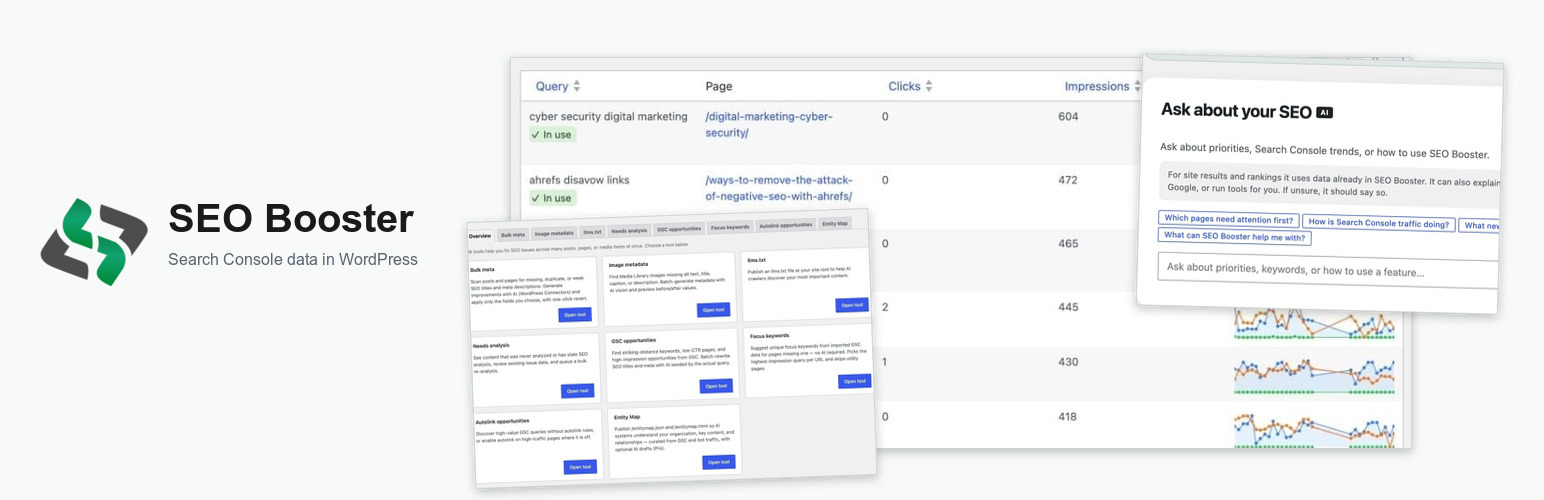
SEO Booster 是一款強大的 WordPress 外掛,能夠將 Google Search Console 的關鍵字數據整合到您的網站編輯過程中,幫助您提升搜尋引擎優化(SEO)效果。透過這個外掛,您可以輕鬆查看每篇文章、頁面及分類的搜尋表現,並自動化內部連結。
【主要功能】
• 連接 Google Search Console,匯入關鍵字數據
• 提供 SEO 分析與內部連結自動化
• 在編輯介面顯示 GSC 相關數據
• 每週發送關鍵指標的電子郵件報告
• 支援與多個 SEO 外掛協同運作
• 可選擇使用 AI 加速內容與圖片優化
外掛標籤
開發者團隊
原文外掛簡介
Google Search Console tells you which keywords bring visitors to your site, but that data lives in Google’s dashboard, separate from the pages you edit in WordPress.
SEO Booster closes that gap. Connect Search Console once, import your keyword data, and see real search performance on every post, page, and taxonomy you edit. Turn GSC insights into actionable SEO tasks, automate internal linking across your site, and optionally use AI, powered by WordPress Connectors, to speed up content and image optimization.
Works alongside Yoast SEO, Rank Math, All in One SEO, SEOPress, and The SEO Framework. SEO Booster complements them with GSC-driven keyword intelligence, internal linking, and on-page analysis they typically do not provide. Bulk meta and focus keyword tools write directly into your active SEO plugin’s fields.
Requires WordPress 6.8 or later.
AI with WordPress Connectors (optional)
Optional AI features use the WordPress Connectors system built into WordPress 7.0 or later. Set up your AI provider under Settings → Connectors in WordPress, then choose WordPress Connectors under SEO Booster → Settings → AI/LLM. GSC import, automatic links, and SEO analysis work fully without AI. Leave it disabled if you prefer.
Free features
Google Search Console
Connect your site via OAuth; import 7, 30, or 90 days of keyword data with scheduled refresh
Searchable GSC Overview with filters for new or stale keywords, content usage, and position bands
Dashboard with 30-day trends, charts, top keywords, and period-over-period comparison
Weekly email reports with key metrics: all processed on your server, not sent to third parties
Keyword insights where you work
GSC metabox on posts, pages, taxonomies, and WooCommerce products
Admin bar Page overview while browsing the frontend or editing: SEO score, issues/opportunities, saved AI suggestions, and compact top keywords (read-only)
Optional frontend keyword highlighting to see GSC terms in your content
Per-keyword history charts in the editor Keywords tab
Automatic internal links
Define keyword-to-URL rules; matching text in body content links automatically site-wide
WooCommerce products supported; automatic linking runs on rendered HTML from Gutenberg, Elementor, Beaver Builder, and similar (no in-editor builder integration)
SEO Possibilities
On-page analysis with a full URL discovery list: expand findings, open the editor, and jump to free Tools
Pro triage: Do next, work by problem type, Top URLs by severity and Search Console traffic, Mark as done / Ignore (Possibilities and editor Analysis tab)
GSC-based opportunities including low CTR, missing keywords, and keyword cannibalization warnings
Sitewide checks, bulk analysis from post lists, and optional SEO score admin columns
Auto-scan URLs discovered from GSC imports (configurable frequency)
AI-powered SEO (optional, WordPress 7.0+)
Uses WordPress Connectors: your AI provider is configured once in WordPress, not inside SEO Booster
Metabox suggestions, WooCommerce product SEO, and comprehensive audits
Ask about this page: question chips and free-text Q&A about rankings, issues, and titles on the editor AI tools tab
AI writing outline with generate-article-from-outline workflow
Media Library bulk alt text and title generation
Image metadata batch processing (vision-capable connector required for image analysis)
Tools
Tabbed Tools hub: Overview plus bulk utilities for common SEO fixes
Bulk meta: scan posts and pages for missing, duplicate, or keyword-less SEO titles and descriptions; generate with AI via WordPress Connectors (Yoast SEO, Rank Math, All in One SEO, SEOPress, or The SEO Framework required); one-click revert of the last bulk run
Image metadata: scan and batch-fix missing alt text, titles, captions, and descriptions (see below)
llms.txt: generate and serve /llms.txt for AI crawlers, curated from your top content (GSC-aware when data exists)
Pro: Needs analysis overview (never analyzed, stale, or open issues)
Pro: Content decay: pages with declining Search Console clicks (30d vs prior 30d)
Pro: Entity Map: publish /entitymap.json and /entitymap.html with human + AI curation
SEO Booster Pro
Upgrade at seoboosterpro.com for:
404 and redirect monitoring: track broken URLs and redirects with a searchable admin report
Weekly email Pro insights: content-decay and GSC opportunity counts in the weekly report
Autolink column: enable or disable automatic linking per post from the posts list and Quick Edit
Autolink status in GSC popup: see which keywords are auto-linked, or create links in one click from the keyword details view
Needs analysis (Tools): find content never analyzed or with stale SEO analysis; queue bulk re-analysis from the Tools page
Content decay (Tools): find pages whose GSC clicks fell over the last 30 days vs the previous 30 days; open Possibilities or queue re-analysis
Entity Map (Tools): structured /entitymap.json and /entitymap.html for AI discovery; build from GSC + bot traffic, edit relations/chunks, optional AI draft via WordPress Connectors; links from llms.txt when published
Markdown discovery (Tools): optional *.md and /index.md page versions plus /llms-full.txt full Markdown export linked from llms.txt; per-page Include Markdown version in the editor
More Pro Tools: GSC opportunities, Focus keywords, and Autolink opportunities
Ask about this page (editor): Apply focus keyword and create autolink from AI proposed actions (Ask itself is available with WordPress Connectors on free)
AI bot blocking: block selected AI crawlers at the PHP level when monitoring is enabled
Automatic Links
Automatically turn keywords in your content into internal links. Every time you write “contact us”, it can link to your contact page. No manual linking required.
Works with WooCommerce products. Automatic linking runs on the rendered HTML of pages built with Gutenberg, Elementor, Beaver Builder, and similar; there is no in-editor integration for those builders. See how automatic links work for details.
Image metadata batch tool
Find and fix missing image metadata across your Media Library without opening each attachment one by one. Go to SEO Booster → Tools → Image metadata.
Scan JPEG, PNG, and WebP attachments for missing title, alt text, caption, or description; preview matches before you act
Generate with AI by analyzing the actual image file: choose which fields to apply; only checked fields are saved
Process in batches: selected images or every match in your library, with live preview while processing
Fail-safe: if the AI cannot verify an image, nothing is saved; the tool prefers empty fields over wrong alt text
Works without AI: run scans and review gaps even when AI processing is not configured
Requires vision-capable AI for generation via WordPress 7 Connectors; text-only connectors cannot analyze images
Learn more in the SEO Booster documentation.
SEO plugin compatibility
SEO Booster works alongside your SEO plugin. It does not replace title tags, sitemaps, or schema. When a supported plugin is active, SEO Booster reads and writes SEO titles, meta descriptions, and (where supported) focus keywords.
Supported plugins
Yoast SEO
Rank Math
SEOPress
All in One SEO (v4+): not legacy v3. Per-term custom title/description requires AIOSEO Pro (aioseo_terms); posts and focus keywords work on Lite.
The SEO Framework (v5+)
What SEO Booster writes
SEO title and meta description: bulk Tools, GSC opportunities, and editor AI “Use” buttons
Focus keyword: bulk focus keyword tool and editor apply (not available with The SEO Framework)
Which plugin is used?
If more than one supported SEO plugin is active, SEO Booster uses the first match in this order: Yoast SEO → Rank Math → SEOPress → All in One SEO → The SEO Framework. Only that plugin receives writes. The Dashboard, Settings, and Tools pages show which plugin is active.
WooCommerce
Product pages use the same integration as posts. Product categories and tags use taxonomy SEO fields from your active plugin.
Without an SEO plugin
GSC import, automatic links, and on-page analysis still work. Analysis uses page content and excerpts when no SEO plugin meta is available.
Bulk meta batch tool
Fix SEO titles and meta descriptions across many posts and pages at once. Go to SEO Booster → Tools → Bulk meta.
Requires a supported SEO plugin: Yoast SEO, Rank Math, All in One SEO, SEOPress, or The SEO Framework. SEO Booster writes to your active plugin’s title and description fields (SEO Booster does not replace those plugins)
Scan for missing titles/descriptions, duplicates sitewide, or meta that omit focus/GSC keywords
Generate with AI via WordPress 7 Connectors (same engine as the post metabox); seeded with GSC keywords and condensed page content
Apply selectively: choose title and/or description; fill empty fields by default, with optional overwrite
Revert: restore previous values from your last bulk run in one click
Works without AI: scan and review issues even when AI is disabled
llms.txt generator
Help AI crawlers discover your best content. Go to SEO Booster → Tools → llms.txt.
Generate curated content in the admin; Download llms.txt to upload manually, or serve dynamically at /llms.txt (virtual file: no FTP upload; recommended)
Detects an existing physical llms.txt in your WordPress root and warns if it would override dynamic serving
Curate links from posts, pages, and other public content types (prefers top GSC pages when import data exists)
Preview the file before publishing
Pro: optional Markdown URLs (*.md, /index.md) and /llms-full.txt full export with discovery signals and per-page control
Disclaimer
This plugin is not affiliated with, endorsed, or sponsored by Google. Google Search Console, Google APIs, and any related trademarks are the property of Google LLC. All product and company names are trademarks™ or registered® trademarks of their respective holders. Use of them does not imply any affiliation with or endorsement by them.














