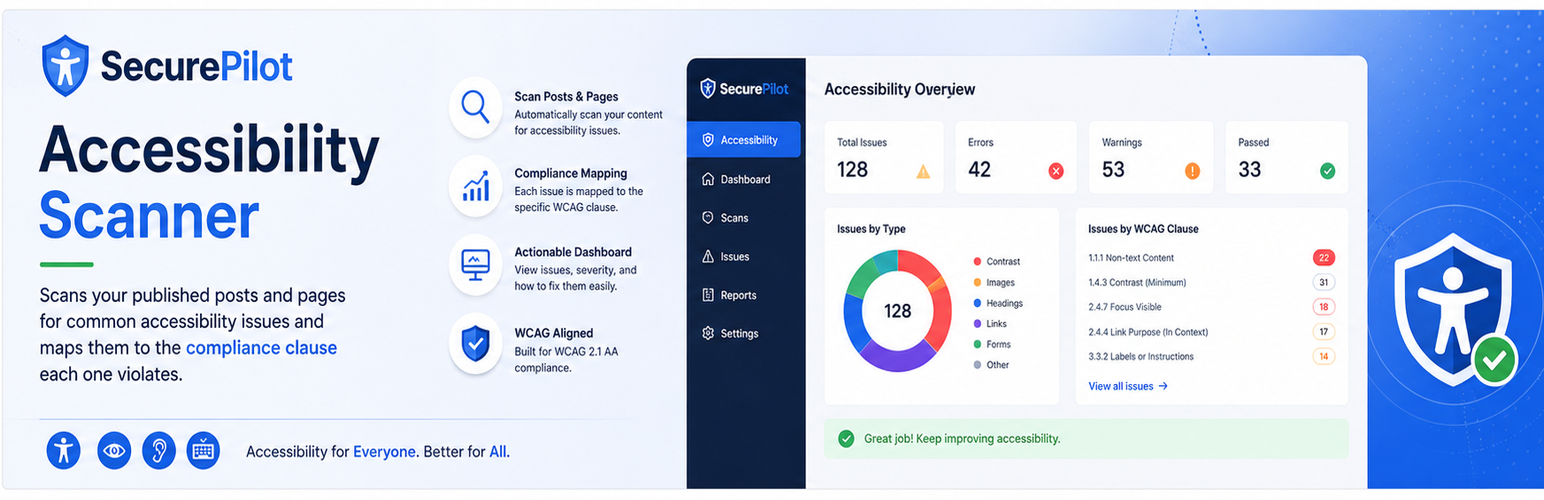
內容簡介
SecurePilot Accessibility Scanner 是一款專為網站擁有者、開發者及合規團隊設計的外掛,能夠掃描已發佈的文章和頁面,檢測常見的無障礙問題,並在控制台上報告,幫助用戶在問題影響使用者或造成合規風險之前及早發現。
【主要功能】
• WCAG 2.1 合規性映射
• ADA 無障礙報告
• Section 508 無障礙檢查
• 歐洲無障礙法案 (EAA) 支援
• 可行的修正指導
• 問題摘要控制台
外掛標籤
開發者團隊
② 後台搜尋「SecurePilot Accessibility Scanner」→ 直接安裝(推薦)
原文外掛簡介
SecurePilot Accessibility Scanner scans your published posts and pages for common accessibility issues and reports them on a dashboard, mapped to the specific compliance clause each one violates.
Why SecurePilot?
SecurePilot helps website owners, developers, and compliance teams find accessibility issues before they affect users or create compliance risk. It turns common WCAG, ADA, Section 508, and European Accessibility Act checks into clear reports with practical remediation guidance.
Key features
WCAG 2.1 compliance mapping
ADA accessibility reporting
Section 508 accessibility checks
European Accessibility Act (EAA) support
Actionable remediation guidance
Dashboard with issue summaries
Downloadable standalone PDF report and JSON export
Languages
English (default)
Spanish
German
French
What it detects
Missing or non-descriptive image alt text
Empty or generic link text (“click here”, “read more”)
Missing form field labels
Insufficient color contrast on inline-styled text (below a configurable ratio, default 4.5:1)
Heading hierarchy breaks (skipped levels, missing or duplicate h1)
Missing focus indicators (heuristic — flagged for manual keyboard-navigation review)
Missing video captions
How it works
A daily scheduled scan, with weekly scheduling support, fetches each published post or page from its public URL and checks the available HTML against the rules above.
Each issue is mapped to the relevant WCAG 2.1, ADA, Section 508, and EAA clause, with a plain-language remediation hint.
Issues are tracked per page. Re-scanning automatically resolves issues that were fixed, while dashboard “Dismiss” records an explicit, sticky override (e.g. an accepted risk) that survives future scans.
Export a full remediation plan as PDF, or the raw issue data as JSON, at any time.
Standards mapped
WCAG 2.1 (A / AA)
ADA (Title II/III effective communication)
Section 508
EAA (European Accessibility Act)