內容簡介
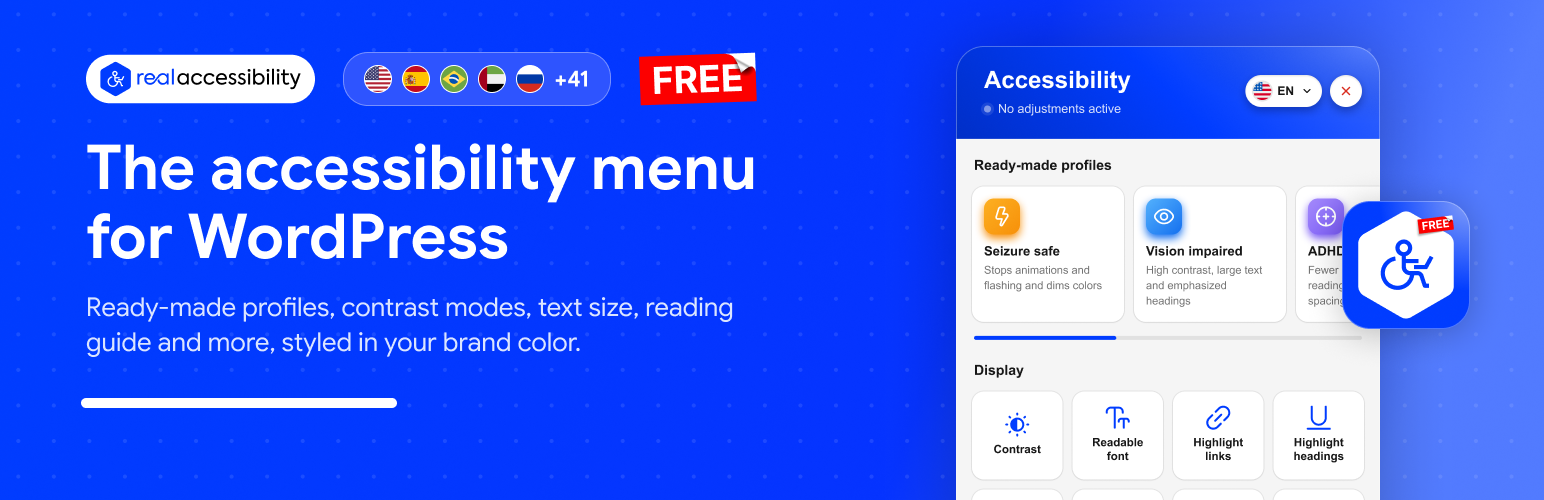
Real Accessibility 外掛為您的 WordPress 網站新增了一個無障礙選單,讓訪客能夠根據自身需求調整網站顯示,包括字體大小、對比度等,特別適合視力低下、閱讀障礙等使用者。此外掛完全免費,無需註冊或 API 金鑰。
【主要功能】
• 提供 7 種預設配置,快速調整
• 支援 46 種語言,包含右至左語言
• 可自訂品牌顏色,保持可讀性
• 無需 cookies 和追蹤,選擇保存在瀏覽器中
• 與任何佈景主題或頁面建構器相容
• 設定中即時預覽按鈕和選單
外掛標籤
開發者團隊
② 後台搜尋「Real Accessibility: Accessibility Widget & Toolbar」→ 直接安裝(推薦)
原文外掛簡介
Real Accessibility adds an accessibility menu to your WordPress site (you may know it as an accessibility widget or accessibility toolbar). Visitors open it from a floating button and change the site to suit them: bigger text, higher contrast, a font that is easier to read, a reading guide, no animations and more. It is built for people with low vision, dyslexia, ADHD, epilepsy or motor impairments, and for older visitors. Whatever they choose stays in place as they move from page to page.
The plugin is free, with every feature included. You don’t need an account or an API key, and there is no paid version. Choose your brand color, place the button, turn the menu on, and you’re done.
Highlights
Free, with all 7 profiles and all 14 adjustments included.
Translated into 46 languages, with full right-to-left support for Hebrew, Arabic, Persian and Urdu.
Matches your brand. The whole menu takes its colors from one brand color, and text and icons switch between black and white to stay readable.
Small and fast: about 30 KB compressed, with no jQuery, no web fonts and no requests to other servers.
No cookies and no tracking. Visitor choices are stored in their own browser.
Works with any theme or page builder. The menu lives in its own Shadow DOM, so your theme’s CSS can’t affect it.
Works with page caching and CDNs, because the adjustments are applied in the browser.
A live preview in the settings shows the button and the menu as you change them.
7 ready-made profiles
Each profile turns on a group of adjustments with one click.
Seizure safe: stops animations and flashing and dims colors.
Vision impaired: high contrast, larger text and stronger headings.
ADHD and focus: fewer distractions, a reading guide and more space between lines.
Dyslexia: a readable font, wider letter spacing and a reading guide.
Motor impaired: keyboard navigation, a large cursor and larger text.
Screen reader: keyboard navigation with links and headings highlighted.
Seniors: large text, a large cursor and clear links.
14 adjustments
Display: contrast (high, inverted or grayscale), readable font, highlighted links, highlighted headings, large cursor, hidden images, a magnifier that enlarges the text under the pointer, and text alignment (left, center or right).
Text: text size, line spacing and letter spacing, each in several steps.
Reading and navigation: a reading guide that follows the pointer, a switch that stops motion, flashing and video, and keyboard navigation with a clear focus outline.
Make it fit your site
Pick any brand color, and if you like, a separate color for the button icon.
Choose a circle, rounded or square button in the size you want.
Put the button in any of 9 positions: the corners, the middle of each edge or the center of the screen.
Set desktop, tablet and mobile separately (position, distance from the edge, size and the side the menu opens from), or hide the button on any of them.
Open the menu as a side panel on the left or right, or as a sheet that slides up from the bottom, which works well on phones.
Turn off any profile or adjustment you don’t want to offer.
Open the menu from your own link. Any link to #real-accessibility works, for example in your footer or main menu.
Let visitors who don’t need the menu hide the button until their next visit (optional).
Accessibility statement
Many accessibility laws and policies expect a published accessibility statement. Pick your statement page and the menu will show an “Accessibility statement” button that links to it.
Missing ALT text
If an image in a post has no ALT text but the same image has ALT text in the Media Library, the plugin adds it to the page. That helps screen reader users, and it helps image search too.
Languages
The menu is available in 46 languages and regional variants:
🇺🇸 🇬🇧 🇨🇦 🇦🇺 English (US, UK, Canada, Australia)
🇪🇸 🇲🇽 Español (España, México)
🇧🇷 🇵🇹 Português (Brasil, Portugal)
🇦🇪 العربية
🇷🇺 Русский
🇮🇱 עברית
🇫🇷 🇨🇦 Français (France, Canada)
🇩🇪 Deutsch (du, Sie)
🇮🇹 Italiano
🇳🇱 Nederlands
🇵🇱 Polski
🇹🇷 Türkçe
🇺🇦 Українська
🇬🇷 Ελληνικά
🇧🇬 Български
🇷🇴 Română
🇨🇿 Čeština
🇸🇰 Slovenčina
🇭🇺 Magyar
🇭🇷 Hrvatski
🇷🇸 Српски
🇸🇪 Svenska
🇩🇰 Dansk
🇳🇴 Norsk bokmål
🇫🇮 Suomi
🇮🇷 فارسی
🇵🇰 اردو
🇪🇹 አማርኛ
🇬🇪 ქართული
🇦🇲 Հայերեն
🇦🇿 Azərbaycan dili
🇮🇳 हिन्दी
🇯🇵 日本語
🇨🇳 简体中文
🇹🇼 繁體中文
🇰🇷 한국어
🇹🇭 ไทย
🇻🇳 Tiếng Việt
🇮🇩 Bahasa Indonesia
By default the menu offers your site’s language plus English, Spanish, Portuguese, Arabic and Russian. You can turn any other language on or off and pick the flag shown next to it, and visitors switch languages from the top of the menu. If your site has a complete translation of the plugin in another language, you can add that one too.
Professional accessibility audit
The menu helps visitors, but legal compliance depends on your site’s own code and content. If you’d like an expert to check your site, the plugin’s “Accessibility audit” screen lets you ask Real Media’s accessibility team for a free quote.
Please note
An accessibility menu lets visitors adjust your site. On its own it does not make a website accessible, and it does not make it compliant with WCAG, the ADA, Section 508, the European Accessibility Act (EAA) or any other standard or law. Your site’s code and content need to be accessible as well.
Privacy
Visitor choices are saved in the visitor’s own browser (localStorage). Nothing is sent to your server or to anyone else, and no cookies are set.