
前言介紹
- 這款 WordPress 外掛「Search & Replace Text in Blocks」是 2025-12-08 上架。
- 目前有 30 個安裝啟用數。
- 上一次更新是 2025-12-27,距離現在已有 60 天。
- 外掛最低要求 WordPress 6.0 以上版本才可以安裝。
- 外掛要求網站主機運作至少需要 PHP 版本 7.4 以上。
- 有 6 人給過評分。
- 還沒有人在論壇上發問,可能目前使用數不多,還沒有什麼大問題。
外掛協作開發者
外掛標籤
blocks | editor | search | replace | gutenberg |
內容簡介
HTML總結文案的示例:
```html
<ul>
<li>這個外掛提供了搜索和替換功能,可在 WordPress 區塊編輯器 (Gutenberg) 中快速找到並替換所有內容區塊中的文字,無需離開編輯器。</li>
</ul>
```
問題與答案:
```html
<ul>
<li>
<strong>Q:</strong> 這個外掛支援哪些功能?
<br>
<strong>A:</strong>
<ul>
<li>可以搜索所有文字基礎區塊 (段落,標題,清單,引文等) 中的文字。</li>
<li>可以替換單個出現或一次替換所有匹配項。</li>
<li>內建的「撤銷」按鈕可以恢復更改。</li>
<li>支持區分大小寫和搜尋完整單詞的選項。</li>
<li>找到區塊和文字的視覺突出顯示。</li>
<li>使用之前/之後按鈕在匹配項之間導航。</li>
<li>在編輯器標題中的工具欄圖示來實現快速訪問。</li>
<li>也可以從編輯器的三個點菜單中訪問。</li>
<li>鍵盤快捷鍵:Ctrl+Shift+H(Mac上的Cmd+Shift+H)。</li>
<li>可拖動的浮動面板。</li>
<li>支持屏幕助讀器和易於訪問。</li>
</ul>
</li>
<li>
<strong>Q:</strong> 這個外掛支援哪些區塊?
<br>
<strong>A:</strong>
<ul>
<li>段落</li>
<li>標題</li>
<li>列表項目</li>
<li>引文</li>
<li>援引</li>
<li>預格式化</li>
<li>代碼</li>
<li>表格儲存格</li>
<li>和任何含有文字內容的區塊。</li>
</ul>
</li>
<li>
<strong>Q:</strong> 如何使用這個外掛?
<br>
<strong>A:</strong>
<ul>
<li>在區塊編輯器中打開任何文章或頁面。</li>
<li>點擊頂部工具欄中的搜索圖標,按Ctrl+Shift+H(Mac上的Cmd+Shift+H),或從編輯器的三點菜單中選擇「搜索和替換」。</li>
<li>輸入您要搜索的關鍵詞並點擊「尋找」。</li>
<li>使用箭頭按鈕在匹配項之間導航。</li>
<li>輸入替換文本並點擊「替換」或「全部替換」。</li>
<li>如果需要,使用「撤消」按鈕恢復更改。</li>
</ul>
</li>
<li>
<strong>Q:</strong> 如何獲取支援?
<br>
<strong>A:</strong>
<ul>
<li>官方網站</li>
<li>WordPress支持論壇</li>
<li>YouTube頻道</li>
<li>文檔和教程</li>
</ul>
</li>
</ul>
```
原文外掛簡介
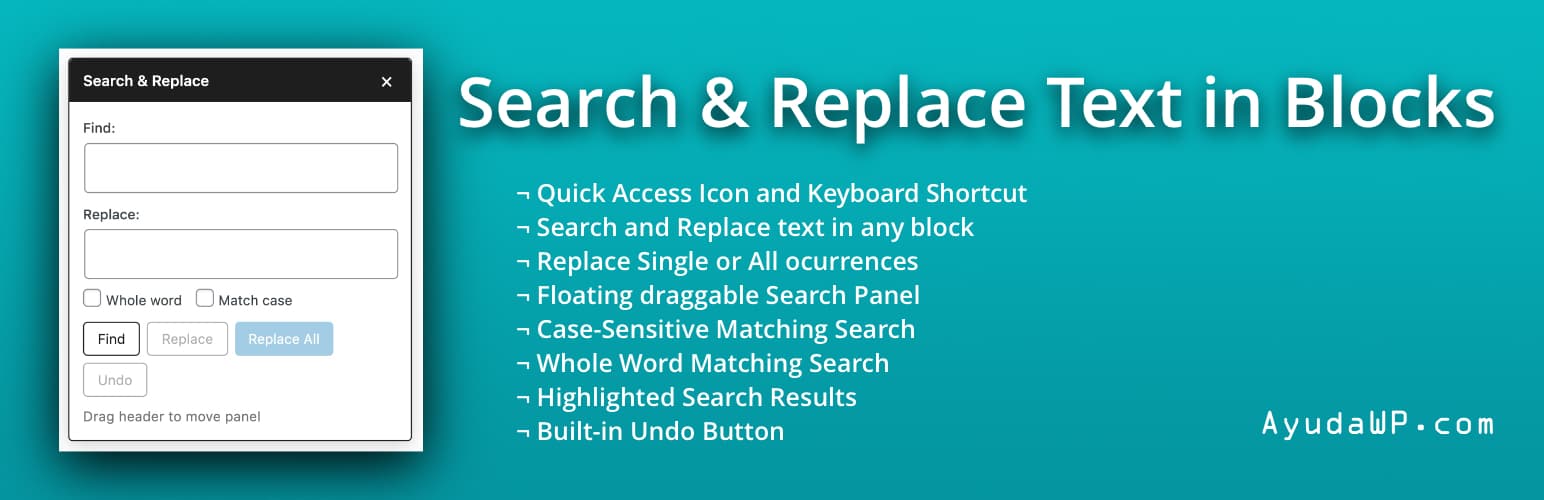
Search & Replace Text in Blocks adds a powerful search and replace functionality to the WordPress block editor (Gutenberg). Quickly find and replace text across all your content blocks without leaving the editor.
Features:
Search text across all text-based blocks (paragraphs, headings, lists, quotes, etc.)
Replace single occurrences or all matches at once
Built-in Undo button to revert changes
Case-sensitive search option
Whole word matching option
Visual highlighting of found blocks and text
Navigate between matches with Previous/Next buttons
Toolbar icon in the editor header for quick access
Also accessible from the editor’s three-dot menu
Keyboard shortcut: Ctrl+Shift+H (Cmd+Shift+H on Mac)
Draggable floating panel
Auto-focus on search field when opening the panel
Accessible and screen reader friendly
Supported Blocks:
Paragraph
Heading
List Item
Quote
Pullquote
Verse
Preformatted
Code
Table cells
And any block with text content
How to Use:
Open any post or page in the block editor
Click the search icon in the top toolbar, press Ctrl+Shift+H (Cmd+Shift+H on Mac), or select “Search & Replace” from the editor’s three-dot menu
Enter your search term and click “Find”
Navigate between matches using the arrow buttons
Enter replacement text and click “Replace” or “Replace All”
Use the “Undo” button to revert changes if needed
Support
Need help or have suggestions?
Official website
WordPress support forum
YouTube channel
Documentation and tutorials
Love the plugin? Please leave us a 5-star review and help spread the word!
About AyudaWP
We are specialists in WordPress security, SEO, and performance optimization plugins. We create tools that solve real problems for WordPress site owners while maintaining the highest coding standards and accessibility requirements.

各版本下載點
- 方法一:點下方版本號的連結下載 ZIP 檔案後,登入網站後台左側選單「外掛」的「安裝外掛」,然後選擇上方的「上傳外掛」,把下載回去的 ZIP 外掛打包檔案上傳上去安裝與啟用。
- 方法二:透過「安裝外掛」的畫面右方搜尋功能,搜尋外掛名稱「Search & Replace Text in Blocks」來進行安裝。
(建議使用方法二,確保安裝的版本符合當前運作的 WordPress 環境。
延伸相關外掛(你可能也想知道)
Spectra Gutenberg Blocks – Website Builder for the Block Editor 》a.com/tutorials/?utm_source=wp-repo&utm_medium=link&utm_campaign=readme" rel="nofollow ugc">Spectra tutorials, you can easily learn how to ...。
Kadence Blocks — Page Builder Toolkit for Gutenberg Editor 》Kadence Blocks 是一個 WordPress 外掛,它附加自訂區塊和選項,擴展了 Gutenberg 編輯功能,使您能夠輕鬆創建美麗的網站,而不需要任何程式編寫。Kadence Bl...。
Extendify 》Extendify 是一個網站設計和製作工具平台,提供豐富的圖案和全頁面佈局,可用於 Gutenberg 區塊編輯器,幫助人們建立美麗的 WordPress 網站。, 使用 Extendif...。SiteOrigin Widgets Bundle 》rdPress website since 2013. Our Widgets Bundle is actively developed and regularly updated to ensure compatibility with the latest WordPress update...。
Otter Blocks – Gutenberg Blocks, Page Builder for Gutenberg Editor & FSE 》Otter 是一款 Gutenberg Blocks 頁面建構外掛,可為 WordPress Block Editor(又稱 Gutenberg)添加額外功能,讓您享受更好的頁面建構體驗,而無需使用傳統的...。
Page Builder Gutenberg Blocks – CoBlocks 》, 注意:對於已受 CoBlocks 3.0.0 版本影響的使用者,請查看我們在 WordPress.org 支援論壇文章,如果您需要支援,請建立新的主題帖。, , CoBlocks 是新版 Gu...。
Layout Grid Block 》想要輕鬆設定自訂欄位寬度和位置的列排版嗎?也許您想要在文章中將內容對齊全局佈局網格。使用此佈局網格區塊,您可以實現以上兩個目標,或是其中一個。此外...。GenerateBlocks 》將不同的功能整合至編輯器,但並不會因為過多的一維方塊造成內容過於臃腫。使用 GenerateBlocks,您只需深入學習少量的方塊,即可用於創建任何內容。, Genera...。
Widget Options – Advanced Conditional Visibility for Gutenberg Blocks & Classic Widgets 》3>Widget Options 讓您新增更多選項至小工具設定中,讓您完全控制網站的小工具。該外掛已下載超過 1,060,000 + 次,平均評價為 4.9 星,毫無疑問,Widget Opt...。
Widget Logic 》此外掛可在每個小工具中新增一個名為 "Widget logic" 的額外控制欄,讓您控制這個小工具會出現在哪些頁面上。文字欄位允許您使用 WP 的Conditional Tags或任...。
Starter Sites & Templates by Neve 》一個基於雲端的模板庫,可讓您使用1個按鈕創建或使用現有的網站模板。, 超過100個初學者網站和模板可用於最流行的頁面構建器, 免費和付費模板和起始網站可供...。
Stackable – Page Builder Gutenberg Blocks 》終極與古鐸版衣搭檔, Stackable 是您一直在等待的終極可靠古鐸版衣搭檔。使用堅強、輕便的自訂區塊、現成設計、UI套件、全域設定和高級自訂選項建立動態網站...。Kubio AI Page Builder 》, , Kubio 是一個創新的基於區塊的 WordPress 網站建立工具,它以全新的區塊來擴充編輯器功能並提供使用者無限的樣式選項。透過先進的編輯功能,Kubio 使用者...。
Content Views – Post Grid & Filter, Recent Posts, Category Posts … (Shortcode, Gutenberg Blocks, and Widgets for Elementor) 》易於篩選與顯示文章、頁面的方格/列表, 我們認為一個美麗的文章方格能夠令你的 WordPress 網站更加出眾,並保持訪客的參與度。這就是為什麼我們開發了 Conten...。
JetFormBuilder — Dynamic Blocks Form Builder 》JetFormBuilder — 動態區塊表單建立器, 這個功能強大且易於使用的表單建立器外掛讓你在區塊編輯器(Gutenberg)中建立、編輯和設計進階表單類型,不再需要其...。







