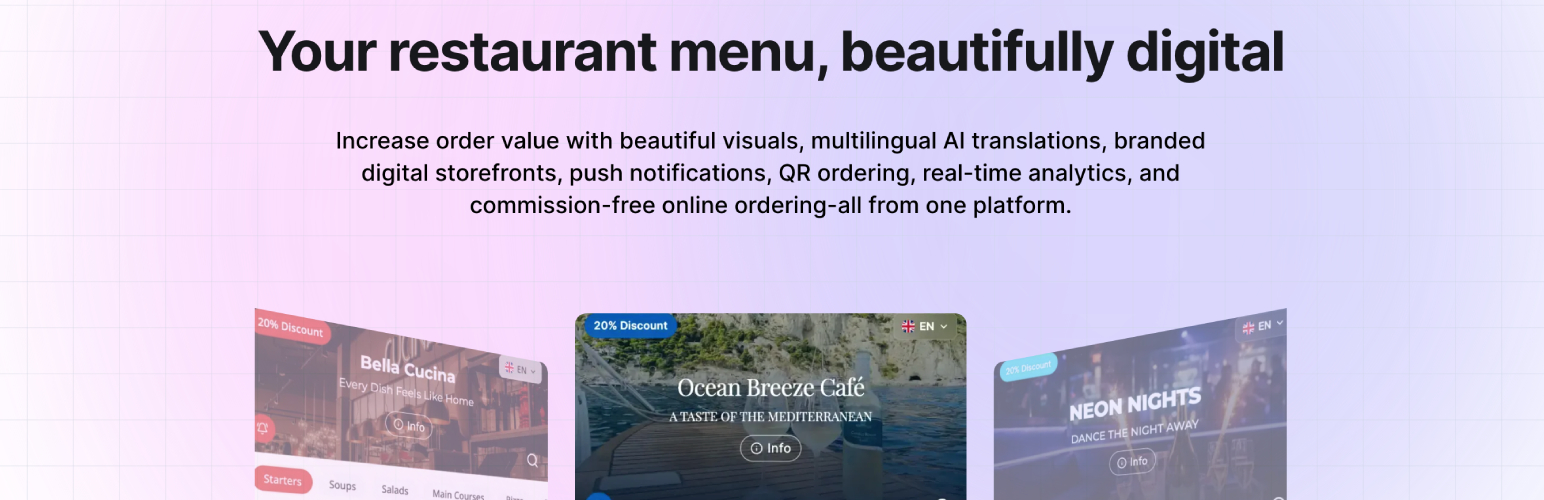
內容簡介
AppetitQR 是一款專為餐廳、咖啡廳及多地點商業設計的數位菜單及免佣金訂購平台。透過簡單的短碼,使用者可以將 AppetitQR 菜單嵌入到 WordPress 網站的任何頁面或小工具中,無需手動維護菜單項目。
【主要功能】
• 嵌入式數位菜單,無需手動更新
• 支援菜單分類、產品圖片及描述
• 提供即時菜單搜尋功能
• 可生成餐廳專屬 QR 碼
• 免佣金的訂購流程
• 支援 WhatsApp 或電話訂購
外掛標籤
開發者團隊
② 後台搜尋「AppetitQR – Digital QR Menus & Commission-Free Ordering for Restaurants」→ 直接安裝(推薦)
原文外掛簡介
AppetitQR is a digital menu and commission-free ordering platform for restaurants, cafés and multi-location businesses.
This WordPress plugin lets you embed your AppetitQR menu directly into any WordPress page, post, widget or template using a simple shortcode.
Instead of maintaining a separate WordPress restaurant menu, manage your menu in AppetitQR and display the live menu on your WordPress website.
[wp_appetitqr api_key="apq_your_key_here"]
The plugin fetches your published menu, caches it on your WordPress server and renders it into the page. Your visitors can browse categories and products, view prices and product information, search the menu and optionally build an order.
Digital restaurant menu for WordPress
Use AppetitQR to turn your WordPress restaurant website into a digital menu without manually maintaining menu items in WordPress.
The embedded menu can include:
Restaurant categories and products
Product images and galleries
Prices, sale prices and portion variations
Product descriptions
Allergens and dietary information
Nutritional values
Featured products and availability
Live menu search
Restaurant information
Address, phone number and opening hours
Your AppetitQR branding and theme colors
Optional ordering through WhatsApp or phone
Menu content is managed from your AppetitQR account, so changes can be made from the AppetitQR dashboard without editing your WordPress pages.
Restaurant QR menu
AppetitQR also provides QR codes for restaurant menus.
A restaurant can place a QR code on tables, counters, printed materials or other locations. Guests scan the code and open the restaurant’s digital menu on their phone.
For dine-in use, AppetitQR supports a table menu mode where guests can browse the menu and create a list of dishes to show their server.
For ordering, guests can build an order and send it directly to the restaurant through WhatsApp or a phone call.
Commission-free restaurant ordering
AppetitQR provides an ordering flow without a per-order commission from AppetitQR.
Customers can browse the menu, add products to their order and send the order to the restaurant through WhatsApp or a phone call.
The WordPress plugin does not process payments or route orders through a third-party marketplace.
More than a WordPress menu plugin
The WordPress plugin is an integration with the AppetitQR restaurant menu platform.
AppetitQR provides additional tools for creating and managing digital restaurant menus:
Digital menus with categories, products, images and availability
Restaurant QR codes
Dine-in table menus
Commission-free online ordering
WhatsApp and phone ordering
AI menu import from PDF and Word documents
AI menu translation
Multilingual menus
Installable menus (PWA)
Push promotions
Multiple restaurant locations
Custom branding and menu templates
Custom domains
Menu analytics
Team members and staff access
These features are managed in AppetitQR rather than through the WordPress plugin itself.
Start a free AppetitQR trial
Built for restaurant websites
The embedded menu is designed to work inside an existing WordPress page rather than replacing your website.
The menu adapts to the width of its container and can be placed inside a normal page, post, widget or template.
Menu data is fetched server-side and cached by WordPress before being rendered into the page HTML. JavaScript is then used to enhance the menu with interactive features such as search, category navigation, product details and the cart.
If AppetitQR is temporarily unavailable, the plugin can continue serving the last successfully cached menu.
What the plugin renders
The plugin can display:
Categories and products in the order configured in AppetitQR
Product prices and sale prices
Portion and variation options
Product descriptions
Product image galleries
Allergens
Dietary tags
Nutritional information
Restaurant information
Address and contact information
Opening hours
Search
Category navigation
Product detail popups
Optional ordering cart
Installation
Install and activate the plugin from WordPress.
In your AppetitQR dashboard, go to Locations → your location → Settings → Integrations.
Click Generate API Key and copy the shortcode provided.
Add the shortcode to any WordPress page or post.
Example:
[wp_appetitqr api_key="apq_your_key_here"]
You can also use the AppetitQR settings screen in WordPress to test an API key, configure menu caching and clear the cache.
Shortcode attributes
api_key — required. The API key for the AppetitQR location.
lang — menu language. Defaults to your account’s default language.
show_search — 1 or 0. Defaults to 1.
show_info — 1 or 0. Defaults to 1.
show_cart — 1 or 0. Defaults to 1.
show_images — 1 or 0. Defaults to 1.
columns — 1–4. Defaults to 3.
dinein — true or false. Defaults to false.
Example:
[wp_appetitqr api_key="apq_your_key_here" show_search="1" show_cart="1"]
Dine-in mode
AppetitQR can also be used as a digital table menu.
[wp_appetitqr api_key="apq_your_key_here" dinein="true"]
Dine-in mode turns the embedded menu into a table-friendly menu where guests can create a list of dishes to show their server.
Ordering features are disabled in this mode. There is no WhatsApp or phone ordering and no minimum order.
This mode is intended for restaurant table QR codes where the customer browses the menu and shows their selections to restaurant staff.
Dine-in mode must also be enabled for the location in your AppetitQR dashboard.
Multiple restaurant locations
If your WordPress website represents multiple restaurant locations, you can embed different AppetitQR locations using separate API keys.
For example, each location can have its own menu, branding, contact information and opening hours.
Multiple locations can be managed from one AppetitQR account.
Frequently Asked Questions
Do I need an AppetitQR account?
Yes. The plugin displays menus managed in AppetitQR. It does not create or manage restaurant menus directly inside WordPress.
Create an AppetitQR account
Is AppetitQR free?
AppetitQR offers a free trial. Check the AppetitQR website for current plans and pricing.
Can I use AppetitQR for a restaurant QR menu?
Yes. AppetitQR supports digital restaurant menus and QR codes for dine-in and other menu access.
Can customers order from the WordPress menu?
Yes. If ordering is enabled for the location, visitors can add products to a cart and send the order to the restaurant through WhatsApp or a phone call.
Does AppetitQR charge commission on orders?
AppetitQR’s ordering system is designed for commission-free ordering. Orders sent through WhatsApp or phone do not pass through a third-party food marketplace.
Can I use the plugin without WordPress?
The plugin is specifically for WordPress websites. AppetitQR itself provides standalone digital restaurant menu pages that can be shared through QR codes or links.
Can I have multiple menus on one WordPress website?
Yes. Use a separate shortcode with each location’s API key. Different AppetitQR locations can be embedded on the same page or on different pages.
How quickly do menu changes appear?
Menus are cached for 15 minutes by default. You can change the cache lifetime or clear the cache from the plugin settings.
What happens if AppetitQR is temporarily unavailable?
The plugin serves the last successfully cached copy of the menu when available. Administrators see a notice when cached content is being used, while visitors can continue viewing the menu.
Is my API key sensitive?
The API key grants read access to the location’s menu. Treat it as private and revoke it from the AppetitQR dashboard if it becomes exposed.
Does the plugin process payments?
No. The plugin does not process card payments. When ordering is enabled, the cart is handed to the restaurant through WhatsApp or a phone call.
External services
This plugin connects to the AppetitQR API, a third-party service operated by AppetitQR (https://appetitqr.com), to fetch the menu published through the shortcode.
Without this connection the plugin has nothing to display: the menu is managed in AppetitQR rather than stored in WordPress.
What is sent, and when:
Your site’s server requests https://appetitqr.com/api/wp/menu and sends the location API key specified in the shortcode using an X-Appetit-Api-Key header. As with any HTTP request, your server’s IP address and user agent are visible to the service.
This request occurs when a visitor opens a page containing the shortcode and the cached menu has expired, which is every 15 minutes by default. It also occurs when an administrator uses “Test connection” in the plugin settings.
The request does not occur on pages without the shortcode.
No visitor data, personal data or order data is sent to the AppetitQR API by this plugin.
Carts are stored in the visitor’s browser and are handed to the restaurant through WhatsApp or a phone call.
Menu data returned by the API includes the location’s details, categories, products, prices, labels, opening hours, theme colors and image URLs.
Product images are served from AppetitQR’s servers, so visitors’ browsers request those images directly from AppetitQR.