內容簡介
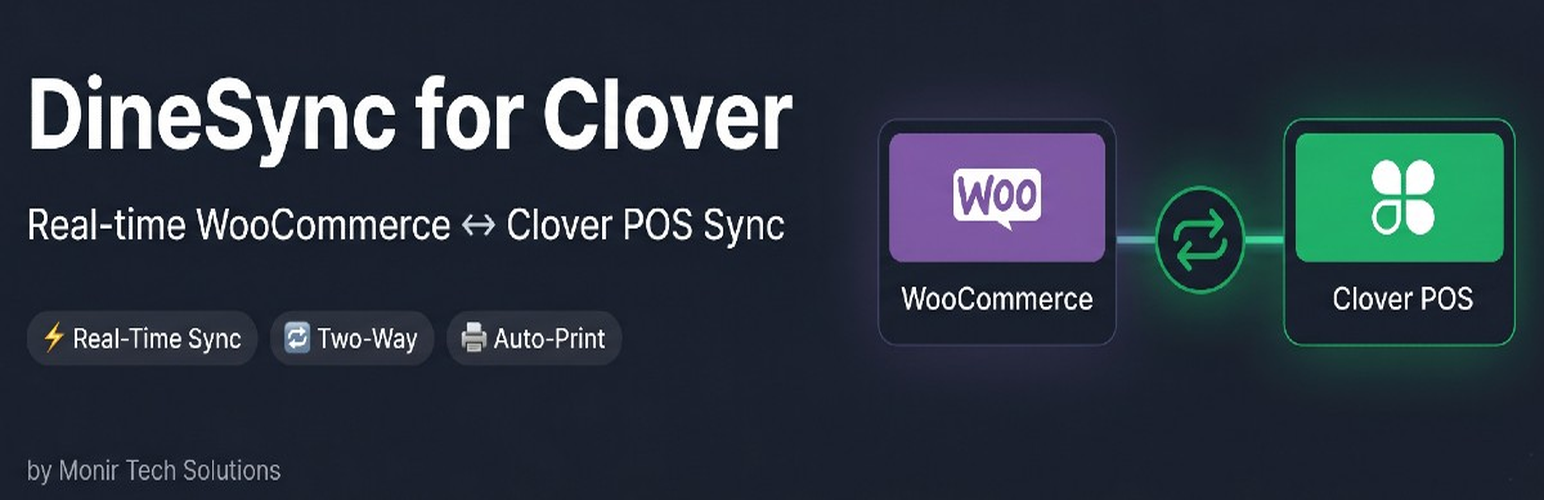
DineSync for Clover 將您的 WooCommerce 商店與 Clover POS 系統連接,讓線上訂單即時送達 Clover 設備,並能隨時將 Clover 菜單匯入 WooCommerce,適合餐廳、咖啡廳及食品業者使用。
【主要功能】
• 線上訂單即時送達 Clover POS
• WooCommerce 產品與價格變更自動同步至 Clover
• Clover 菜單可隨時匯入 WooCommerce
• 支援 Clover 修飾選項在產品頁顯示
• 訂單可自動列印至 Clover 廚房印表機
外掛標籤
開發者團隊
原文外掛簡介
DineSync for Clover connects your WooCommerce store to your Clover POS. Orders placed online arrive on your Clover device. Product and price changes you make in WooCommerce are pushed to Clover. Your Clover menu — items, categories, prices and modifier groups — can be imported into WooCommerce whenever you need it.
DineSync works with WooCommerce rather than replacing it. Your products, orders, customers, payment gateways and shipping methods stay where they are.
Built for restaurants, cafes, bakeries, and food businesses that take orders online through WooCommerce and run Clover POS in-store.
What DineSync does
Being precise about this matters more than sounding impressive, so here is the actual scope:
Orders go to Clover as they are placed. A WooCommerce order appears on your Clover POS within seconds of checkout, with line items, modifier selections, customer details, fees, shipping and discounts.
Product and price changes push to Clover when you save. Edit a product in WooCommerce and the changed fields are sent to Clover. Only what actually changed is sent.
Your Clover menu imports into WooCommerce on demand. Click Import from Clover to pull items, categories, prices, stock levels and modifier groups across.
Modifiers come across and display on your storefront. Clover modifier groups become selectable options on the product page.
How modifiers appear on the Clover ticket depends on where they came from. Modifiers imported from Clover are attached to the item they belong to, exactly as they would be if the order had been rung up in store. Modifiers managed by a third-party add-on plugin have no matching record in Clover, so their cost stays in the item’s price and their names are printed in the item’s note. Either way the ticket totals are correct.
Orders can print to your Clover kitchen printer automatically when they arrive.
What DineSync does not do
Changes made on your Clover POS do not flow back to WooCommerce automatically. There is no live Clover-to-WooCommerce feed. If you change a price or stock level on the Clover device, run Import from Clover to bring it across. This is a deliberate statement of scope, not a temporary outage.
It is not a replacement checkout, cart or ordering system.
Why DineSync?
Keep WooCommerce — Your products, orders and customers stay in WooCommerce. Use any of the WooCommerce payment gateways, shipping plugins and marketing tools you already rely on.
Push to Clover, not just pull from it — Update a price in WooCommerce and it reaches your Clover POS on save.
No vendor lock-in — Sync data is stored as ordinary WooCommerce product metadata. Deactivate DineSync and your products, orders and customer history are untouched.
Per-field control — Choose exactly which fields sync: price, name, SKU, categories, stock, availability, description and modifiers.
Smart updates — Only changed fields are sent to Clover, minimising API calls and avoiding unnecessary overwrites.
Key Features
Order Sync (WooCommerce to Clover)
WooCommerce orders appear on your Clover POS with full details
Line items, modifier selections, customer info (name, email, phone), fees, shipping and discounts included
Payment recording on Clover, so orders show as paid with the correct amount
Auto-print to a Clover printer you select
Duplicate order prevention with transient-based locking
Works with both the classic WooCommerce checkout and block-based checkout
Order Status (WooCommerce to Clover)
WooCommerce “Completed” marks the Clover order fulfilled
WooCommerce “Cancelled” and “Refunded” cancel the Clover order
Product Push (WooCommerce to Clover)
Push products to Clover with diff-based updates — only changed fields are sent
Push happens when you save a product, and in bulk from the Inventory Actions panel
Bulk pushes are batched (30 items at a time) to avoid timeouts
Out-of-stock WooCommerce products are marked unavailable on Clover
WooCommerce short descriptions map to Clover’s alternateName field, stripped of HTML and trimmed to Clover’s 127-character limit
WooCommerce categories are created on Clover if they do not already exist
Menu Import (Clover to WooCommerce, on demand)
Import items, categories, prices, stock levels and modifier groups from Clover
Existing WooCommerce products are matched to Clover items by name or SKU during import, so importing does not create duplicates of products you already have
Per-field sync toggles control what an import is allowed to overwrite
Clean & Re-Sync resets all mappings so you can start from a clean slate
Modifier Groups
Clover modifier groups (toppings, sizes, extras) import with your menu
Built-in storefront renderer with radio buttons, checkboxes and live price adjustment
Adapter support for WooFood / Flavor and WC Product Add-Ons — the plugin detects which is active and writes modifiers in that format
Works with no configuration
Built for WooCommerce
Uses native WooCommerce products, cart, checkout and orders
Compatible with WooCommerce High-Performance Order Storage (HPOS / Custom Order Tables)
Works with any WooCommerce-compatible theme
Settings dashboard with connection status, sync statistics and an activity log
How It Works
Install the plugin and go to DineSync > Settings
Enter your Clover Merchant ID and API token, choose Sandbox or Production, and click Connect to Clover
Click Import from Clover to pull your menu into WooCommerce
Enable order sync — online orders now flow to your Clover POS as they are placed
Re-run Import from Clover whenever you change your menu on the Clover device
Who Is It For?
Restaurants, cafes, bakeries, food trucks and food businesses that:
Already use WooCommerce (or want to) for online ordering
Use Clover POS in-store and want online orders to reach it
Want to keep the WooCommerce ecosystem — payment gateways, shipping plugins, marketing tools
Want control over exactly what data is sent to Clover
Third-Party Services
1. Clover POS API (api.clover.com / apisandbox.dev.clover.com)
The official Clover API. This is the only external service a new installation contacts.
Used for: reading and writing inventory items, modifier groups, categories, orders and merchant data
API endpoints: https://api.clover.com/v3 (production) and https://apisandbox.dev.clover.com/v3 (sandbox)
Data sent: product names, prices, SKUs, stock levels, descriptions, categories, order details, customer names, emails and phone numbers
Data received: Clover items, categories, modifier groups, stock levels, printers, employees, order statuses
Privacy Policy
Terms of Service
2. DineSync Hub (hub.monirtechsolutions.com) — legacy connections only
Earlier versions of DineSync offered a hosted connection option that routed through our own middleware. Connecting with a Merchant ID and API token, which is the only method this version offers, does not contact the Hub at all. This entry remains for stores that were linked using the older method and still hold Hub credentials.
Used for: relaying requests and status pings for stores still linked by the legacy method
Service URL: https://hub.monirtechsolutions.com
Data sent (legacy connections only): site URL, admin email, Clover merchant ID, plugin version, order sync counts, heartbeat status
Privacy Policy
Terms of Service
Support
For help, email [email protected] or visit monirtechsolutions.com/plugins/dinesync-for-clover/support.