內容簡介
這個外掛基於WC City Select開發。
在 WooCommerce 的結帳頁面中,如果使用者需要輸入城市,預設是以文字輸入框的方式呈現。
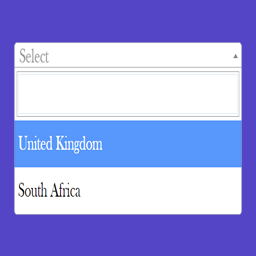
使用這個外掛,你可以提供城市列表,可供使用者使用下拉式選單的方式選擇。
這個列表會顯示在結帳頁面、編輯地址頁面和運費計算機中,若有相對的設定。
在使用者選擇城市或鎮後,如果有定義郵遞區號,它會自動設定郵遞區號。
如何加入城市
在主題的 functions.php 檔案中,可以加入城市列表。
使用ry_wc_city_select_cities篩選器,載入你的城市列表。
這就像新增/修改州/省一樣操作。
它應該被加到您的 functions.php 或自訂外掛程式中。
add_filter ('ry_wc_city_select_cities', 'my_cities');
/**
*將 XX 替換為國家代碼,而不是 YYY,ZZZ 使用實際的州代碼、城市列表可以列出有郵遞區號的城市名稱或僅為城市名稱。
*/
function my_cities($cities){
$cities['XX'] = array(
'YYY' => array( // 城市名稱與郵遞區號
['城市名稱', '100'],
['另一個城市', '101']
),
'ZZZ' => array( // 僅為城市名稱
'城市 3',
'城市 4'
)
);
return $cities;
}
外掛標籤
開發者團隊
② 後台搜尋「RY City Select for WooCommerce」→ 直接安裝(推薦)
原文外掛簡介
This plubin is based on WC City Select
WooCommerce uses a text input for the customers to enter the city or town.
With this plugin you can provide a list of cities to be shown as a select dropdown.
This will be shown in checkout pages, edit addresses pages and shipping calculator if it’s configured that way.
After selected the city or town, auto set the postcode number if is defined.
How to add cities
A list of cities can be added in your theme functions.php file.
Use ry_wc_city_select_cities filter to load your cities.
This is done similarly to Add/Modify States.
It should be added on your functions.php or a custom plugin.
add_filter( 'ry_wc_city_select_cities', 'my_cities' );
/**
* Replace XX with the country code. Instead of YYY, ZZZ use actual state codes.
* The City list can list of city name with postcode or just city name.
*/
function my_cities( $cities ) {
$cities['XX'] = array(
'YYY' => array( // city name with postcoe
['City', '100'],
['Another City', '101']
),
'ZZZ' => array( // just city name
'City 3',
'City 4'
)
);
return $cities;
}