外掛標籤
開發者團隊
原文外掛簡介
Radon Group Partner Locator is a customizable WordPress plugin that helps businesses display their worldwide partner network on an interactive map.
Whether you manage international distributors, authorized dealers, franchise locations, regional offices, or business partners, this plugin provides an easy way to organize and showcase locations directly on your WordPress website.
Add and manage partners from the WordPress dashboard, customize the map appearance, configure visible partner information, and allow visitors to find partners using search and country filters.
The plugin supports Elementor through standard WordPress shortcodes and does not require a Google Maps API key.
Key Features
1. Interactive World Map
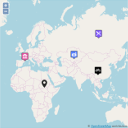
Display business partners on an interactive world map.
Zoom in and out to explore partner locations.
Drag and navigate across the map.
Display accurate locations using latitude and longitude.
Automatically focus the map on matching partner locations when filtering by country.
Use OpenStreetMap or CARTO map tiles.
Configure map appearance and display settings.
2. Easy Partner Management
Manage partner information directly from the WordPress admin dashboard.
Supported partner information includes:
Company Name
Partner Name
Email Address
Phone Numbers (up to three)
Company Address
City
Country
Company Website
Company Logo
Latitude and Longitude
Add, edit, and manage partner records without needing to modify code.
3. Customizable Map Markers
Customize how partner locations appear on the map.
Custom marker colors
Marker background colors
Marker icon and text colors
Adjustable marker sizes
Marker border styling
Custom marker icons
Location pin-style markers
Create a map appearance that matches your website’s branding.
4. Partner Information Cards
Display partner information in organized popup cards when visitors interact with map markers.
Company logo displayed alongside the company name.
Partner contact information.
Clickable email addresses.
Clickable phone numbers.
Company address and website details.
Individual partner information display settings.
Only available and enabled partner fields are displayed, helping keep information cards clean and readable.
5. Partner Search and Country Filters
Help visitors find business partners more easily.
Search partners using available partner information.
Filter partner locations by country.
Search and country filter controls in a horizontal layout.
Automatically move and zoom the map to matching partner locations.
Explore partners across multiple countries.
6. Custom World Map Images
In addition to standard interactive maps, the plugin supports custom image-based maps.
Upload a custom map image.
Position partner markers on the image.
Customize marker appearance.
Display partner information on custom map layouts.
This feature is useful for businesses that prefer branded or illustrated map designs.
7. CSV Import and Export
Manage partner records more efficiently using CSV files.
Import partner information from CSV.
Export existing partner records.
Manage larger partner directories.
Transfer partner data between supported installations.
8. Customizable Frontend Display
Configure which partner information is displayed to website visitors.
Enable or disable supported partner information fields.
Configure field visibility for individual partners.
Customize map appearance.
Adjust marker styling.
Configure map display settings.
9. Shortcode Integration
Easily add partner maps to WordPress pages, posts, and supported page builders.
Main shortcode:
[radongpl_locator]
Backward-compatible shortcode:
[wp_partner_locator]
Country-specific example:
[radongpl_locator country="India"]
Custom height example:
[radongpl_locator height="500"]
Custom image map example:
[radongpl_locator mode="image"]
10. Elementor Compatibility
Use the plugin with Elementor without requiring a separate Elementor add-on.
Open a page in Elementor.
Add the Shortcode widget.
Insert the partner locator shortcode.
Publish or update the page.
The map can also be embedded using the WordPress Shortcode block.
11. Responsive Frontend
The partner locator interface is designed for different screen sizes.
Desktop layouts
Tablet layouts
Mobile layouts
Responsive map display
Adaptable partner information cards
Responsive search and filtering controls
12. No Google Maps API Key Required
Radon Group Partner Locator uses a locally bundled JavaScript map renderer with map tile images from OpenStreetMap or CARTO.
No Google Maps API key or Google Maps billing account is required.
Ideal For
Radon Group Partner Locator can be used for:
International business partner directories
Authorized dealer and distributor locators
Franchise location directories
Corporate branch office maps
Regional sales representative networks
Service center directories
Supplier and vendor networks
Business associate directories
Global company location maps
Why Choose Radon Group Partner Locator?
Manage worldwide partner locations from one WordPress dashboard.
Display accurate geographic locations using coordinates.
Customize map markers to match your website.
Help visitors search and filter business partners.
Display professional partner information cards.
Integrate with Elementor and WordPress using shortcodes.
Import and export partner information using CSV.
Use OpenStreetMap or CARTO without a Google Maps API key.
Privacy and External Services
The plugin uses map tile images provided by OpenStreetMap or CARTO.
When a visitor loads a map, the selected tile provider may receive information such as the visitor’s IP address and browser request details.
These services are subject to their respective privacy policies and terms of use.
OpenStreetMap: https://www.openstreetmap.org
CARTO: https://carto.com
Website administrators should review the applicable privacy requirements and inform visitors about external map tile requests where required.
No external JavaScript or CSS libraries are loaded.
Developed by Radon Group
Radon Group develops WordPress plugins, websites, and digital solutions for businesses.
Website: https://www.radongroup.in
Source Code
The human-readable JavaScript source is distributed in:
assets/app.js
assets/admin.js
The CSS source is distributed in:
assets/style.css
These files are included in the plugin package. No build or minification step is required.
Map tile images are retrieved from OpenStreetMap or CARTO as described in the Privacy and External Services section.