內容簡介
WP Store Locator 是一款幫助顧客找到最近商店、經銷商、分店、診所或辦公室的外掛。使用者可以透過地址、郵遞區號、城市或當前位置進行搜尋,並獲得導航路徑。
【主要功能】
• 支援無限地點添加
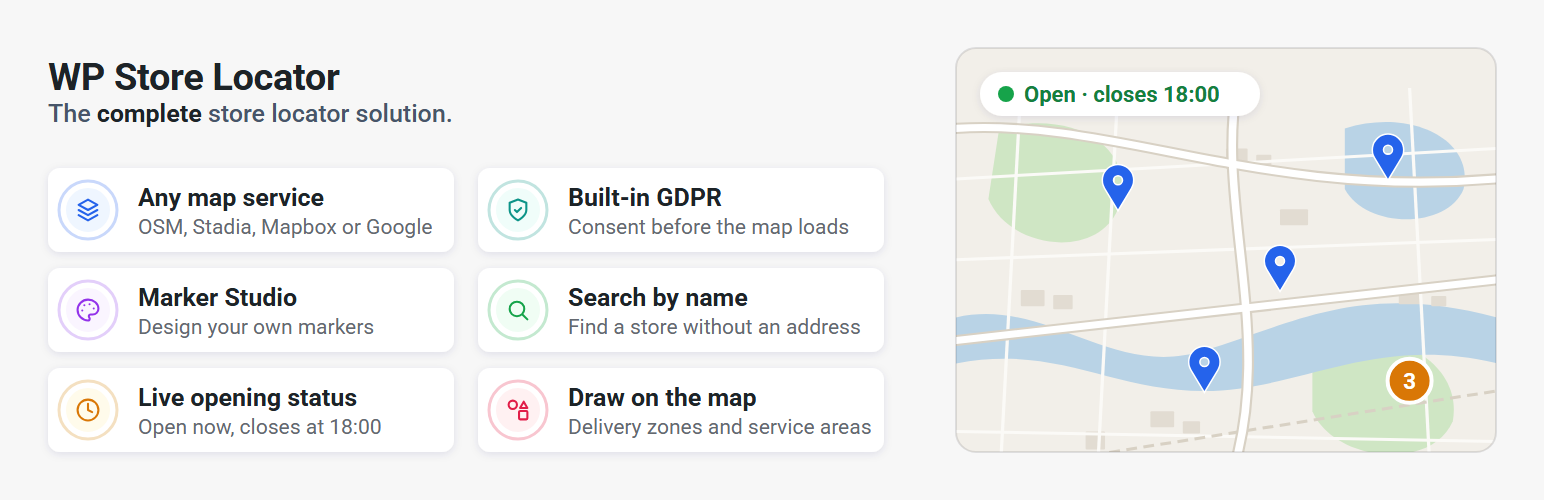
• 可選擇多種地圖服務
• 自訂標記圖示設計
• 繪製服務區域和配送區域
• 隱私設置功能
• 快速加載位置數據
外掛標籤
開發者團隊
📦 歷史版本下載
原文外掛簡介
WP Store Locator is a free store locator that helps your customers find your nearest store, dealer, branch, clinic or office. It runs on free OpenStreetMap maps out of the box, so there is no API key, no Google account and no credit card to set up. Add unlimited locations, drop the [wpsl] shortcode or block on a page, and visitors can search by address, postcode, city or their current position, filter by category and get directions.
🆓 Free maps, no API key needed
Choose OpenStreetMap and your store locator works without Google Maps, as soon as you activate it. There is no Google Cloud project to create, no billing account to add and no API key to restrict. Address searches are geocoded on your server and cached, and the map, markers, Marker Studio, category filters, map shapes and location pages all work on OpenStreetMap.
Need Google Maps, Mapbox or Stadia Maps later? Switch with one setting. Your locations do not need to be re-entered or re-geocoded.
Why WP Store Locator
Works without Google Maps. Run the entire store locator on OpenStreetMap with no API key, no Google account and no credit card. Prefer Google Maps, Mapbox or Stadia Maps? Pick it from a dropdown. Your locations, settings and add-ons work with every provider.
No code needed for custom data. The Fields Manager adds your own fields to the store editor and the Section Editor places them in the results, the info window or anywhere else on the front end.
Design your own markers. The Marker Studio lets you create marker icons that match your brand instead of picking from a fixed set.
Draw on the map. Polygons, circles, rectangles and lines for service areas, delivery zones or sales territories.
A modern theme and an appearance editor. A new vertical layout, plus colours, call-to-action buttons and map styles you can change without touching CSS.
Privacy built in. Hold the map back until the visitor consents, with your own text, or hand the decision to Borlabs Cookie or Complianz.
Faster. Location data is loaded in a single batch and settings in a single query, so a locator with hundreds of locations stays quick.
🗺️ Pick your map service
WP Store Locator is the only store locator you need, whichever map provider you choose:
OpenStreetMap (Leaflet): Free. No API key. Optional free vector styles from OpenFreeMap, and inline routes with a free Openrouteservice key.
Stadia Maps: Ten polished map styles, its own geocoder and routing, and an EU endpoints switch that keeps all requests inside the European Union.
Mapbox: Design a map in Mapbox Studio, paste the style URL and the locator uses it. Ten styles ship out of the box, including satellite and navigation.
Google Maps: Full support, now on the current Geocoding and Routes APIs, with Advanced Markers, cluster styling and the new Autocomplete Data API.
Switching provider is a single setting. Nothing needs to be re-entered or re-geocoded.
🔍 Search that finds the right store
Search by address, postcode, city, state or country, or by store name.
Autocomplete as the visitor types, on Google Maps, Mapbox and Stadia Maps.
Detect the visitor’s location automatically, on page load or after they click the locate button.
Radius, max results and category filters, as dropdowns or checkboxes.
Combine categories with AND or OR logic, or pre-select a default category.
Hide the address search and show only the category filter to turn the locator into a browsable directory.
Sort by distance, name, address, city, postcode, state, country or ID, ascending or descending.
Search for a whole country or state and get every location in it.
No results in range? Show the nearest location anyway, however far.
Keep results inside the searched country, so a border town does not return stores across the border.
Show the number of results returned.
Bias or restrict results to up to 15 countries.
📍 Unlimited locations with rich details
A landing page for every location, with one switch. No pages to create, shortcodes to place or code to write: every location gets its own page with a clean URL, so search engines and customers can link straight to a store.
Address, phone, fax, email, URL, description, featured image and categories for every location.
Structured opening hours with a live Open now / Closed badge, expandable to the full week.
Custom hours text and a “special hours” field for holidays.
Mark a store permanently or temporarily closed, with an automatic reopen date.
Your own fields of any type: text, textarea, email, phone, URL, checkbox or dropdown, grouped the way you want them in the editor.
Drag the marker to the exact spot, or type coordinates in by hand.
Admin search by name, postcode, city, state or country, and sortable custom columns.
🎨 Make it look like your site
Vertical or horizontal layout, with results beside or below the map.
Appearance editor for colours, dimensions, call-to-action buttons and active map styles.
Marker Studio for custom markers, plus per-category markers and a distinct active marker.
Numbered or lettered markers that match the results list.
Category colors, shown as a dot in the category filter and as colored labels in the search results.
Marker clusters on every provider, with styled and colour-interpolated clusters on Google Maps.
Section Editor to change the markup of the results list, info window, result count and online stores sections.
Open the info window on hover or by clicking the address in the results.
Every label and placeholder is editable, and any label can be hidden without losing the field.
Improved accessibility, keyboard navigation and RTL support.
🔒 Privacy and GDPR
Built-in consent placeholder with your own description text. No extra plugin required.
Integrations with Borlabs Cookie and Complianz.
Server-side geocoding on OpenStreetMap.
EU-only endpoints on Stadia Maps.
🧩 Blocks and shortcodes
Store Locator and Map blocks for the block editor.
[wpsl] for the full locator, with attributes for categories, filters, map style, markers, shapes, region and distance unit.
[wpsl_map] for a map with one or more locations.
[wpsl_address] and [wpsl_hours] to show the address, contact details or opening hours of a single location anywhere.
⚙️ Built for site owners and developers
Onboarding wizard for new installs, and automatic migration of 2.x settings.
Home screen with a setup checklist and alerts for compatibility problems, missing keys or API errors.
API key validation with the raw response shown, so key restrictions and billing problems are diagnosed in seconds.
Import and export settings, reset data, clear caches and inspect geocode responses from the Tools section.
Custom post types and taxonomies, more than 50 filters, template overrides and a helper to build your own custom-field filters.
Compatible with WPML and Polylang.
🏬 Made for every business with locations
Retail chains, dealer networks, franchises, bank branches, clinics and pharmacies, restaurants, gyms, real estate offices, schools, service centres, stockists and where-to-buy pages. If people need to find you, WP Store Locator gets them there.
🚀 How it works
Install and activate the plugin.
Follow the onboarding wizard. Pick OpenStreetMap to skip API keys entirely, or connect Google Maps, Mapbox or Stadia Maps. Then set a start location.
Add your locations under Store Locator > Add Store, or import them with the CSV Manager from the Add-on Bundle.
Add the Store Locator block or the [wpsl] shortcode to a page.
🎁 Add-on Bundle: pay once, own forever
Get every premium add-on in one Add-on Bundle. You pay once with no yearly subscription, and you get lifetime updates.
CSV Manager: Bulk import, export and update locations from a CSV file.
Search Widget: Let visitors search for the nearest store from any widget area and land on the results page.
Statistics: See what people search for and where there is demand for a new location.
Every bundle includes:
Lifetime updates
12 months of technical support
A free upgrade to WP Store Locator Pro when it launches
A 30-day money-back guarantee
Bundles are available for 1, 5 or 20 sites. Compare the bundles.
3.0 requires version 2.0 or later of each add-on.
📚 Documentation and support
Please take a look at the documentation before making a support request.
Getting Started
Configure WP Store Locator
Shortcodes
Troubleshooting
Customisations
Filters