內容簡介
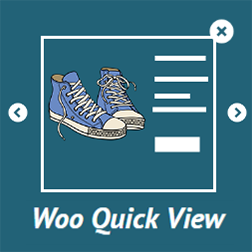
快速檢視和立即購買外掛可在您的商店中讓購買流程更輕鬆,透過添加快速檢視彈出視窗和立即購買按鈕,可以增加轉換率並鼓勵客戶從您的網站購買。
此外掛在免費版和付費版都提供多種功能。
將重新導向至購物車選項改為重新導向至結帳頁面。
更改「加入購物車」按鈕的文字。
將「已加入購物車」訊息中的「查看購物車」和「繼續購物」連結更改成「結帳」連結。
在商店和歸檔頁面 [簡單-變量-群組-外部] 的產品中添加「快速檢視」按鈕。
在彈出視窗中顯示產品詳細資訊,並可選擇數量以及「加入購物車」或「立即購買」。
在產品單一頁面中為以下產品類型添加「立即購買」按鈕 [簡單-變量-群組]。
可依據產品類型啟用 / 停用「快速檢視」按鈕。
自訂「快速檢視」按鈕標題。
自訂「快速檢視」按鈕位置。
可依據產品類型啟用 / 停用「立即購買」按鈕。
自訂「立即購買」按鈕標題。
自訂「立即購買」按鈕位置。
選擇在彈出產品中顯示或隱藏其他區段 [資料標籤區-增值產品區-相關產品區]。
在「立即購買」後選擇重新導向頁面,可選擇購物車頁面或結帳頁面。
為「快速檢視」和「立即購買」按鈕以及快速檢視彈出視窗添加自訂樣式。
👉 付費版 | 演示 👈
可為每個產品啟用 / 停用「快速檢視」按鈕。
可為每個產品啟用 / 停用「立即購買」按鈕。
可為每個產品自訂「加入購物車」標題。
可為每個產品自訂「快速檢視」標題。
可為每個產品自訂「立即購買」標題。
可在[彈出視窗-歸檔和商店頁面-單一產品頁面]中移除「加入購物車」按鈕的選項。
為每個產品添加自訂「加入購物車」後重新導向的 URL。
為每個產品添加自訂「立即購買」後重新導向的 URL。
為每個簡單產品在商店頁面中顯示數量輸入欄,以便快速加入購物車。
顯示正在進行「立即購買」或顯示快速檢視彈出視窗時,增加載入畫面。
自訂數量欄位樣式。
檢視我們的其他外掛
WP浮水印圖像
圖像尺寸控制器
即將推出的產品-woocommerce
外掛標籤
開發者團隊
② 後台搜尋「Direct Checkout – Quick View – Buy Now For WooCommerce」→ 直接安裝(推薦)
原文外掛簡介
Quick View and Buy Now plugin makes the buying process easy in your store to increase conversion and encorage clients buying from your website by adding Quick View popups and Buy Now buttons.
The plugin offers many features in both Free and Pro Versions.
Change The redirect-to-cart option to redirect to checkout.
Change “Add To Cart” Buttons Text.
Change “View Cart” and “Continue Shopping” links in added to cart notice with “Checkout” link.
Add “Quick View” button to products in shop and archive pages [ simple – variable – grouped – external ]
Show the product details in a popup with the ability to choose Quantity and either “Add to Cart” or “Buy Now”
Add “Buy Now” button in single product pages for product types [ simple – variable – grouped ]
enable / disable the “Quick View” button by product type.
Customize the “Quick View” Button Title.
Customize the “Quick View” Button position.
enable / disable the “Buy Now” Button by product type.
Customize the “Buy Now” Button Title.
Customize the “Buy Now” Button position.
Choose to show or hide additional sections in popup product [ Data tabs section – Upsells products section – related products seciton ].
Select the redirect page after “Buy Now” between cart page or checkout page.
Add custom styles for the “Quick View” – “Buy Now” Buttons and the Quick View popup.
👉 Pro | Demo 👈
Enable – Disable the “Quick View” button for each product.
Enable – Disable the “Buy Now” button for each product.
Custom “Add to cart” title for each product.
Custom “Quick View” title for each product.
Custom “Buy Now” title for each product.
Options to remove the “Add to Cart” button either from the [ popup – archive and shop pages – single product page ]
Custom Redirect URL after “Add to cart” for each product.
Custom Redirect URL after “Buy Now” for each product.
Display Quantity input field for each simple product in shop page for quick add to cart.
Display Loading Screen while Buy now process and Quick View popup is showing.
Custom Quantity Field styles.
[New] Direct Purchase Product.
[New] Quick View product Carousel.
Check Our other plugins
Woo Recurring Sale
Woo Name Your Price
Woo Lemonsqueezy Checkout
Woo Limited Offers
Woo Order Uploader
Woo Gift Cards
Woo Restrict Orders
Woo Bulk Price & Stock Manager
Woo Variation Sold individually
Woo Paddle Checkout
Woo Sales notifications
Woo Real time Cart Tracker
Woo Best Sellers
Advanced Captcha
WooCommerce Advanced Bundles
WooCommerce Advanced Pricing – Discounts & Quantity Swatches
Image Sizes Controller
WooCommerce Cart Limiter
WP Watermark Images
Coming Soon Products for WooCommerce
WooCommerce Cart and Order Limiter
Simple Countdown
Watermark PDF
WooCommerce Maintenance Mode
Sidebars Gutenberg Blocks
Large Images Uploader
Maintenance Mode for WooCommerce
Single Ajax Add to Cart For WooCommerce
GIF Uploader
PDF Password Protect
Paypal Subscriptions
WP Plugin Creator