內容簡介
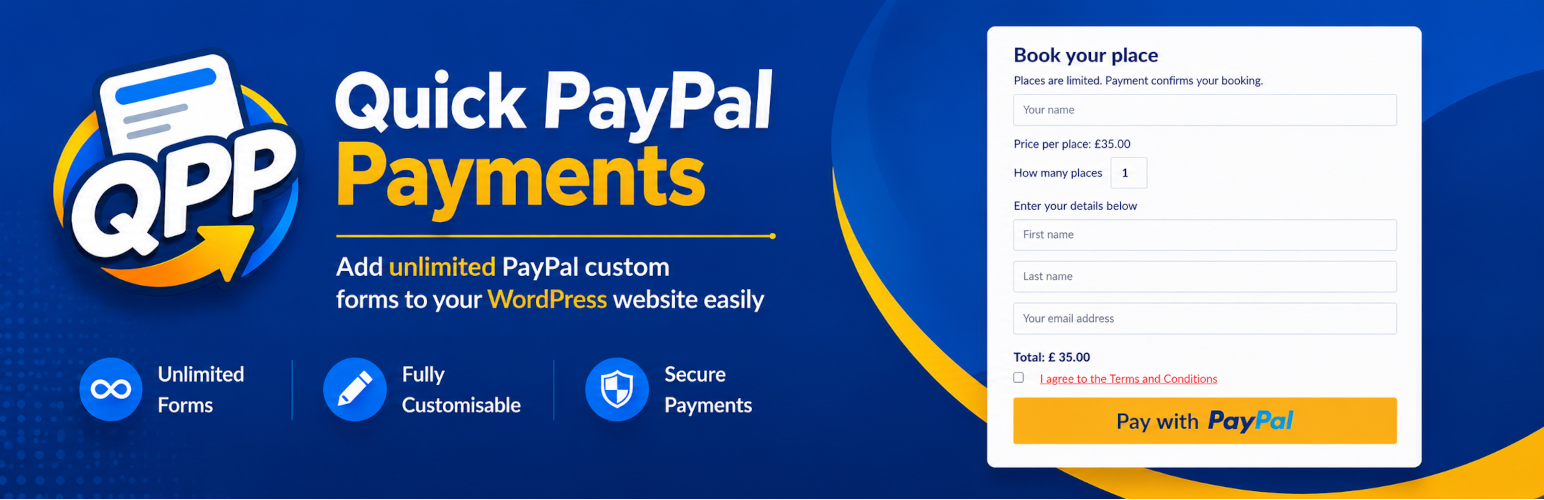
Quick Paypal Payments 外掛讓您輕鬆在 WordPress 網站上接受 PayPal 付款。只需一個短碼即可放置付款表單,無需商業帳戶或 API 金鑰,幾分鐘內即可開始收款。
【主要功能】
• 無限付款表單,使用短碼、小工具或區塊放置
• 支援 PayPal 接受的任何貨幣
• 客戶可輸入金額或設定固定價格
• 收集客戶姓名、電子郵件及地址等資訊
• 自訂標籤、顏色及訊息欄位
• CSV 下載每筆付款記錄
外掛標籤
開發者團隊
② 後台搜尋「Quick PayPal Payments: Payment Button & Form」→ 直接安裝(推薦)
📦 歷史版本下載
原文外掛簡介
Take a PayPal payment today.
One shortcode puts a payment form anywhere on your WordPress site. All it needs is your PayPal email address, so you can be taking money in a few minutes, with no business account, no API keys and no developer. Unlimited forms, any currency PayPal accepts, and every label and colour is yours to change.
What the free version does
Unlimited payment forms, placed with a shortcode, a block or a widget
Any currency PayPal accepts
Charge one set price, or let the buyer type the amount
Quantity, item number, and a list of options to pick from
Name, email, postal address and phone number, if you want to collect them
Your own message field, terms and conditions, a consent tick box and a maths captcha
Change every label, caption and colour, or leave the defaults alone
A record of every payment, with a CSV download
Mark a payment as paid by hand once you have checked it in PayPal
Multi-language and GDPR ready
A personal PayPal account is enough. There is nothing to configure beyond your
email address.
What the paid version adds
The paid version is about getting your time back and selling more than one thing.
Payments confirm themselves. PayPal tells your site the moment a payment
clears, so orders mark themselves paid and you stop opening PayPal to check
whether one went through. Your buyer gets an automatic thank you email, and you
can create their WordPress account at the same time, in whichever role you
choose.
Take card payments as well as PayPal. Send buyers to Stripe instead and take
cards directly, on a page hosted by Stripe so no card details touch your site.
Some people will not pay through PayPal, and that is the reason they abandon a
payment.
Sell properly rather than just collect money. Offer a choice of prices on one
form, a slider, or a set of pre-set references. Run coupon codes with
percentage or fixed discounts, expiry dates and limited quantities. Add postage
and handling as a fixed amount or a percentage. Set a minimum amount, or switch
the form to donations.
Charge again next month. Recurring payments through PayPal on a schedule you
choose, stopping automatically after the number of payments you set. Recurring
forms use PayPal even on a site that otherwise takes cards.
Sell up to nine things at once, each with its own price and quantity, on one
form.
And the rest: a datepicker field, Mailchimp signup, your own logo on the
PayPal checkout page, sandbox mode for testing, and support by email and
knowledge base.
See what is in each plan.
PHP
Tested up to PHP 8.5
Developers plugin page
quick paypal payments plugin.
External Services
This plugin relies on PayPal to take payments. It cannot function without it.
PayPal checkout
When a visitor submits one of your payment forms, the plugin sends them to PayPal
to complete the payment. The data submitted to PayPal is the payment amount,
currency, item name and payment reference, together with any name, email address,
postal address and telephone number the visitor entered on your form. This happens
only at the point a visitor submits a payment form.
On pages that contain a payment form, the plugin also loads PayPal’s checkout
script from https://www.paypalobjects.com/api/checkout.js.
PayPal Instant Payment Notification
If you enable IPN, PayPal sends your site a notification when a payment is made.
Your site posts that notification back to PayPal at https://ipnpb.paypal.com (or
https://ipnpb.sandbox.paypal.com in sandbox mode) so PayPal can confirm it is
genuine. Only the notification PayPal sent is posted back.
PayPal terms of service: https://www.paypal.com/uk/legalhub/useragreement-full
PayPal privacy policy: https://www.paypal.com/uk/legalhub/privacy-full
Stripe (paid version only)
The free version does not contain the Stripe integration and never contacts
Stripe. In the paid version, if you enter your Stripe keys and switch Stripe on,
submitting a payment form creates a checkout session at https://api.stripe.com
and sends the visitor to a payment page hosted by Stripe. The data sent is the
payment amount, currency, item name and, if your form collects it, the visitor’s
email address. No card details are entered on or handled by your site. Stripe
then notifies your site when the payment completes.
Stripe terms of service: https://stripe.com/legal/ssa
Stripe privacy policy: https://stripe.com/privacy
Freemius
Licensing, updates and optional usage tracking are handled by Freemius. Usage
tracking is opt in and you are asked when the plugin is activated. If you opt in,
your site URL, WordPress and PHP versions and the administrator email address are
sent to Freemius. If you decline, no data is sent.
Freemius terms of service: https://freemius.com/terms/
Freemius privacy policy: https://freemius.com/privacy/