內容簡介
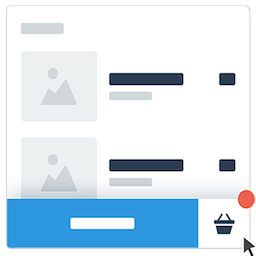
總結: Quick Cart 讓您的 WooCommerce 商店變得更加吸引人,提供一個流暢的漂浮購物車圖示,當顧客瀏覽網站時始終可見。透過平滑的動畫、即時的 AJAX 更新和強大功能,如進度條和優惠券管理,Quick Cart 打造引人入勝的購物體驗,鼓勵顧客完成購買。
問題與答案:
1. Quick Cart 的主要功能有哪些?
- 漂浮購物車圖示:隨時可見,可自訂的漂浮購物車,隨著使用者購物而滑動
- 流暢的動畫:當商品被加入購物車時,呈現美麗的彈跳和脈衝效果
- AJAX 功能:更新購物車商品數量、移除商品,以及應用優惠券無需頁面刷新
- 進度條:顯示顧客離解鎖折扣券有多近
- 優惠券管理:方便的優惠券應用和直接從迷你購物車中刪除
- 4 種圖示風格可選擇:選擇購物車、袋子或籃子圖示
- 完全可自訂:控制顏色、位置和樣式以符合您的品牌
- 響應式設計:在桌面、平板電腦和行動裝置上完美運作
- 可見性控制:在特定頁面類型上隱藏漂浮購物車
- 自動打開購物車:當產品被添加時自動打開購物車(在單品頁面上)
2. 進度條功能有哪些特點?
- 鼓勵顧客花更多錢的視覺進度追蹤功能:
- 顯示達到折扣券資格的進度
- 支援多種優惠券層級
- 可自訂的進度訊息
- 一鍵優惠券應用
- 視覺完成慶祝
- 自動複製優惠券代碼到剪貼簿
3. Quick Cart 特別適合哪些使用者?
- 想增加轉換率的線上商店
- 使用折扣券促銷銷售的商店
- 以行動裝置為首的電子商務網站
- 產品數量眾多的商店
- 任何希望優化使用者體驗的 WooCommerce 商店
外掛標籤
開發者團隊
原文外掛簡介
Quick Cart transforms your WooCommerce store with a sleek, floating cart icon that stays visible as customers browse your site. With smooth animations, instant AJAX updates, and powerful features like progress bars and coupon management, Quick Cart creates an engaging shopping experience that encourages customers to complete their purchases.
Key Features
Floating Cart Icon – Always visible, customizable floating cart that follows users as they shop
Smooth Animations – Beautiful bounce and pulse effects when items are added to cart
AJAX Functionality – Update cart quantities, remove items, and apply coupons without page refresh
Progress Bar – Show customers how close they are to unlocking discount coupons
Coupon Management – Easy coupon application and removal directly from the mini cart
4 Icon Styles – Choose from shopping cart, bag, or basket icons
Fully Customizable – Control colors, position, and styling to match your brand
Responsive Design – Works perfectly on desktop, tablet, and mobile devices
Visibility Controls – Hide the floating cart on specific page types
Auto-Open Cart – Automatically opens cart when products are added (on single product pages)
Progress Bar Features
Encourage customers to spend more with visual progress tracking:
Display progress toward discount coupon eligibility
Multiple coupon tiers support
Customizable progress messages
One-click coupon application
Visual completion celebrations
Auto-copy coupon codes to clipboard
Customization Options
Position Settings – Left or right side placement with pixel-perfect positioning
Color Controls – Customize background, icon, and badge colors
Icon Selection – 4 modern icon designs to choose from
Typography – Professional, readable font styling
Animation Speed – Smooth, optimized animations
Visibility Rules – Show/hide on home, pages, posts, or archives
Perfect For
Online stores wanting to increase conversions
Shops using discount coupons to drive sales
Mobile-first eCommerce sites
Stores with high product counts
Any WooCommerce store wanting better UX
Pro Features (Coming Soon)
Free shipping progress bar
Recommended products in cart
Cart abandonment recovery
Advanced analytics
Custom CSS editor
Multi-step checkout preview
Additional Information
Minimum Requirements
WordPress 5.0 or higher
WooCommerce 3.0 or higher
PHP 7.0 or higher
Modern web browser with JavaScript enabled
Documentation & Support
For detailed documentation, tutorials, and support:
* Visit the plugin settings page for inline help
* Check the support forum on WordPress.org
* Review the FAQ section above