內容簡介
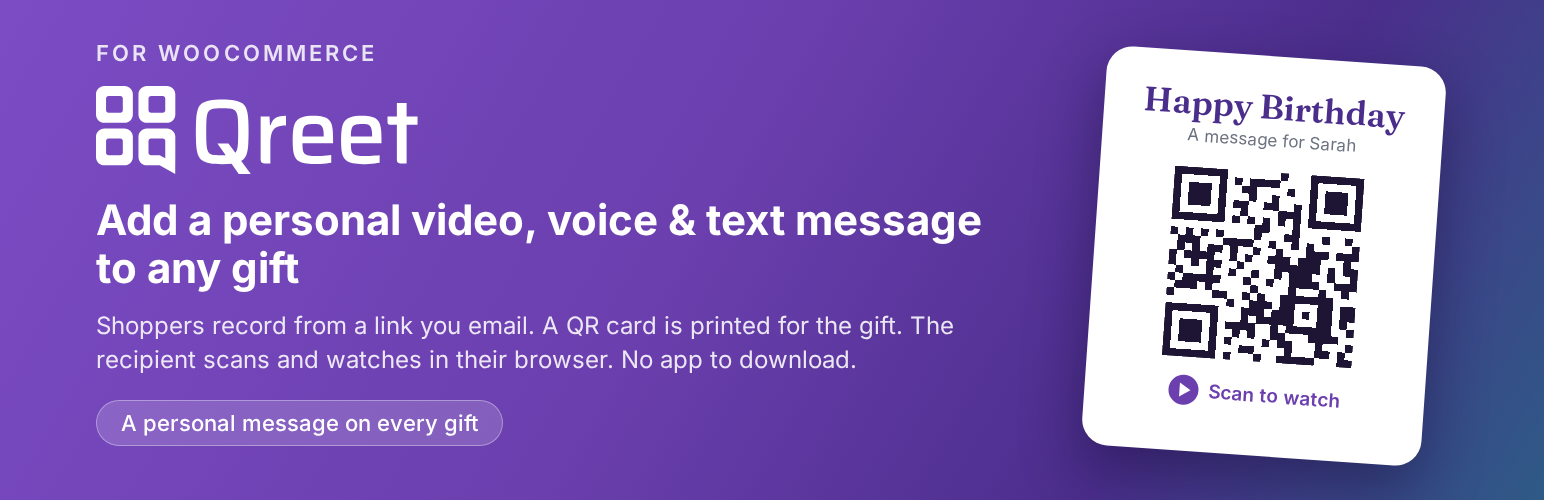
Qreet 外掛為 WooCommerce 商店提供個人化贈禮訊息選項,讓顧客能在產品頁面、購物車及結帳時添加短影片、語音或文字訊息。商店每月免費獲得 5 顆點數,並可全額保留銷售收益。
【主要功能】
• 在購物車及結帳頁面新增個人訊息選項
• 一鍵式附加功能,簡化結帳流程
• 提供免費訊息選項顯示
• 付款後發送錄製連結及可掃描的 QR 碼
• 自訂樣式以符合佈景主題設計
• 可選擇附加管理員電子郵件及可列印卡片
外掛標籤
開發者團隊
② 後台搜尋「Qreet – Personal Gift Messages for WooCommerce」→ 直接安裝(推薦)
原文外掛簡介
Start free — every store gets 5 credits every month, no credit card. You set the add-on price and keep 100% of the sale (Qreet takes no commission).
Qreet adds a “personal message” option to your WooCommerce store. At the product page, cart, and checkout, shoppers can add a short video, voice, or text message to their gift for a small fee. After payment they receive a link to record the message, and a QR code card is produced to include with the order — the recipient scans it to watch.
This plugin is an interface to the Qreet service (a third-party software-as-a-service). A Qreet account and message credits are required for the recording, hosting, and QR/card generation. Creating an account is free.
Features
Inline “add a personal message” placement on the cart and checkout, plus a checkbox option on product pages.
One-click add-on: no fields to fill in at checkout. The sender adds the recipient’s name when they record; the shipping name is used as a starting point.
Shows “Free” instead of a $0 price when you offer the message at no charge.
Sends the customer a recording link by email after payment, with a scannable QR code.
“Match my theme” styling that inherits your theme’s button styles, or custom colours you choose in the settings tab or the Customizer (with live preview).
Optional admin email with a printable card for each order.
Works with classic and block cart/checkout.
Requires WooCommerce 7.0 or later.
External services
This plugin connects to one or more external services. It is important you and your customers understand where data is sent.
Qreet (https://qreet.io) — the core service this plugin integrates with.
What it does: creates, hosts, and serves the recorded video/voice/text message and generates the QR code card.
When data is sent: when you verify your API key, when you refresh credits, and when an order containing a message card is processed.
What is sent: your store API key/identifier, and for each message order the shipping name (used as the recipient’s name, if present), the shipping address, and order/identifier information needed to generate the message link and card. Customers who record a message interact with Qreet directly.
Since version 1.6.0 the order request also sends the customer’s billing phone number in E.164 format and the customer’s name (so the recording page can pre-fill them), your store’s notification email address and the order’s admin link (so Qreet can email you the printable card as a PDF attachment); the occasion is no longer sent.
Since version 1.6.3 the order request also sends the customer’s billing email address, so Qreet can email the customer a reminder if they haven’t recorded their message yet, and let them know when it is viewed or replied to. Every such email includes a link to stop further emails about that message.
Creating a Qreet account (optional): if you use the in-plugin “create account” form instead of signing up on the website, the plugin sends the business details you enter — email address, business name, business phone, business type, country, city, province/state — together with your site URL to Qreet (POST https://qreet.io/api/shop/register-from-plugin) to create the account. Qreet then emails you to verify and issue an API key.
Buying message credits (optional): when you open the “Buy Credits” screen the plugin fetches the available pricing bundles from Qreet (GET https://qreet.io/api/pricing/plugin-credits); this request sends no personal data. When you choose a bundle, your store API key is sent to Qreet (POST https://qreet.io/api/billing/buy-plugin-credits) to create a secure checkout session, and your browser is redirected to Stripe to complete payment. Payment card details are entered on Stripe and are never handled by the plugin or your site.
Opening the Qreet dashboard (optional): when you use a dashboard quick-link, your store API key is sent to Qreet (POST https://qreet.io/api/auth/plugin-login-token) to obtain a one-time sign-in token so the dashboard opens without a separate login.
QR code images shown in notification emails are generated by the Qreet service (GET https://qreet.io/api/plugin/qr). Only the order’s recording-link token is sent, and the image simply encodes that same Qreet recording link.
Terms of Use: https://qreet.io/terms
Privacy Policy: https://qreet.io/privacy
Qreet is the only external service this plugin contacts; no third-party services are used.
By installing, activating, and configuring this plugin with your Qreet API key, you consent to the data transmissions described above.
Privacy
The plugin stores the recipient name (taken from the order’s shipping name, and later confirmed by the customer when recording) as order data in your WooCommerce store. To produce the message and QR card, that data, the customer’s name, billing phone and billing email, and order identifiers are sent to Qreet as described in “External services”. Please reflect this in your site privacy policy.