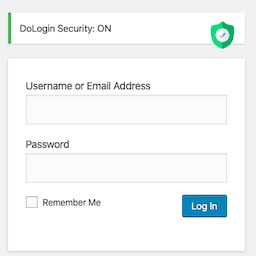
內容簡介
PW Security and Backup 將實用的 WordPress 安全性與備份工具整合於一個管理面板中,提供網站管理者全面的安全防護與資料備份解決方案。
【主要功能】
• 登入嘗試限制與臨時 IP 禁止
• 自訂登入路徑、額外密碼及挑戰問題
• WordPress 強化控制與回滾支援
• 可疑代碼掃描及檔案完整性檢查
• 郵件通知管理員登入、檔案變更及 IP 禁止
• WordPress 網站檔案與資料庫的 ZIP 格式備份
外掛標籤
開發者團隊
原文外掛簡介
PW Security and Backup brings practical WordPress security and backup tools into one administration panel.
Main features:
Login attempt limiting and temporary IP bans.
Optional custom login path, additional password, and challenge question.
WordPress hardening controls with rollback support.
Suspicious-code scanning for WordPress files.
SHA-256 file integrity baselines and chunked site-directory monitoring.
Email notifications for administrator login, file changes, and IP bans.
WordPress site-file and database backups in ZIP format, excluding authentication secrets and environment configuration files.
Read-only backup comparison without overwriting or deleting WordPress core, theme, or plugin files.
Security logs, traffic records, and a security analysis report.
Translation-ready English source interface for translate.wordpress.org.
Login-path hiding and live traffic recording are disabled by default. They can be enabled after the administrator reviews the related settings and confirms that the hosting or proxy configuration is compatible.
The plugin does not require a license key, send telemetry, or load remote scripts. Email notifications are sent through the WordPress mail system to the configured address when enabled.
Important: WordPress scheduled events depend on site traffic unless the hosting provider runs a real server cron. FTP changes are reported after a complete scheduled integrity scan finishes.
Privacy
The plugin does not send telemetry, scan results, traffic records, credentials, or backup contents to PW Feed or another external service.
Security logs may store an IP address, WordPress username, event time, and event description. When live traffic recording is explicitly enabled, the plugin locally stores a limited rolling set of request paths, IP addresses, request methods, referrers, and user-agent strings. Administrators can clear these records from the plugin screens. The configured retention period applies to security logs.
Quarantined files and their local metadata are stored below the WordPress uploads directory in the plugin-specific pw-security-and-backup storage directory. The quarantine directory has a random component and access-blocking files. Quarantine data is not sent to an external service.
Email notifications are sent through the site’s WordPress mail configuration to the address selected by the administrator. Backups can contain personal and sensitive site data because they include site files and database tables. WordPress authentication configuration files, including wp-config.php and environment files, are excluded. Backup archives are placed below the WordPress uploads directory in the plugin-specific pw-security-and-backup storage directory with a random component and access-blocking files. Archives are downloaded through a capability- and nonce-protected administration action. Server-level access rules should also protect the uploads directory on hosting configurations that do not honor Apache or IIS access files.
More Information
For more information, documentation, and product updates, visit PW WordPress Plugin. Turkish-language information is available at PW WordPress Plugin Türkiye.