內容簡介
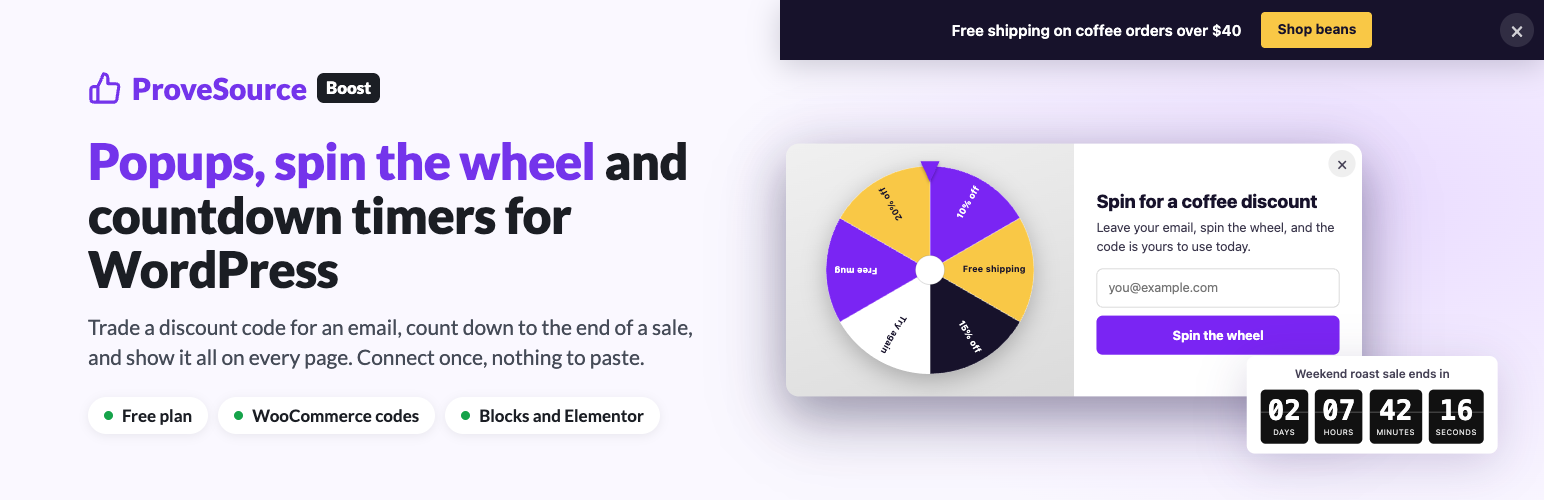
ProveSource Boost 是一款能將訪客轉化為訂閱者和買家的 WordPress 外掛,提供多種小工具,如電子郵件彈出視窗、轉盤遊戲、倒數計時器等,幫助商家提升銷售和互動。
【主要功能】
• 電子郵件彈出視窗交換折扣碼
• 轉盤、刮刮卡和抽獎遊戲
• 免費運送公告條
• 倒數計時器顯示促銷時間
• WhatsApp 和電話浮動按鈕
• WooCommerce 結帳時自動應用折扣碼
外掛標籤
開發者團隊
② 後台搜尋「ProveSource Boost – Popups, Spin the Wheel & Countdown Timers」→ 直接安裝(推薦)
原文外掛簡介
ProveSource Boost turns visitors into subscribers and buyers with the widgets stores already know work: an email popup that gives a discount code, a spin-the-wheel or scratch card game, a free shipping bar, a countdown to the end of a sale, and a floating WhatsApp or call button. You design them in the Boost dashboard, and this plugin puts them on your WordPress site.
Click Connect with Boost, sign in or sign up for free, and approve the site. From then on every widget you switch on in Boost shows on your site, and a widget you make next week appears without touching WordPress again.
What you can add to your site
Email popups that trade a discount code, a guide or a newsletter for an email address. The code is revealed after signup, with a copy button.
Spin the wheel, scratch card and pick-a-gift games. The visitor plays for a prize and leaves an email to claim it. Prizes are drawn on our server, not in the browser, each with its own odds and an optional cap on how many times it can be won.
Announcement bars for free shipping, a sale or a launch, pinned to the top or bottom of the page, with an optional countdown and button.
Countdown timers inside the page, next to a product or a pricing table, counting down to a date or to a fixed time after each visitor arrives.
WhatsApp and call buttons that float in a corner and open a chat or dial your number.
Discount codes applied at checkout on WooCommerce
Turn on “Apply it at checkout” on a popup or a game in Boost, and on a WooCommerce store the plugin puts the code the visitor won straight into their cart. If the cart is empty, the code waits and is applied to the first product they add. It only applies codes that exist as coupons in your WooCommerce store, and every rule you set on the coupon still counts.
Show each widget to the right visitors
Every widget has its own rules in the Boost editor: the pages it shows on or skips, new or returning visitors, mobile or desktop, the site the visitor came from, and their country. It opens after a delay, on scroll, on exit intent, after a period of inactivity, after a number of pages, or when a visitor clicks something on your page. It remembers who closed it and for how long, and a start and end date lets you set up a Black Friday popup in advance.
Where the leads go
Every lead is saved in your Boost account with its page, country and any extra fields you asked for, and exports to CSV. Per widget, Boost can also email you each new lead, add it to a Klaviyo list, or send it to a webhook for Zapier, Make, n8n or your own system.
Views, clicks, closes and leads are reported to Google Analytics 4 or Tag Manager, the Meta pixel and the TikTok pixel already on your page, so a lead can count as a conversion in your ad account.
Made for WordPress
One site-wide tag: popups, games, bars and buttons show on every page with nothing else to set up.
The Boost Widget block places a countdown timer or an inline custom widget exactly where you want it, picked from a list of your widgets.
A Boost Widget element for Elementor, and the [provesource_boost key="WIDGET_KEY"] shortcode for Divi, Beaver Builder, Bricks, the classic editor and widget areas.
Caching and speed plugins: the plugin keeps WP Rocket, LiteSpeed Cache and Cloudflare Rocket Loader from delaying the Boost script until the first click, which would stop timed and exit-intent popups from ever opening.
Connecting is optional. If you would rather not, paste the site-wide install code from Boost into the plugin’s settings.
Free plan and Pro
The free plan includes 3 widgets, 1,000 widget views a month, unlimited leads, every widget type and 3 AI generations a month, with a small ProveSource badge on each widget. Pro is $24 a month or $195 a year for unlimited widgets and views, no badge and 30 AI generations a month. See provesrc.com/boost. Your visitors never see upgrade messages.
Support
Write to us from “Contact us” in the Boost dashboard, or through the chat there. ProveSource Boost is made by the team behind ProveSource social proof notifications and Shapo reviews and testimonials.
External services
This plugin connects your site to ProveSource Boost, a service operated by Configo LTD, to show the widgets you make there. Nothing is sent before you click Connect with Boost or paste an install code.
Terms of service, privacy policy.
Widgets on your pages. On every front-end page where Boost is on, the visitor’s browser loads boost.js from cdn.provesrc.com and asks client-api.provesrc.com for the widgets to show, sending the page address. When a visitor sees, clicks or closes a widget, the widget key and the page address are sent. When a visitor submits a widget’s form, what they typed (an email, and a name or other fields you asked for), the page address and the referring page are sent. The visitor’s IP address is used to decide their country for country rules and is not stored. Images you upload in Boost load from boost-cdn.provesrc.com; a video you add to a popup loads from YouTube (youtube-nocookie.com) or Vimeo; a WhatsApp button opens wa.me.
Connect. Clicking Connect with Boost opens boost.provesrc.com with your site’s address and name. After you approve the site, the plugin sends a one-time code, your site’s address and the plugin version to api.provesrc.com in exchange for a connection token, then uses the token to fetch your widget list. The token can read your widgets’ names, types and status and your site key, nothing else.
WooCommerce codes. When a visitor wins a code on a widget with “Apply it at checkout” turned on, the code is sent to your own site, not to ProveSource, and applied to their cart.
Disconnect and uninstall. Disconnecting, or deleting the plugin while connected, tells api.provesrc.com to revoke the connection token.