內容簡介
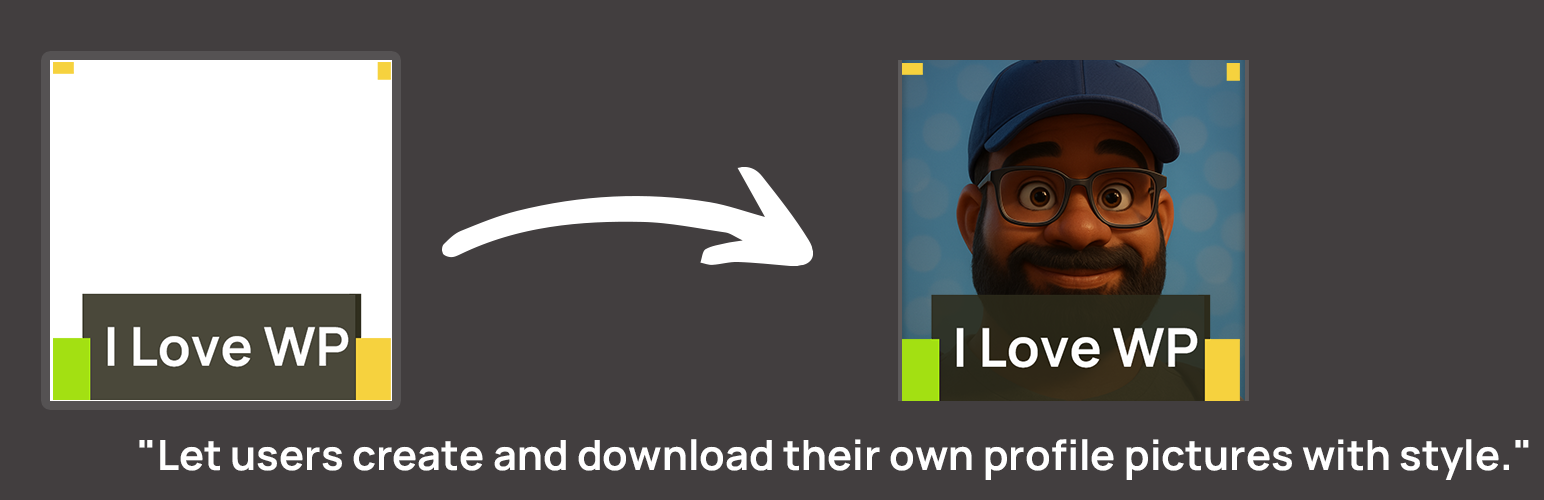
Social Profile Frame Generator 是一款易於使用且注重效能的外掛,讓網站擁有者能夠上傳自訂的 PNG 框架,使用者可以將其疊加在照片上,生成社交媒體的個人資料圖片。此外掛特別適合活動、活動宣傳及品牌社群。
【主要功能】
• 上傳透明 PNG 框架至媒體庫
• 精確的縮放與旋轉控制
• 支援 Gravatar 自動加載用戶頭像
• 自訂背景顏色與使用者說明
• 輕量化設計,僅在需要的頁面加載 CSS/JS
• 響應式設計,適合行動裝置操作
外掛標籤
開發者團隊
② 後台搜尋「Social Profile Frame Generator – Custom Social Media Frames Creator」→ 直接安裝(推薦)
原文外掛簡介
Profile Frame Generator is a user-friendly, performance-focused plugin that allows site owners to upload custom PNG frames that users can overlay on their photos to generate social media profile pictures. This plugin easily helps create a social photo without any software on the desktop or mobile.
Sample URL for Social Avatar Profile Frame used by WordCamp Asia 2026 by using this plugin: https://wpasia.org/2026/frame/attendee/
Built for events, campaigns, and brand communities, this plugin is perfect for WordCamp, meetups, or social movement organizers who want to promote a unified visual identity among supporters, attendees, volunteers, and speakers.
🎯 Key Features:
NEW: Detailed, responsive frontend UI.
NEW: Split-screen layout for desktop.
Zoom In/Out controls for precise adjustments.
Rotate Left/Right controls to fix orientation.
Bokeh/Blur effect to blur the background image.
Reset Position button to quickly start over.
Gravatar support – load user avatar directly from email.
Custom background color for non-transparent areas.
Customizable user instructions.
Upload a transparent PNG frame from the WordPress media library.
Generate framed profile pictures with an interactive frontend interface.
Lightweight: CSS/JS loads only on pages containing the shortcode.
Responsive and mobile-ready with intuitive gestures (touch drag/pinch).
🛠 How to Use:
Install the Profile Frame Generator plugin via Plugins > Add New.
Navigate to Dashboard > Profile Frame.
Click “Select Frame from Media Library”, choose your PNG frame, and click Select Frame.
Configure the new control settings (Zoom, Rotate, Bokeh, etc.) as desired.
Click the “Save Settings” button.
Copy the shortcode (e.g., [profile_frame frame="123"]) or just [profile_frame] to use the default saved frame.
Paste the shortcode on any post or page.
Save and view the page – the frame generator canvas will be visible to users.
✨ Frame Interaction & Controls:
Users can customize their image overlay using the following:
– Zoom Buttons – Precise zoom control.
– Rotate Buttons – Rotate image 90 degrees left or right.
– Mouse Wheel – Zoom in/out of the uploaded image.
– Mouse Drag – Reposition the image within the frame.
– Mobile (Pinch to Zoom) – Two-finger pinch gesture to zoom.
– Mobile (Rotate) – Rotate the image left or right using your fingers.
– Gravatar – Enter email to auto-load profile picture.
🖼 Multiple Frame Support:
To use more than one frame:
– Use [profile_frame frame="image_id_here"] where image_id_here is the Media Library ID of your PNG frame.
– Each frame must be used on a separate page, as only one frame is supported per page.
Example:
– Frame A: [profile_frame frame="123"]
– Frame B: [profile_frame frame="456"]
⚠️ Performance First: The plugin only loads CSS and JS on pages with the shortcode, ensuring fast load times and minimal impact on your site.
Note: WordPress and WordCamp are registered trademarks of the WordPress Foundation. This plugin is not affiliated with or endorsed by WordPress.org or WordCamp. Names used for reference only.
Support
For questions, support requests, or feature suggestions, please visit the support forum.