內容簡介
Product Designer App 是一款專業的 WooCommerce 產品設計與線上產品客製化外掛,適用於印刷商、按需印刷商店、禮品個性化業務及任何銷售可客製化產品的 WordPress 商店。它讓顧客能夠直接在網站上個性化產品,提升購物體驗。
【主要功能】
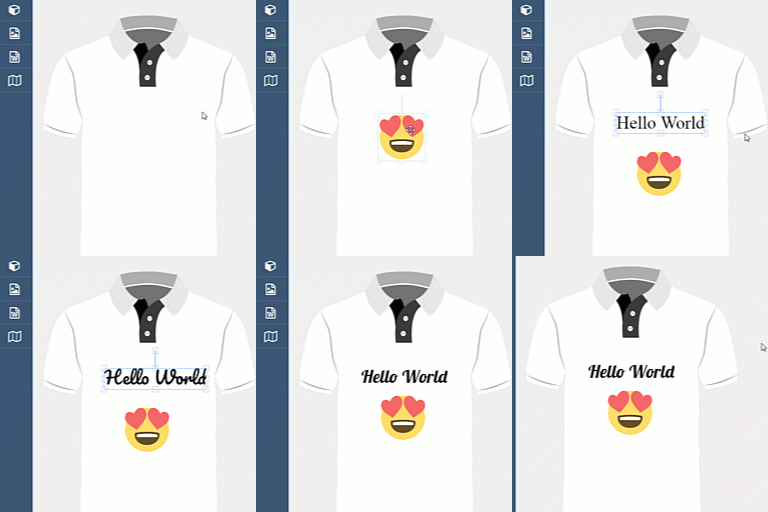
• 線上產品設計工具,適用於 WooCommerce
• 支援 SVG、PNG 和 JPG 檔案的藝術作品
• 顧客可上傳照片並進行編輯
• 提供現成的設計模板以加速個性化
• 動態定價設定,依據印刷類型和數量
• WooCommerce 購物車及結帳整合
外掛標籤
開發者團隊
原文外掛簡介
Product Designer App is a professional WooCommerce product designer and online product customizer plugin for print shops, print-on-demand stores, gift personalization businesses, apparel brands, sign makers, stationery shops, and any WordPress store that sells customizable products.
With Product Designer App, customers can personalize products directly on your website. They can add text, upload photos, choose artwork, apply templates, customize colors, generate QR codes or barcodes, preview designs, and add customized products to the WooCommerce cart. Store owners can manage product bases, design areas, templates, artwork libraries, printing methods, pricing rules, orders, and production-ready design files from a dedicated admin panel.
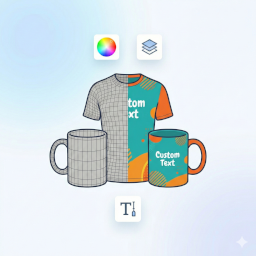
The plugin helps you turn a standard WooCommerce store into a complete online design studio for products such as t-shirts, hoodies, mugs, business cards, flyers, posters, banners, stickers, phone cases, labels, packaging, uniforms, teamwear, and other personalized products.
Live Demo and Tutorials
Explore Product Designer App before installing:
Live shop demo: https://demo.productdesignerapp.com/wordpress/shop/
Design template demo: https://demo.productdesignerapp.com/wordpress/design-template/
Free design resources: https://productdesignerapp.com/resource/
Documentation: https://docs.productdesignerapp.com/
Installation guide: https://docs.productdesignerapp.com/docs/installation/
Product setup examples: https://docs.productdesignerapp.com/docs/product-setup-examples
Help center: https://help.productdesignerapp.com/
Product overview video: https://www.youtube.com/watch?v=gFbe-sjMju4
Installation video tutorial: https://www.youtube.com/watch?v=hb3zdTbaT94
YouTube tutorials: https://www.youtube.com/@productdesignerapp
Why Choose Product Designer App?
Product Designer App is built for real production workflows, not only simple product previews. It combines customer-facing design tools with admin controls for managing assets, templates, WooCommerce products, order files, and printing options.
Use it to:
Let customers design personalized products online.
Sell custom printed products through WooCommerce.
Create product templates for faster customer design.
Manage artwork, fonts, shapes, text presets, and image assets.
Set up product design areas, product colors, masks, layers, and views.
Configure printing types, quantity discounts, and dynamic pricing rules.
Save customer design data to cart and order details.
Download print-ready files for production.
Build a professional web-to-print or print-on-demand website without custom coding.
Main Features
Online product designer for WooCommerce products.
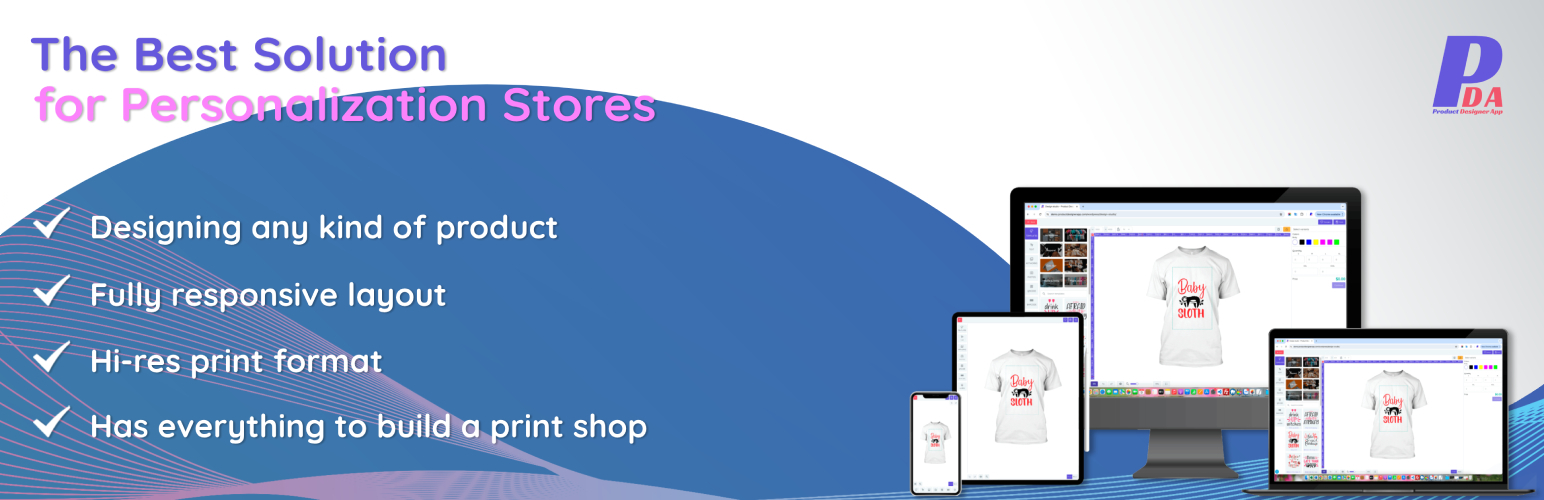
Responsive design studio for desktop, tablet, and mobile.
Customer text editing with fonts, colors, spacing, outlines, opacity, and styles.
Artwork support for SVG, PNG, and JPG files.
Customer photo upload with crop, shape, filter, resize, rotate, and flip options.
Ready-made design templates for faster personalization.
Product base management for apparel, print products, merchandise, and custom items.
Multiple design areas for front, back, sleeves, labels, panels, or custom print zones.
Product color options using predefined colors or a color picker.
Dynamic pricing for printing types, sizes, colors, views, and quantities.
WooCommerce cart and checkout integration.
Design thumbnails in cart, checkout, order details, and emails.
Print file download for SVG, PNG, and PDF output, depending on configuration and plan.
Admin dashboard for resources, orders, and system requirements.
Addon and theme management for extending the design studio.
Multi-language support and built-in language editor.
Shortcode support for adding the design studio to pages.
Admin Management
Product Designer App includes a dedicated admin workspace so store owners can manage the full product personalization process.
Dashboard with resource totals, order statistics, and system status.
Order management with customer details, design thumbnails, notes, and print file access.
Quote management in the Premium version.
Product base creation, editing, importing, exporting, duplication, and searching.
Multiple product layers for realistic product previews.
Design area configuration for one or many printable areas.
Mask layers for advanced mockups and print boundaries.
Product color, quantity discount, layout, artwork, and template settings.
Artwork bulk upload, bulk edit, folder organization, search, and multi-language data.
Template creation using the same design tools available to customers.
Import and export tools for backup, migration, or fast setup.
Printing type setup with fixed price, price by color, price by size, price by area, and quantity rules.
Addon install, activation, deactivation, upgrade, and per-product configuration.
Theme install, activation, CSS editing, and one-click upgrades.
Global settings for uploads, download formats, text, tools, fonts, shapes, filters, languages, cache, and updates.
Customer Design Tools
Customers get an intuitive online design experience that helps them personalize products quickly.
Add, edit, move, resize, rotate, copy, lock, flip, and delete design elements.
Add text from presets or create custom text.
Customize fonts, colors, spacing, outlines, opacity, and text style.
Add artwork from the store library.
Upload photos in supported image formats.
Recolor supported SVG artwork and template elements.
Apply crop, shape, and filter options for photos and artwork.
Use undo, redo, reset, preview, zoom, fullscreen, rulers, and view switching tools.
Group and ungroup selected elements.
Reorder layers from the layer panel.
Add multiple variations of the same design to cart.
Save design notes with the order.
Use QR code, barcode, team name and number, save/load, quote, and hotkey features in the Premium version.
WooCommerce Integration
Product Designer App works with WooCommerce to connect product customization with the shopping workflow.
Link product bases to WooCommerce products.
Assign design templates to specific WooCommerce products.
Display a Customize button on product pages.
Save design data to cart and checkout.
Generate thumbnails for cart and order previews.
Update product design prices dynamically.
Support classic and block-based WooCommerce cart and checkout.
Save design information in WooCommerce orders.
Show design thumbnails in order details and customer emails.
Allow customers to reorder previous customized products in supported versions.
Shortcode
Use this shortcode to display the Product Designer App studio page:
[pdapp-studio-page id="1"]
Premium Version
Product Designer App Pro unlocks advanced features for professional print shops and high-volume personalization stores.
Premium features include, depending on version and addon configuration:
One-click import of product bases, templates, artwork, fonts, themes, and other resources.
Advanced product attributes and variant management.
Quote request workflow.
Save and load customer designs.
Cart design editing for classic WooCommerce cart.
High-quality PNG, PDF output.
Artwork and template pricing.
Team name and number tools.
QR code and barcode tools.
Photo library.
Watermark settings.
Hotkeys.
Product duplication.
Share design features.
Additional addons, themes, updates, and support.
Learn more about Product Designer App Pro: https://productdesignerapp.com/shop/woocommerce/
Free vs Pro Comparison
Product Designer App is available as a free plugin and paid premium licenses for stores that need more production features, resource imports, support, and unlimited order file downloads.
Free – Best for testing the basic WooCommerce product designer workflow. Includes limited features, 1-domain usage, no included technical support, no resource import, SVG print file export, and limited order file downloads for up to 10 orders.
Basic – Best for small stores that need essential premium benefits. Includes core features unlocked, latest versions, lifetime updates, 1-domain license, 3 months of technical support, free resource imports, unlimited order file downloads, and SVG/PNG print file export.
Professional – Best for serious print shops and personalization businesses. Includes the complete feature package, all features fully unlocked, latest versions, lifetime updates, 1-domain license, 6 months of technical support, free resource imports, unlimited order file downloads, and SVG/PNG/PDF print file export.
Key premium advantages include:
Access to the latest premium version and lifetime updates.
Free resource imports for product bases, artworks, fonts, templates, themes, and addons.
Unlimited order file downloads.
Advanced print file export options.
Custom product views, design templates, layer manager, undo/redo, save design, customer design downloads, and edit design in cart.
Premium tools such as photo library, team members, QR code generator, barcode generator, watermark preview, hotkeys, request a quote, product variants, duplicate product design, quick color selection, related products, and addon system.
See the full license comparison: https://productdesignerapp.com/shop/woocommerce/
Important Notes
WooCommerce product variants are not fully supported in every workflow. For best results, set up a single WooCommerce product and manage design options inside Product Designer App.
Starting from version 1.0.9, the free plugin focuses on WordPress and WooCommerce compatibility updates. Product Designer App Pro continues to receive full bug fixes, feature updates, and support.
Always back up your website and design data before upgrading.
External Services
Product Designer App connects to ProductDesignerApp.com APIs for update notifications and, for Premium users, resource imports such as product bases, artworks, templates, fonts, themes, and addons.
Premium users may need to provide a purchase code for verification. Product Designer App may store the personal information you provide for account and purchase verification, such as your email address and PayPal transaction ID. The plugin does not store passwords or other login credentials. Access is handled by a secure login code sent to your email.
Terms of Use: https://productdesignerapp.com/term-condition
Privacy Policy: https://productdesignerapp.com/privacy-policy
Dependency Libraries
The plugin uses third-party JavaScript libraries. These dependencies are licensed under the MIT license, and uncompressed source code is available for development review.
Barcode: https://github.com/lindell/JsBarcode
Chart.js: https://github.com/chartjs/Chart.js
CircleType: https://github.com/peterhry/CircleType
ColorThief: https://github.com/lokesh/color-thief
Hotkeys: https://jaywcjlove.github.io/hotkeys-js
jsPDF: https://github.com/MrRio/jsPDF
Moveable: https://github.com/daybrush/moveable
Selecto: https://github.com/daybrush/selecto
QRCode SVG: https://github.com/papnkukn/qrcode-svg
Spectrum Colorpicker: https://github.com/bgrins/spectrum
SVG Colors: https://github.com/snorpey/get-svg-colors-browser
Vue.js: https://github.com/vuejs/vue